ECG100+ - ECG200+ - ECG100S - ECG200S
7. EXECUTION OF AN EXAM
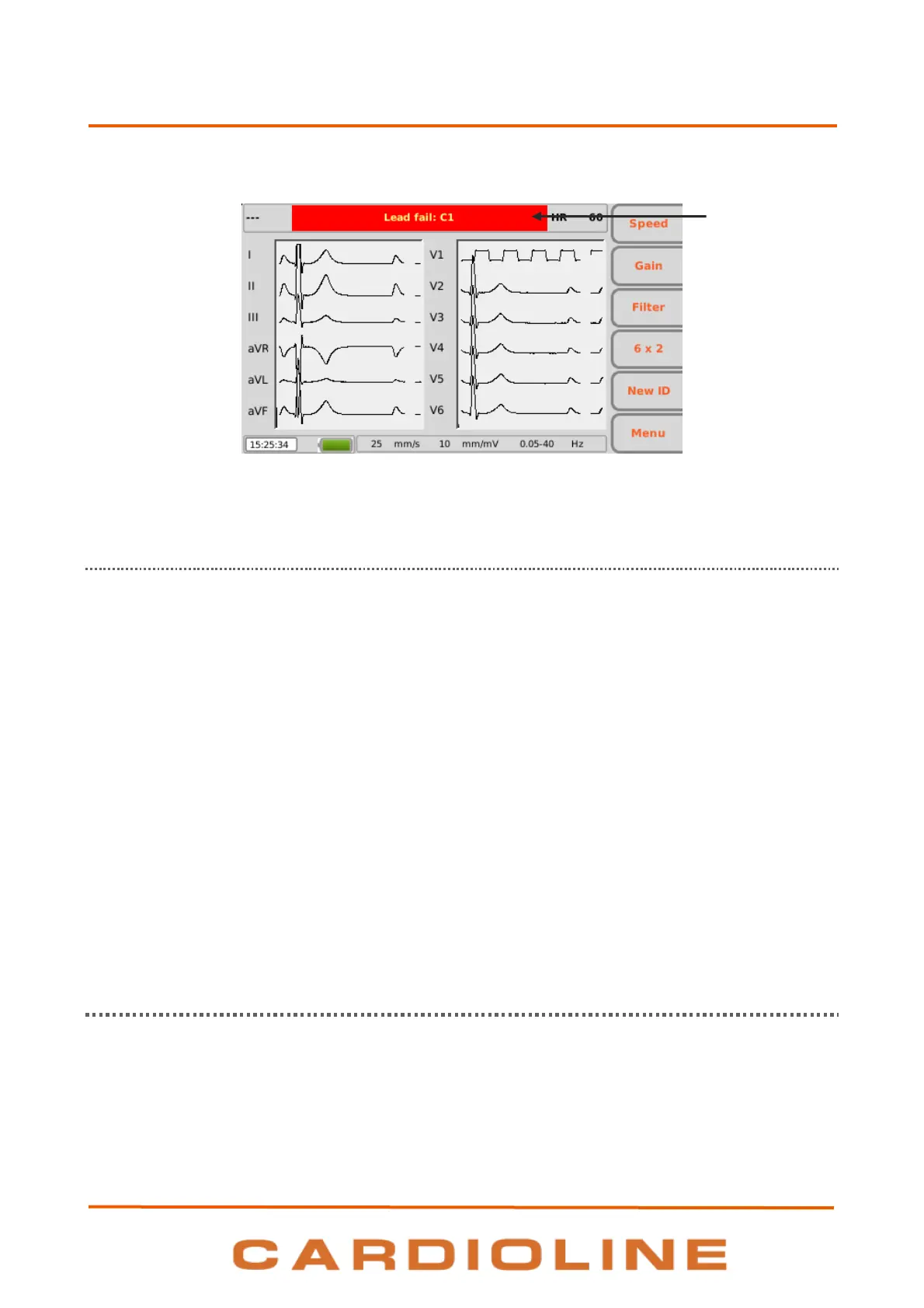
Real time display with warning message.
7.3.1. Disconnection of the leads
If one or more electrodes are disconnected the message “Lead fail” followed by the list of leads in fail is
displayed. The waveforms corresponding to the leads in fail are shown as square waves (see picture above).
In case all the leads are disconnected all the ECG traces are shown as square waves and the message “Lead
fail: all” is displayed. Similarly, if the lead in fail is N/RL the message “Lead fail: all” is displayed and all the
traces are shown as square waves.
If the patient cable is disconnected from the device front end connector, the ECG traces are shown as flat
traces.
NOTE: if the setting “LF mask” is disabled (Off), the setting “automatic interpretation” is enabled (On) and the
leads are disconnected, if the acquisition of the examination is forced (see par. 7.5) the print reports the
warning “Caution: the quality of the ECG may affect the interpretation”.
NOTE: if the setting “LF mask” is disabled (Off) and the leads are disconnected, the print in the footer shows
the writing “-- OL --”.
NOTE: the messages displayed in the event of electrode disconnected remain even if the setting “LF mask” is
disabled (Off).
7.4. Entering patient data
Patient data can be entered before or after acquiring an ECG tracing by pressing the ID hot key. The data can
be entered manually or automatically by selecting the patient from a work list.
Patient data can also be automatically loaded by selecting an ECG from the archive, as described in par. 8.3.












 To Next Page