ECG100+ - ECG200+ - ECG100S - ECG200S
7. EXECUTION OF AN EXAM
The other function keys allow you to:
F5 (Select) load the selected order and to go back to the initial screen
F6 (Cancel) go back to the initial screen without loading any data
NOTE: if the order contains the fields VisitID and ReasonForStudy, these are automatically saved in the file
SCP of the examination performed starting from that order, even though they are not visible from the ECG
machine.
7.5. Acquisition of an ECG
ECGs can be acquired both in automatic and in manual mode.
Using the automatic mode you can acquire a 10 s ECG, which can then be saved and printed as an exam.
Using the manual mode you can print continuously an ECG of variable duration (no saving is allowed).
7.5.1. Automatic acquisition of an ECG (AUTO)
10 s of tracing can be acquired in automatic mode by pressing the AUTO hot key on the real time display
screen.
When the AUTO key has been pressed, the electrocardiograph gathers 10 s of valid data and records them
automatically.
During acquisition, the display shows the number of seconds remaining until completion. If the signal is lost,
the device restart the acquisition process.
The user can force acquisition of the tracing by pressing the AUTO key a second time. This way the
electrocardiograph will save an ECG based on the data acquired up to that moment.
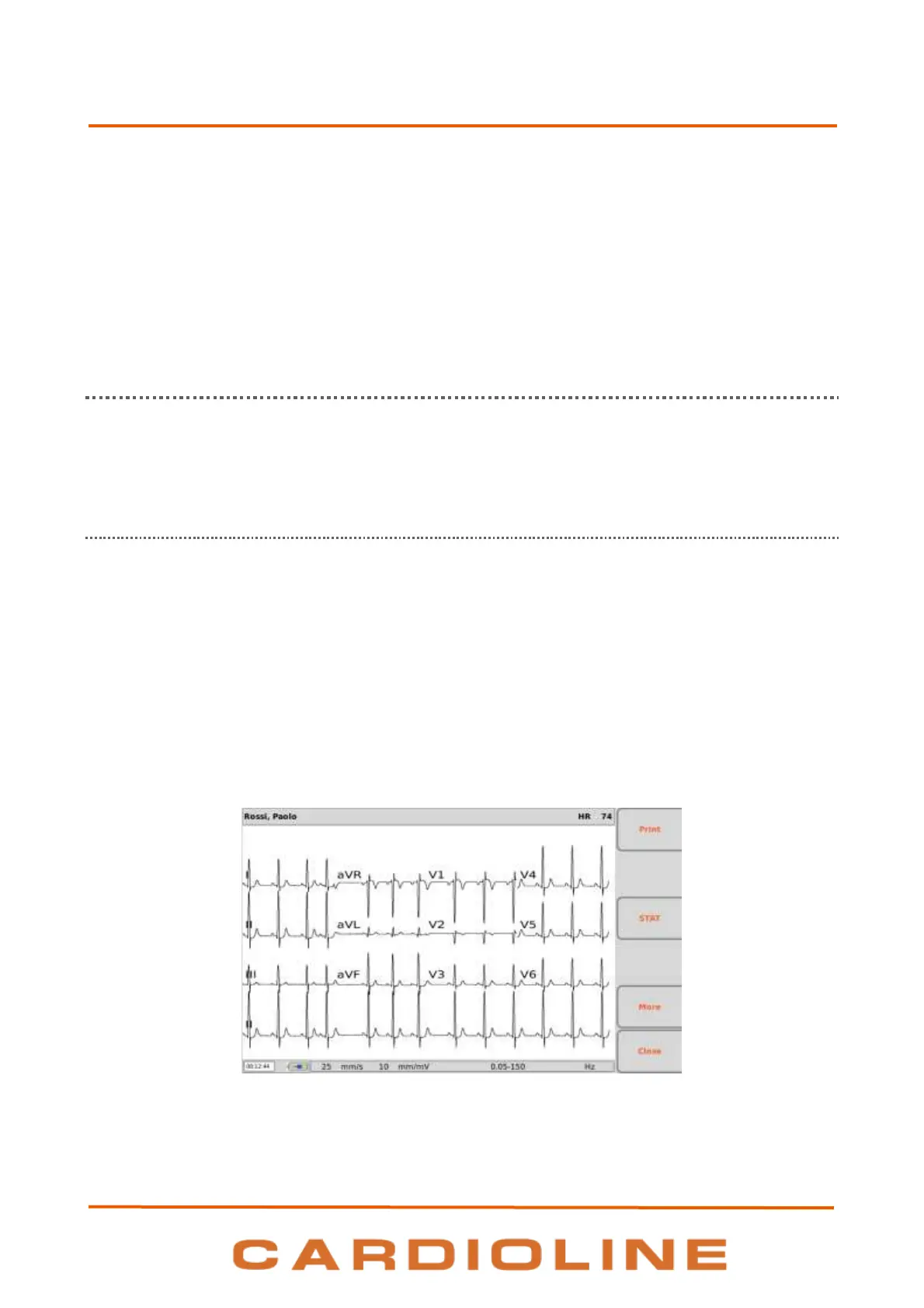
When the acquisition is complete, the traces appear on the display as a printing preview.
Printing preview of an acquired ECG.
Printing and saving the exam












 To Next Page