ECG100+ - ECG200+ - ECG100S - ECG200S
7. EXECUTION OF AN EXAM
F2 () to move down.
F3 () to scroll the list of the possible items associated with a field (such as sex and race).
The other function keys allow you to:
F4 (Worklist) open a work list
F5 (Cancel) cancel data insertion and go back to the initial screen
F6 (Done) save the entered data and go back to the initial screen
NOTE: If the age is not entered before acquiring an ECG, it will be interpreted by default relative to a 50-year-
old male. The message “Interpretation made without knowing patient’s age” will be added to the
interpretation text.
NOTE: If age zero (0) is used, it will be interpreted by default relative to a 50-year-old male. The message
“Interpretation made without knowing patient’s age” will be added to the interpretation text.
7.4.2. Automatically entering the patient's data
If the connectivity option (standard or DICOM) is enabled in the electrocardiograph, patient data can be
loaded automatically by selecting them from a work list.
Use the F4 function key (MWL) on the ID screen to view a work list.
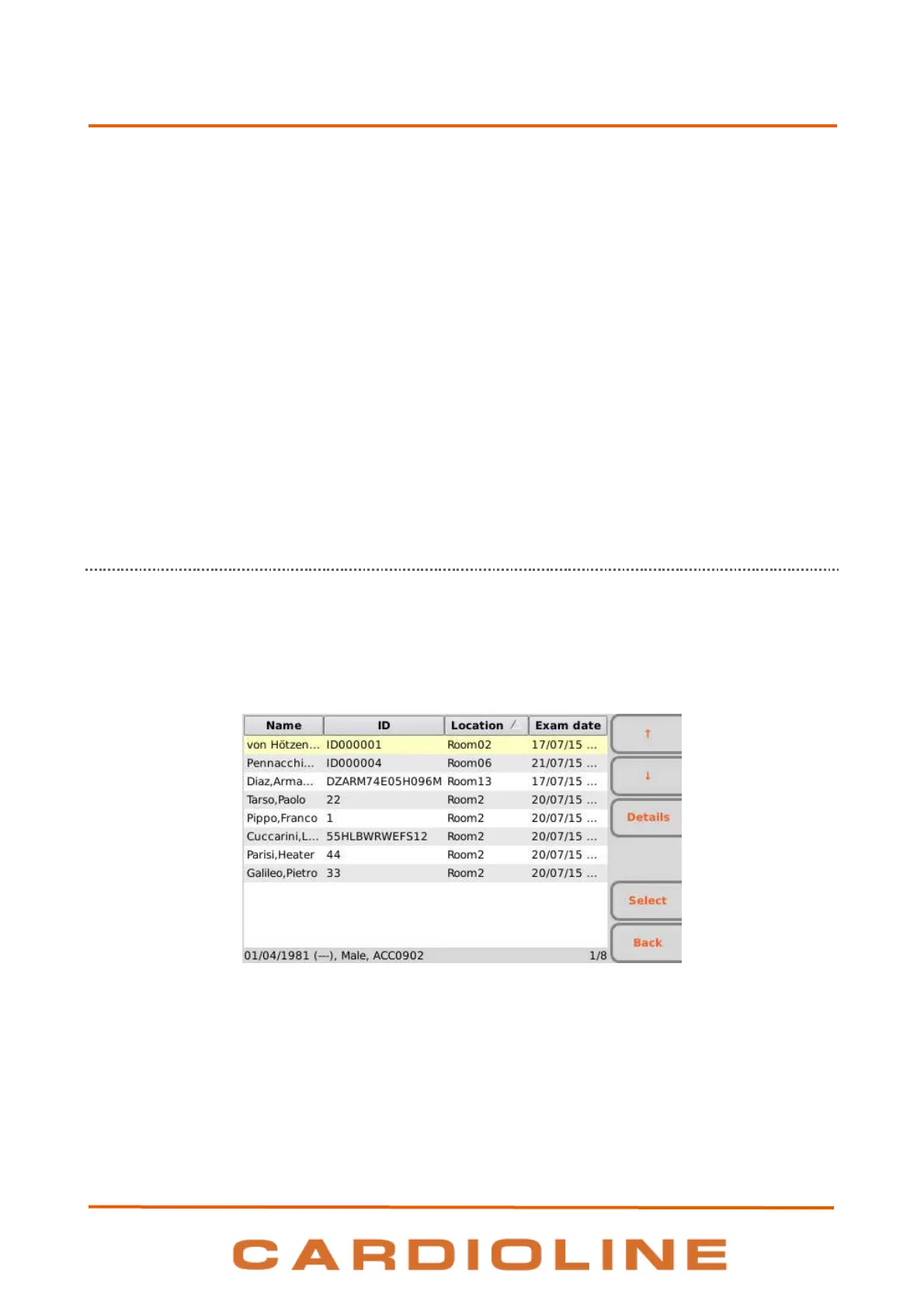
Worklist screen
Function keys
You may scroll the list using the function keys:
F1 () to move up,
F2 () to move down,
F3 (Details) to view details regarding the selected order.




 To Next Page