ECG100+ - ECG200+ - ECG100S - ECG200S
7. EXECUTION OF AN EXAM
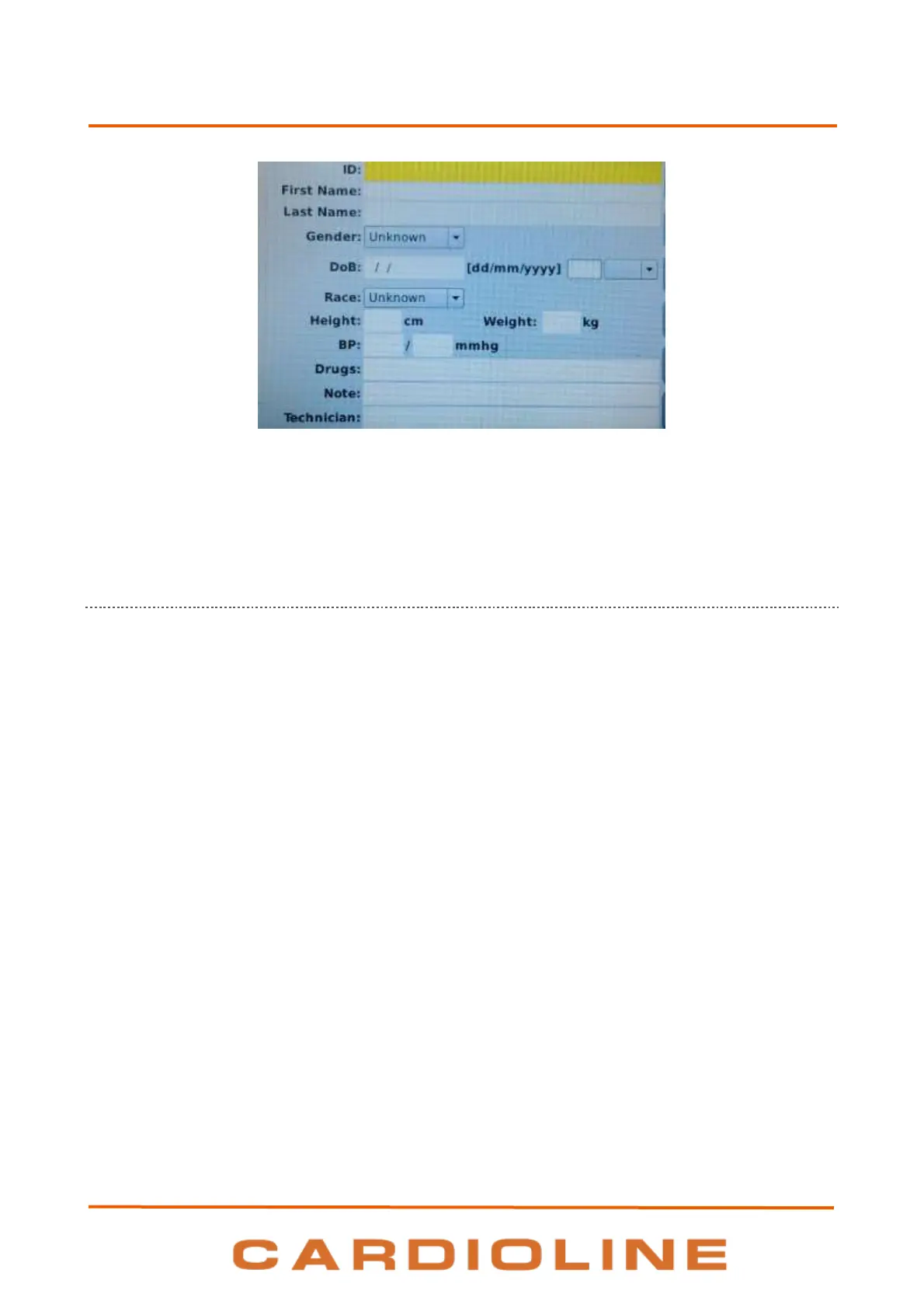
Screen for patient data input.
NOTE: make sure patient data are cleared and retyped before acquiring an ECG for a new patient, as they are
not automatically reset after an exams. Patient data are automatically cleared only when the device is turned
off or use function key New Id – F5
7.4.1. Manually entering the patient's data
Display and function keys
The fields available for patient data are:
ID (identification code for the patient)
First Name
Last Name
Gender
Date of Birth (DoB) and age – Age field is calculated automatically if a valid date of birth is entered.
Age is expressed in years (if older than 25 months), in months (if older than 12 weeks), in weeks (if
older than 30 days) or else in days.
Race – Race field appears depending on the chosen settings. If it is invisible, its default value is
"unknown".
Height and Weight
Blood Pressure (BP) – systolic and diastolic
Drugs
Note
Technician
To shift among the fields of the page, use the arrows corresponding to the following function keys:
F1 () to move up.












 To Next Page