ECG100+ - ECG200+ - ECG100S - ECG200S
10. CONNECTIVITY, RECEIVING WORK LISTS AND TRANSMITTING ECG EXAMS
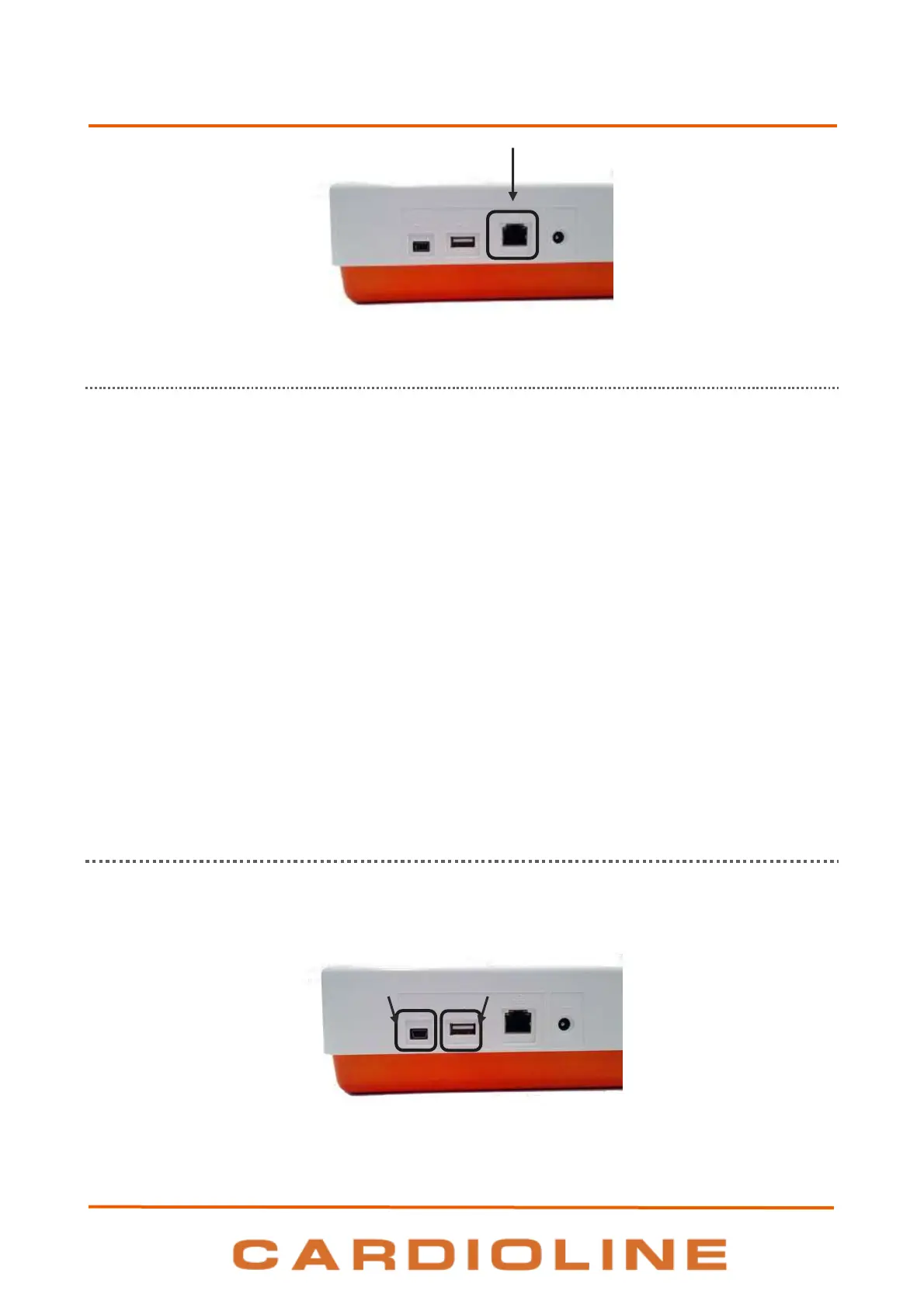
LAN connector
10.1.2. Configuring WLAN connectivity
If the WLAN option is enabled the transmission can be wireless.
The connection parameters for LAN connectivity must be configured correctly, as indicated in Par. 8.6.1.
In particular, if the DHCP is set at “No”, the WLAN access point will have a static network setting and the
following parameters must be configured in the electrocardiograph:
IP address
Subnet Mask
Gateway
If the DHCP option is set at “Yes”, its WLAN access point will have an automatic network setting and the IP
address, Subnet Mask and Gateway parameters do not necessarily need to be configured.
In both cases, the Connection String parameter (essential for transmission) must be supplied by the network
provider.
It’s also necessary to set the WiFi security settings, as indicated in Par. 8.6.8, in order to set the WiFi network
and the related security protocol.
The quality of the WiFi signal is displayed on the screen.
10.2. USB connectivity
All electrocardiographs are supplied with USB connectivity.
Specifically each device is equipped with two USB ports: one mini-USB (A) and one type A port (B).
USB ports of the device












 To Next Page