10 Chapter 3 CS 3500 Software Overview
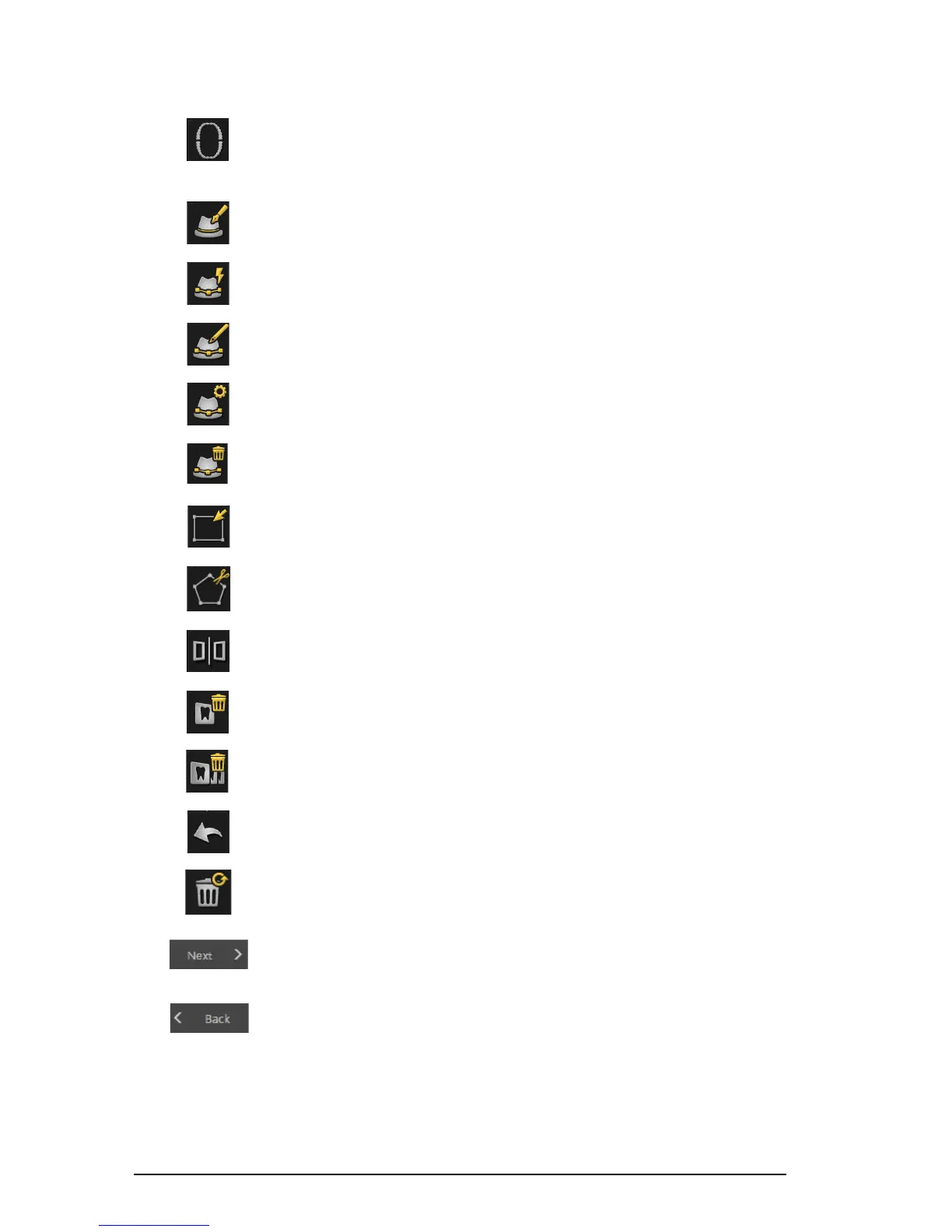
Show Scanning Area button: Displays the arch diagram, enabling you to
indicate the teeth that are part of the model. Click the Adult or Child icon to
display the appropriate arch, and select the teeth that are in the model, including
the upper and lower jaw. Click the Reset button to clear the selection. This
button is available after the model has been refined.
Draw Margin Line button: Displays the Margin Line Tools on the toolbar. This
button is available when making a restoration acquisition after the model has
been refined.
Auto Margin Line button: Draws the margin line automatically on a tooth you
select on the model. This button is available when making a restoration
acquisition after the model has been refined.
Manual Margin Line button: Enables you to manually draw the margin line on a
tooth you select on the model. This button is available when making a restoration
acquisition after the model has been refined.
Edit Margin Line button: Enables you to change a margin line on the model.
This button is available when making a restoration acquisition after the model
has been refined.
Delete Selected Margin Line button: Deletes a margin line that is selected on
the model. This button is available when making a restoration acquisition after
the model has been refined.
Select by window button: Selects the view or views by dragging the mouse to
draw a selection box.
Free Cut button: Selects and deletes unwanted data, such as soft tissue, in the
image using a free-form shape.
Split button: Displays a split-screen view of the 3D model, both with and without
the scan body. This button is available when making an implant acquisition.
Delete button: Deletes the selected view/views. Note: Press Ctrl and click to
select multiple views.
Delete All button: Deletes all views of the current mode.
Undo button: Cancels the last operation.
Reset button: Reverses all deletions and returns to the initial acquisition.
Next button: Moves to the next step in the acquisition workflow.
Back button: Moves to the previous step in the acquisition workflow.











 To Next Page