CS 3500 User and Installation Guide (9H4853)_Ed07 65
To complete a partial buccal bite image, move the CS 3500 slightly more gingival, toward the
missing arch, and ensure that there is at least a 30% overlap between the second buccal bite
acquisition and the previous one.
Once both arches are displayed in the Acquisition interface, the bite image is successful, and you
can acquire additional bite images, which will increase the accuracy of the bite.
4 Acquire at least two more buccal bite images, one on either side of the implant area. You can take
up to six bite images for a full arch.
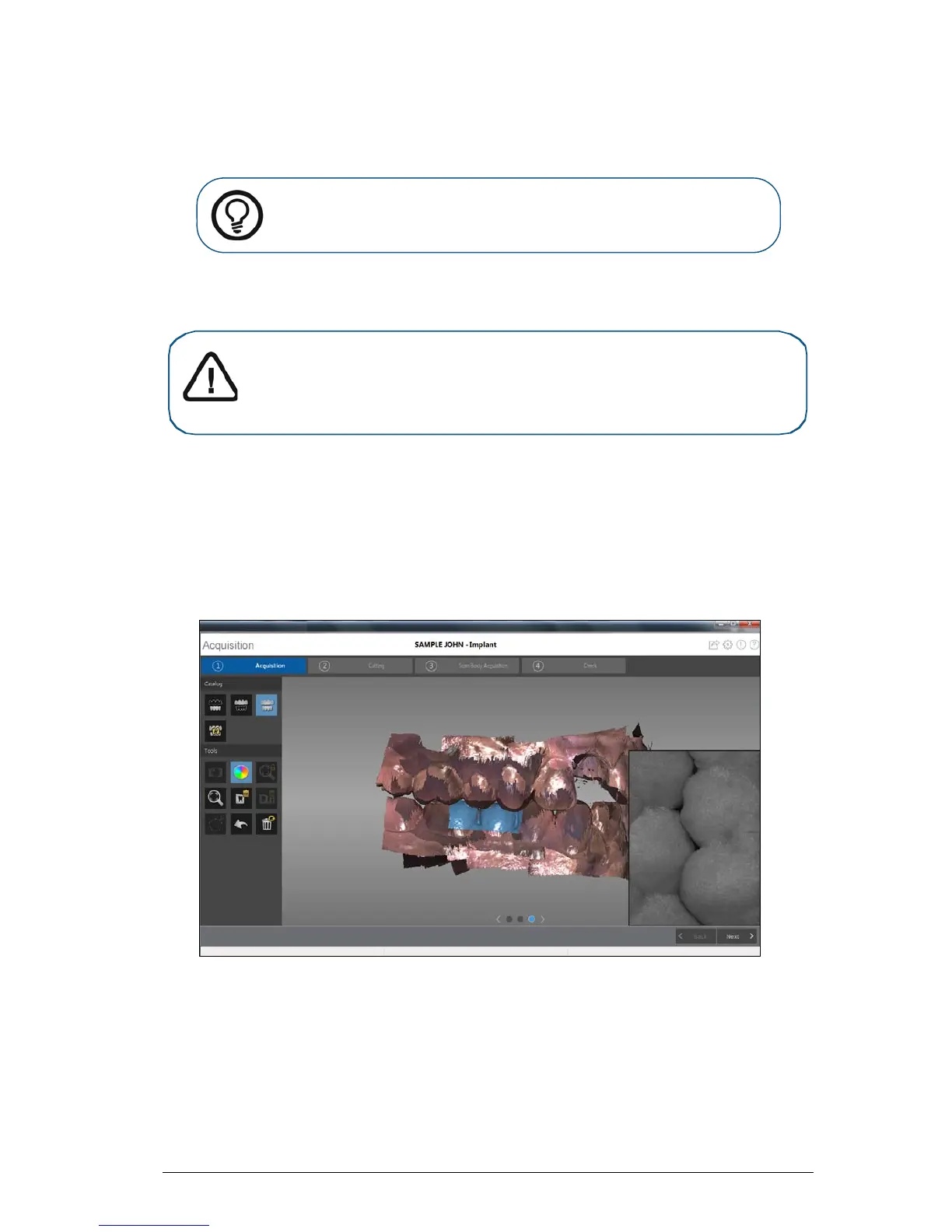
5 Once the bite has been registered, rotate the model and zoom the view to ensure that the bite is
accurate and that there are no areas where the bite is mismatched. Click a dot to view the bite for
that acquisition.
The example below shows several buccal bite registrations.
6 When you have finished acquiring the buccal bite registration, proceed with the process of cutting
out the implant area using the Free Cut tool.
Tip: If you need to acquire a second buccal bite image because an
opposing arch is missing, always move toward the opposing arch with the
CS 3500.
Important: For a partial arch, you should acquire at least three buccal bite
images—one on the preparation, one mesial to the preparation, and one distal
to the preparation. For a full arch, you should acquire at least four buccal bite
images—one on each side of the mouth at the molars, and one on each side of
the mouth at the canines.











 To Next Page