(Input/Output: MathI/MathO)
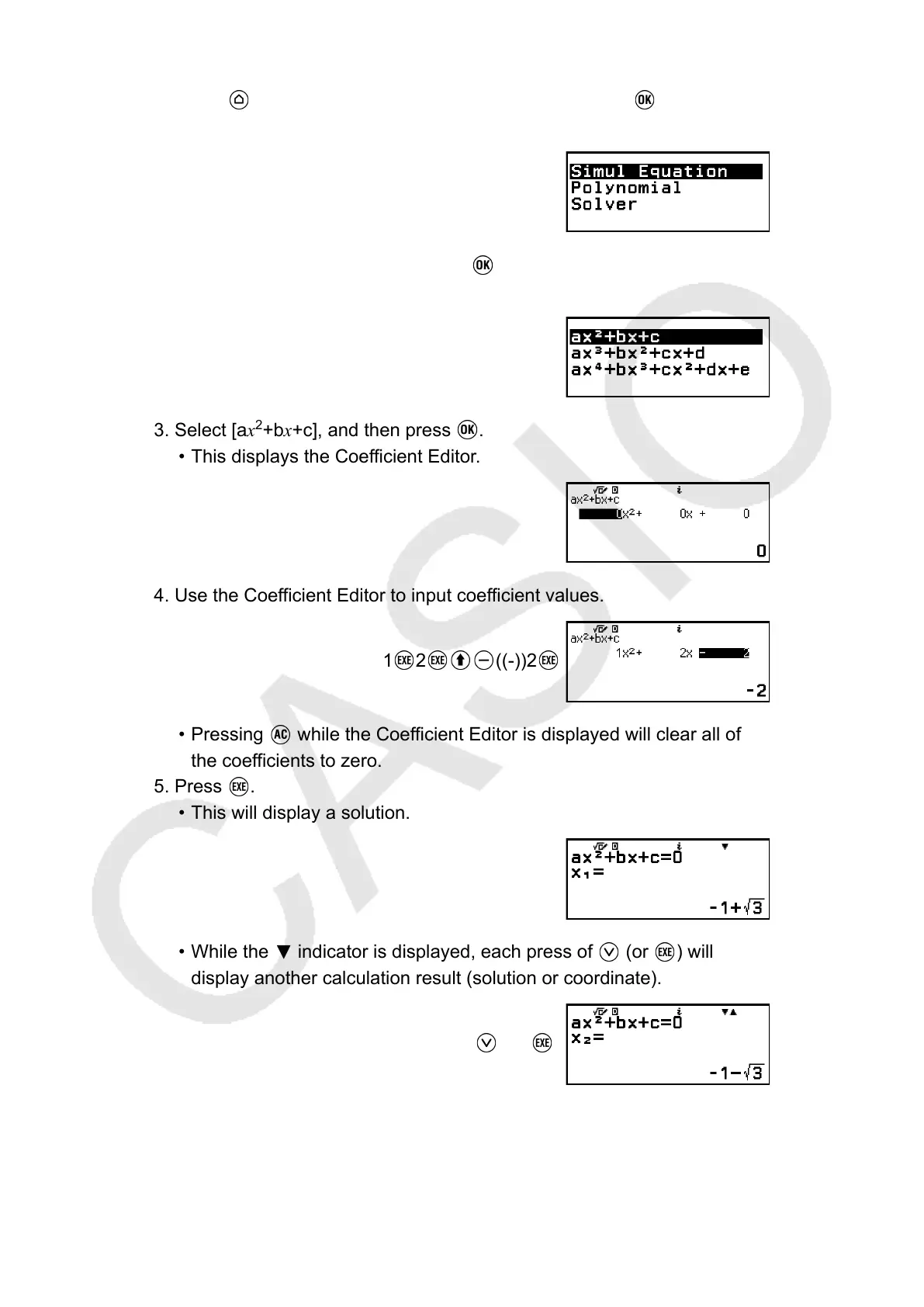
1. Press , select the Equation app icon, and then press .
• This displays the Equation menu.
2. Select [Polynomial], and then press .
• This displays the number of degrees menu.
3. Select [ax
2
+bx+c], and then press .
• This displays the Coefficient Editor.
4. Use the Coefficient Editor to input coefficient values.
1
2 ((-))2
• Pressing while the Coefficient Editor is displayed will clear all of
the coefficients to zero.
5. Press .
• This will display a solution.
•
While the indicator is displayed, each press of (or ) will
display another calculation result (solution or coordinate).
(or )
(Displays x-coordinate of minimum of y = x
2
+ 2x − 2.)
102



 To Next Page