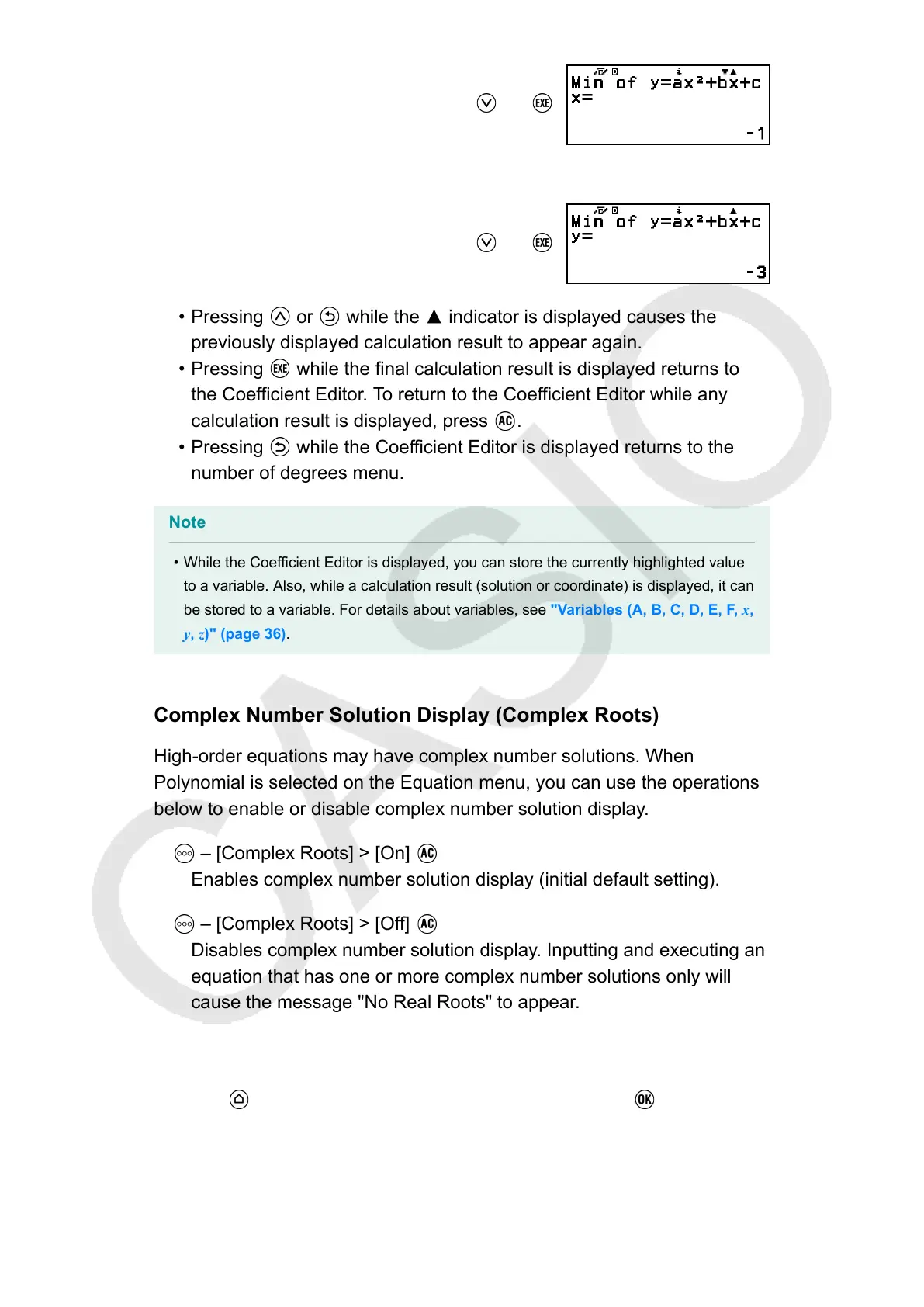
(or )
(Displays y-coordinate of minimum of y = x
2
+ 2x − 2.)
(or )
• Pressing or while the indicator is displayed causes the
previously displayed calculation result to appear again.
• Pressing while the final calculation result is displayed returns to
the Coefficient Editor. To return to the Coefficient Editor while any
calculation result is displayed, press .
• Pressing while the Coefficient Editor is displayed returns to the
number of degrees menu.
Note
• While the Coefficient Editor is displayed, you can store the currently highlighted value
to a variable. Also, while a calculation result (solution or coordinate) is displayed, it can
be stored to a variable. For details about variables, see "Variables (A, B, C, D, E, F, x,
y, z)" (page 36).
Complex Number Solution Display (Complex Roots)
High-order equations may have complex number solutions. When
Polynomial is selected on the Equation menu, you can use the operations
below to enable or disable complex number solution display.
– [Complex Roots] > [On]
Enables complex number solution display (initial default setting).
– [Complex Roots] > [Off]
Disables complex number solution display. Inputting and executing an
equation that has one or more complex number solutions only will
cause the message "No Real Roots" to appear.
Example 3: 2x
2
+ 3x + 4 = 0
(Input/Output: MathI/MathO, Complex Result: a+bi, Complex Roots: On)
1. Press
, select the Equation app icon, and then press .
•
This displays the Equation menu.
103



 To Next Page