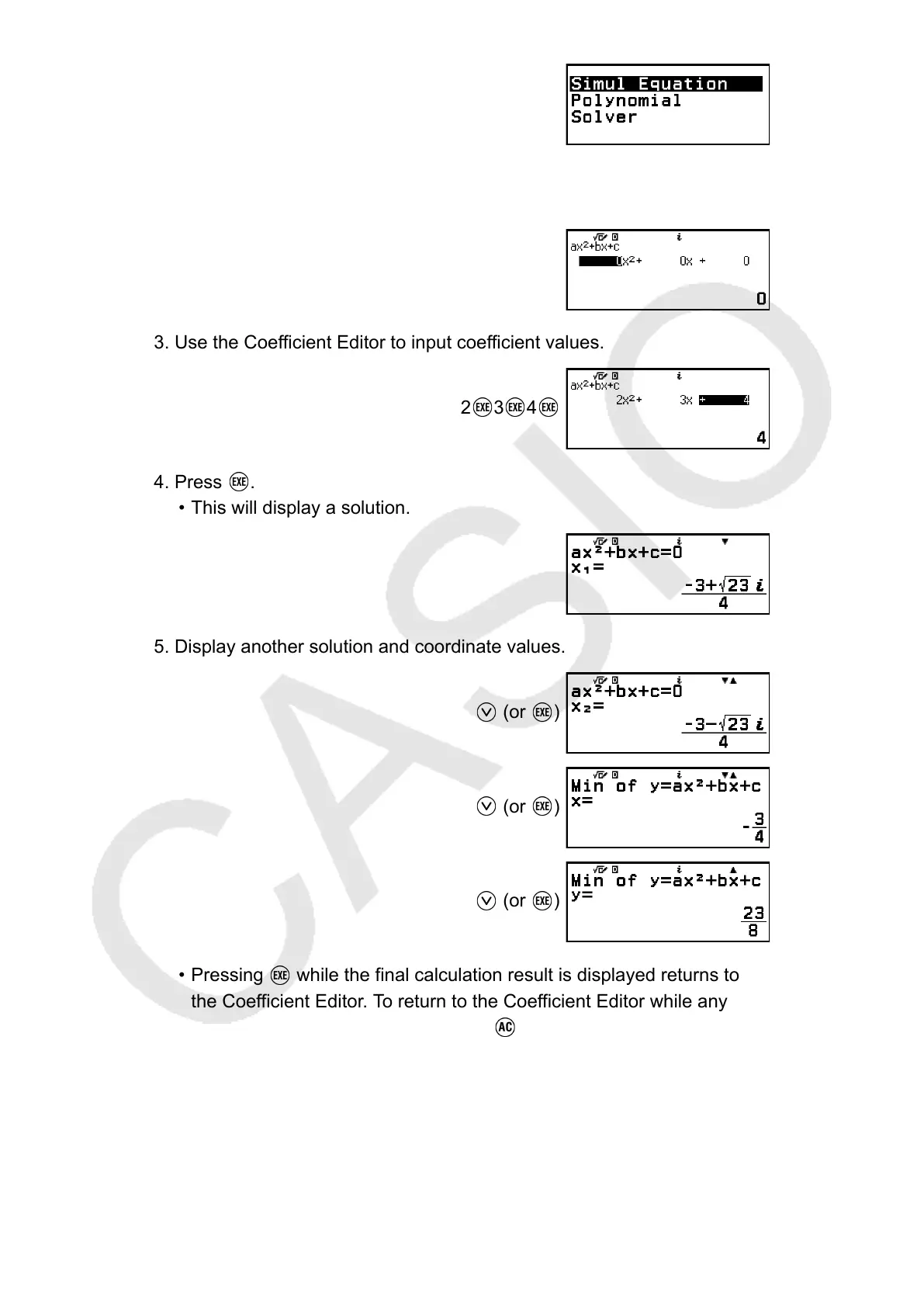
2. Select [Polynomial] > [ax
2
+bx+c].
• This displays the Coefficient Editor.
3. Use the Coefficient Editor to input coefficient values.
2 3 4
4. Press .
• This will display a solution.
5. Display another solution and coordinate values.
(or )
(or )
(or )
• Pressing while the final calculation result is displayed returns to
the Coefficient Editor. To return to the Coefficient Editor while any
calculation result is displayed, press .
104



 To Next Page