25
a
b
e
b
d
c
GB
INSTALLATION
RX DC X-RAY UNIT
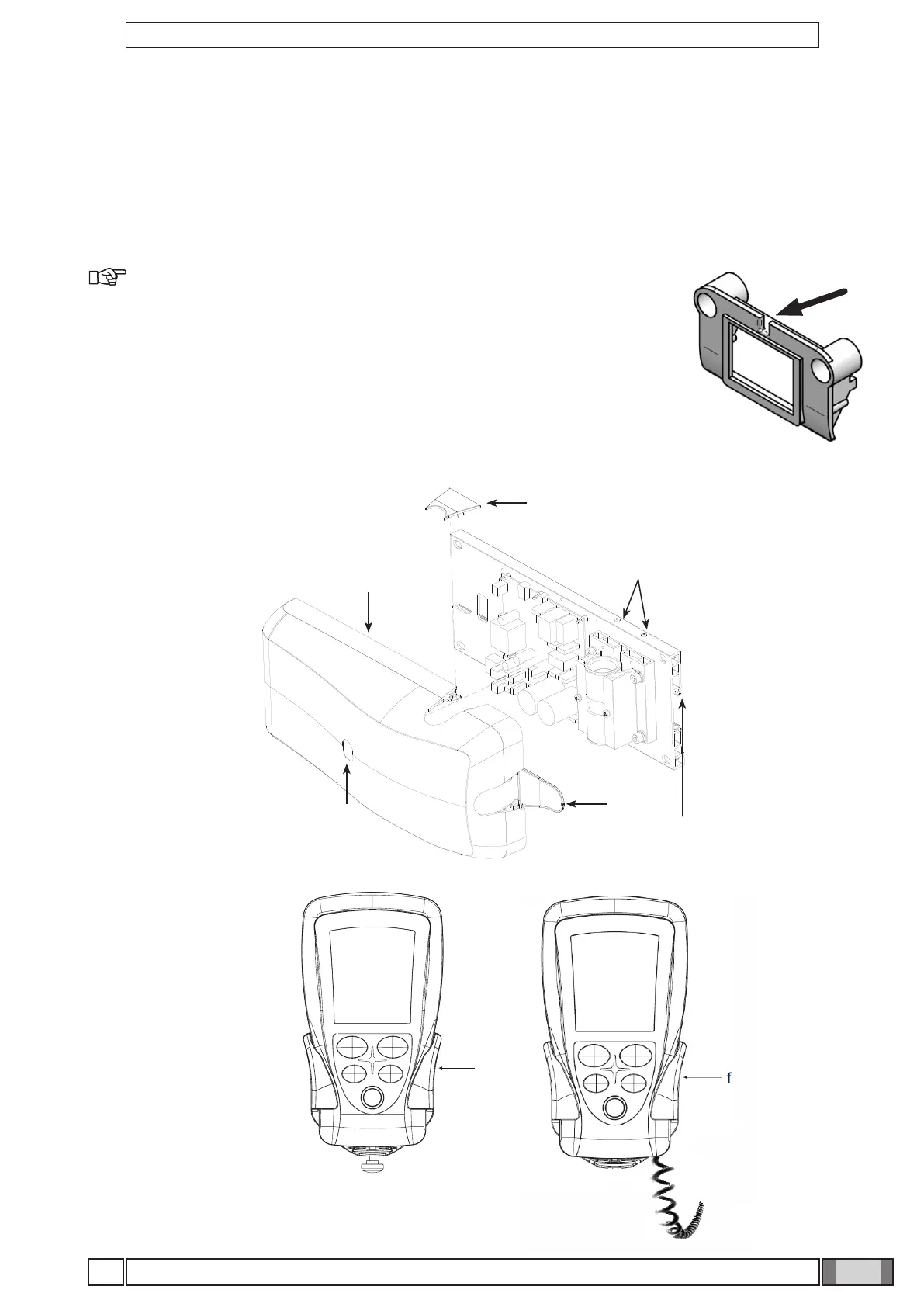
Figure T and Figure U
• Pick up the cover (a) and place it over the wall-mounting plate fully tightening the grub screws (b) provided and pre-
screwed on the plate.
• Place the cover (c) in the area shown in the gure. The door (d) will automatically close when the controller is closed.
• Put the controller label in the required area (e) on the cover directed according to the position in which he wall-
mounting plate is installed.
• To install the handheld’s mount (f), refer to the INSTALLATION TEMPLATES.
Figure T
Figure U
NOTE: In case of wired handheld unit, let the coiled cable come out of the
groove located close to the ON/OFF button.



 To Next Page