26
B
GB
INSTALLATION
RX DC X-RAY UNIT
5. FACTORY SETTINGS
The x-ray unit is supplied with the following factory settings:
• Operative mode: AUTO.
• Sensitivty: level 19.
• Handheld stand by: 5 minutes
• Patient’s built: adult (ADULT symbol selected).
• Collimator presence signaled on the display (collimator symbol o if the collimator is turned on in the head).
• Exposure times according to standard R20: 0,020-0,022-0,025-0,028-0,032-0,036-0,040-0,045-0,050-0,056-0,063-
0,071-0,080-0,090-0,100-0,110-0,125-0,140-0,160-0,180-0,200-0,220-0,250-0,280-0,320-0,360-0,400-0,500-0,560-
0,630-0,710-0,800-0,900-1,000.
NOTE: These times comply with current standards I.E.C. 60601-1-3:2008 and the ISO 497 series R20
recommendations and CANNOT BE MODIFIED.
6. TURNING ON AND FUNCTIONING OF THE DEVICE
6.1 Turning on the basic X-ray unit
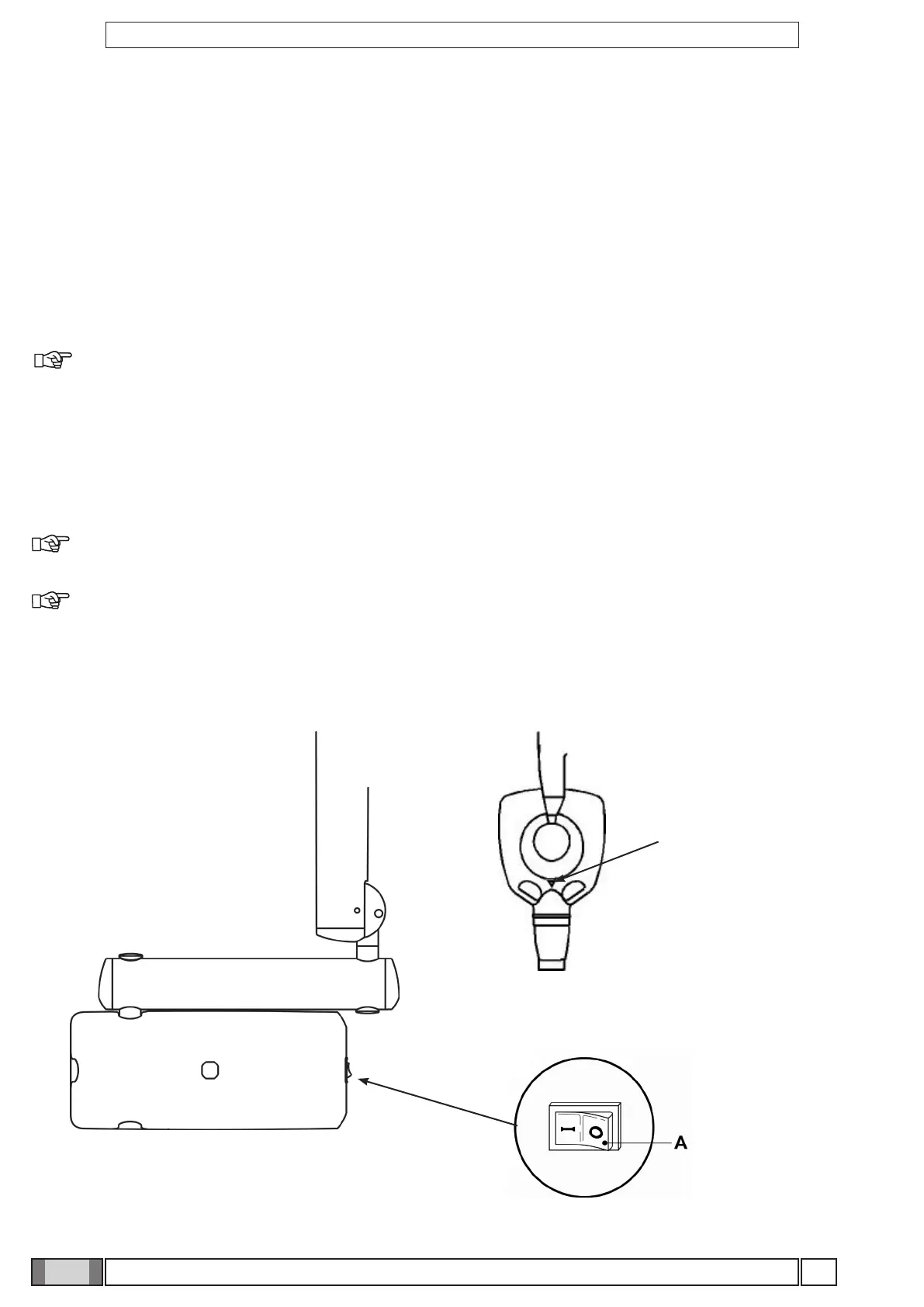
The control unit is turned on and o with the main switch (A), as illustrated in the gure below. The switch lights up
when the control unit is energized.
NOTE: Whenever turned on, the equipment performs an operational test that takes a few seconds. Once the
test has been completed, a buzzer rings and the indicator light (B) on the X-ray generator lights up at the same time.
NOTE: The exposure time and the parameters displayed when the unit is turned on are the last ones set before
the central control unit was turned o. If the central control unit is left untouched for a few minutes it will go into stand-by
mode. Simply press any key on the control panel to reactivate it.



 To Next Page