48
GB
INSTALLATION
RX DC X-RAY UNIT
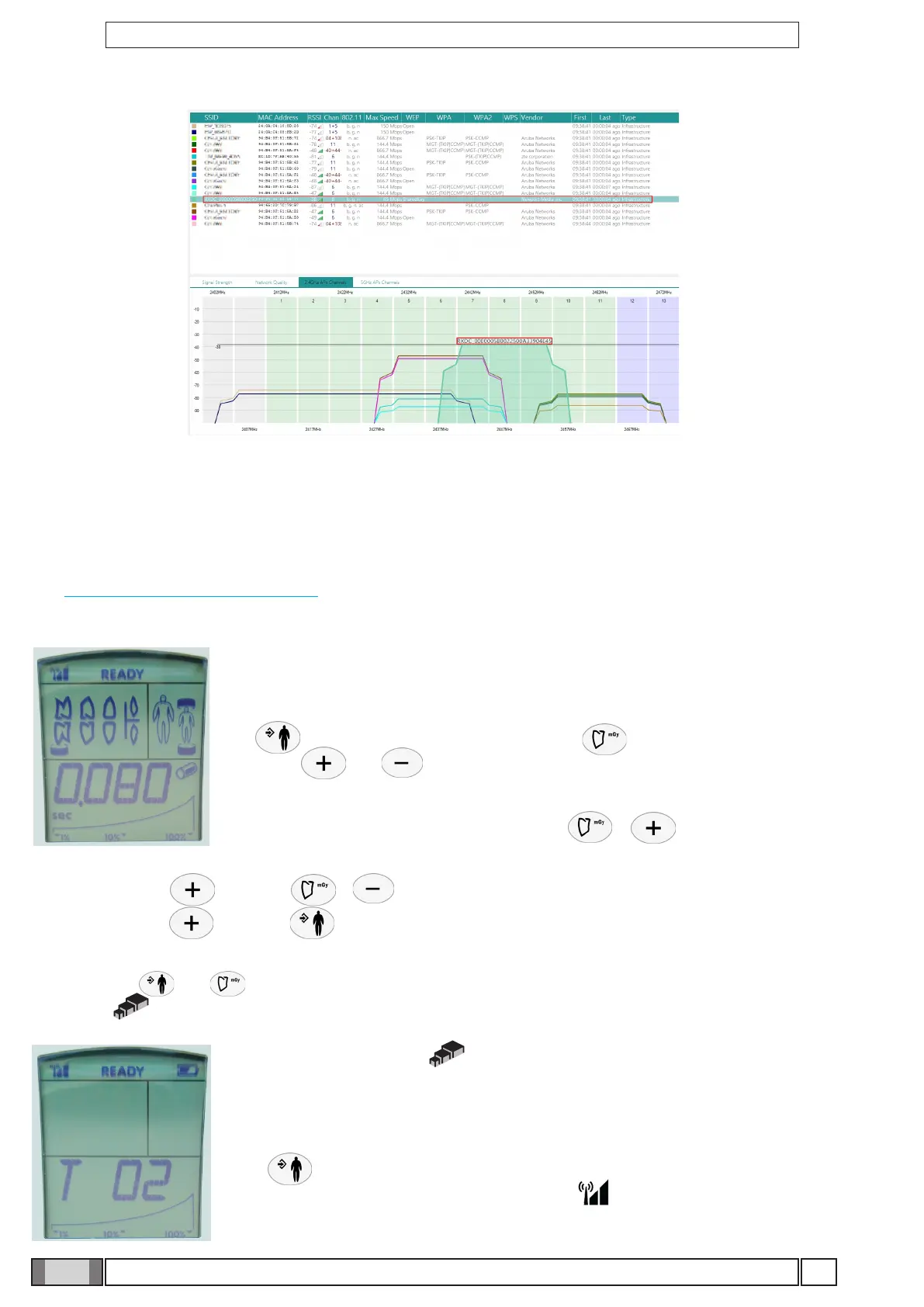
“Acrylic WiFi” screenshot
The network RXDC_XXXXXXXXXXXXXXXXXXXXXXXX (created based on the MAC address of the paired handheld
device) is the Wi-Fi generated by the radiographic.
Even DECT systems, microwave ovens, wireless speakers, wireless cameras, baby-monitors use the frequency of 2.4 Ghz.
To have a more powerful system capable of detecting the interferences of the other devices, it is necessary to use this
tool: https://www.metageek.com/products/ and the version to be purchased is Chanalyzer Essential.
10.4.1 Change Wi-Fi settings
Make sure the handheld is in READY mode. The handheld allows a number of work
parameters to be viewed and edited by simply pressing a combination of keys present on
the control panel.
Key serves to conrm/save the function, key is used to undo/quit the menu
while keys and edit the values of the selected parameters on all the setup
menus.
Proceed as directed below to access the menus: + : Hold down these two
keys to go to the set up menu (from P01 to P08).
Select P08 with key and press + to see the Technical Menu.
Select T06 with key and press .
T06: SELECT WIRELESS CHANNEL
Press the keys and at the same time to activate the wireless channel automatic selection function (when
active, icon is displayed). In this condition, should the manually selected channel be busy, the X-ray device will
automatically select the rst free channel available in order to minimise any interference with the handheld device. If
the function deactivates (icon not shown), the channel is always the one displayed.
Re-perform the devices matching procedure T02:
T02: HANDHELD UNIT-X-RAY HEAD MATCHING PROCEDURE
Press key to start the procedure. If successful, handheld unit will reboot and search
for the SSID of the matched machine and the icon will appear steady at the top left
side. If handheld unit displays EE, the procedure was not successfully completed.



 To Next Page