51
GB
INSTALLATION
RX DC X-RAY UNIT
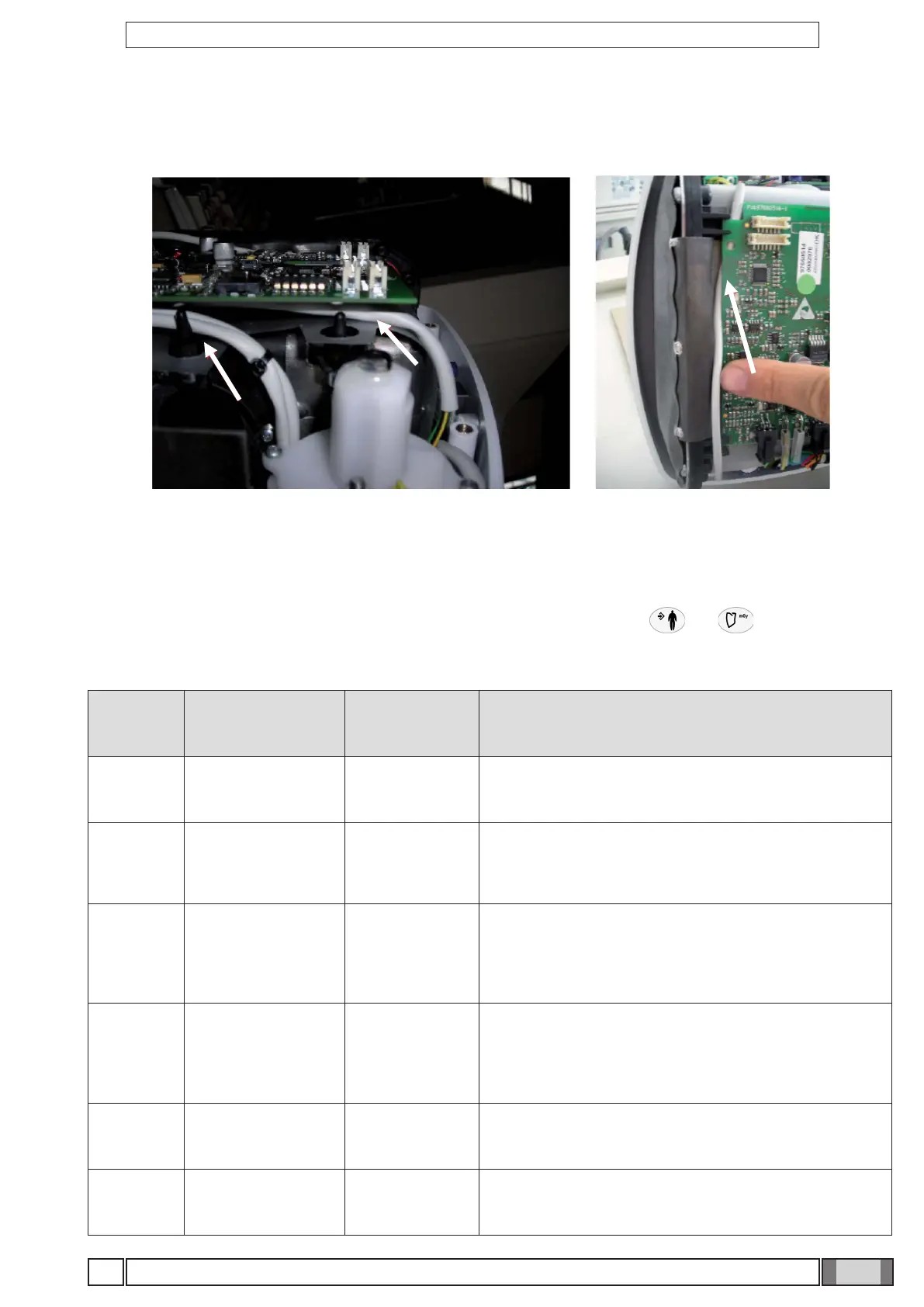
11. Perform the steps in reverse order to reinstall the X-ray head. Be careful to run the cables behind the card mounting
pins, as shown in the gure, so that they are not crushed or pass in front of the x-ray collimator.
12. Close the cover, tightening the four xing screws and put the caps back on the screws.
11. ERROR CODES GIVEN ON THE HANDHELD
When an error appears on the handheld screen it can be reset by pressing keys or to set the x-ray unit
back to READY. If the error is still displayed even after pressing the two keys mentioned above, refer to the error code
and solution given in the table below.
ERROR
NUMBER
ERROR TYPE DESCRIPTION TROUBLESHOOTING
W002
GENERAL
WARNING
External shot key
pressed upon
start-up
Check that the external shot key is not stuck (remove the
K4 connector from the basic board and restart the device).
W005
GENERAL
WARNING
Conguration
data reading
error
Conguration data not present inside X-ray head. Perform
the handheld unit matching procedure.
If warning is still present upon device restart, contact the
Technical Service
W006
GENERAL
WARNING
Missing or wrong
tube calibration
This warning may happen after a X-ray head board
replacement or after a complete reset. The warning
means that X-ray head board does not contain a proper
conguration for tubehead. Perform tube calibration (see
section "Calibrating the X-ray head").
W007
GENERAL
WARNING
Calibration data
reading error
Tube calibration data not present inside X-ray head.
Perform the calibration procedure (see section "Calibrating
the X-ray head").
If warning is still present upon device restart, contact
Technical Service.
E102
X-RAY HEAD
ERROR
Wrong techincal
parameters. No
X-Ray exposure.
Wrong techincal parameters. Power cycle the machine and
if the problem persists, please contact Technical Service.
E104
X-RAY HEAD
ERROR
Line voltage
below 200Vac.
Check mains value. Unless voltage line is within accepted
range is not possible to take a shoot.



 To Next Page