50
GB
INSTALLATION
RX DC X-RAY UNIT
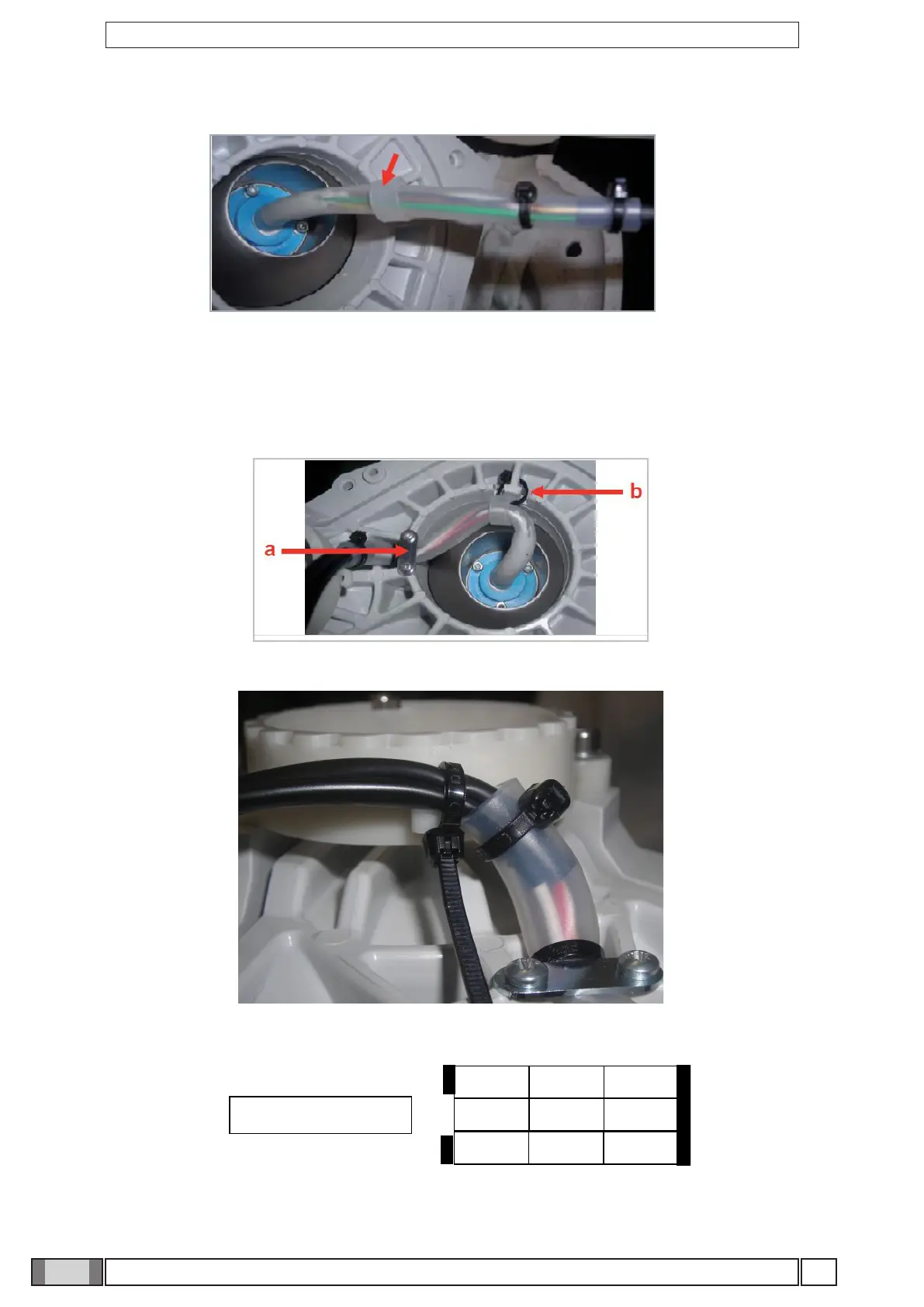
7. Insert the silicone ring shown in the gure:
8. Secure the cable:
a) under the metal plate, being careful to keep the clamps to the left of the plate.
b) with a clamp in the hole provided. Be careful not to tighten the clamp: there should be a few millimeters between the
silicone ring and inside wall. It is also advisable to verify the clamp is not crushed between the monoblock and lever
when the monoblock is installed on top of the levers:
9. Secure the cables to the actuator unit with another clamp, as illustrated in the gure:
10. Connect the wires in the nine-pole connector provided, observing the colors as shown in the gure:



 To Next Page