30
GB
INSTALLATION
RX DC X-RAY UNIT
activate the function assigned to it. On the other hand, to perform the function carried out when the key
is held down longer, press the key until the relative function is started. The buzzer will beep shortly to
signal that the function has been activated.
NOTE: Warm-up: When the equipment has not been used for a prolonged period (more than 3 months)
or when turned on for the rst time, it is advisable to perform a series of emissions with short times (0.01-
0.02 sec.) and then, progressively, some pictures with 0.1 sec. intervals to better stabilise the operation
of the x-ray tube before using it.
6.5 X-RAY unit stand-by time
The entire x-ray unit will switch over to stand-by (even if the base is on) and the handheld will automatically shut o after
several minutes of non-use. Press any key, except for the “exposure” key, to turn the handheld back on showing the
last selection made by the user. To change the stand by time, refer to chapter 7 regarding the handheld’s “Technician
and user setup menu”.
6.6 Checking the parameters
Before actually taking an exposure, make sure the exposure parameters for the examination in progress are correctly
set:
• Controlling the type of collimator selected.
Make sure the cone icon shown on the handheld matches the desired cone:
ICON ON: indicates that the x-ray unit is using the built in round cone (diameter 60mm, focal spot-skin distance
20cm).
ICON OFF: indicates that the external removable rectangular or round cone is attached to the x-ray device
(source-skin distance 30cm).
NOTE: After the rectangular collimator (12”) has been attached or detached, the icon and set exposure
times will automatically be modied within a few seconds.
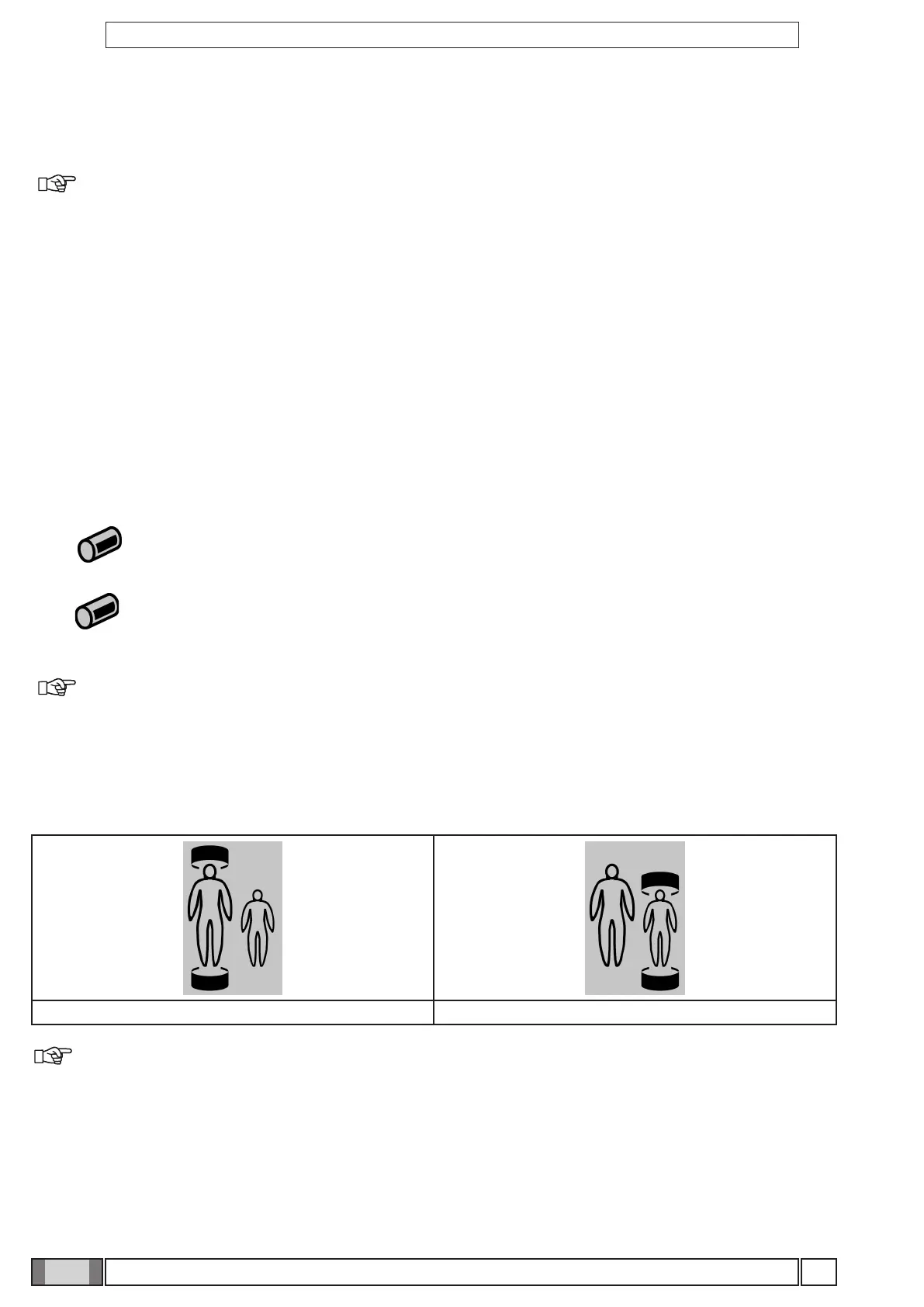
• Checking the selected body build.
• “Child” selected: indicates the x-ray unit is set for patients with small builds.
• “Adult” selected: indicates the x-ray unit is set for patients with average-large builds.
Average/large build (ADULT) selected Small build (child) selected
NOTE: After the change has been made, the preset exposure times will automatically be modied.



 To Next Page