43
GB
INSTALLATION
RX DC X-RAY UNIT
Connector list
CONNECTOR DESCRIPTION
K1 Monobloc feedback connection
K2 Base connection
K3 Connection of actuator + thermal sensor
K4 Cone/sensor board connection
K5 External collimator switch connection
K10 Capacitor bench connection
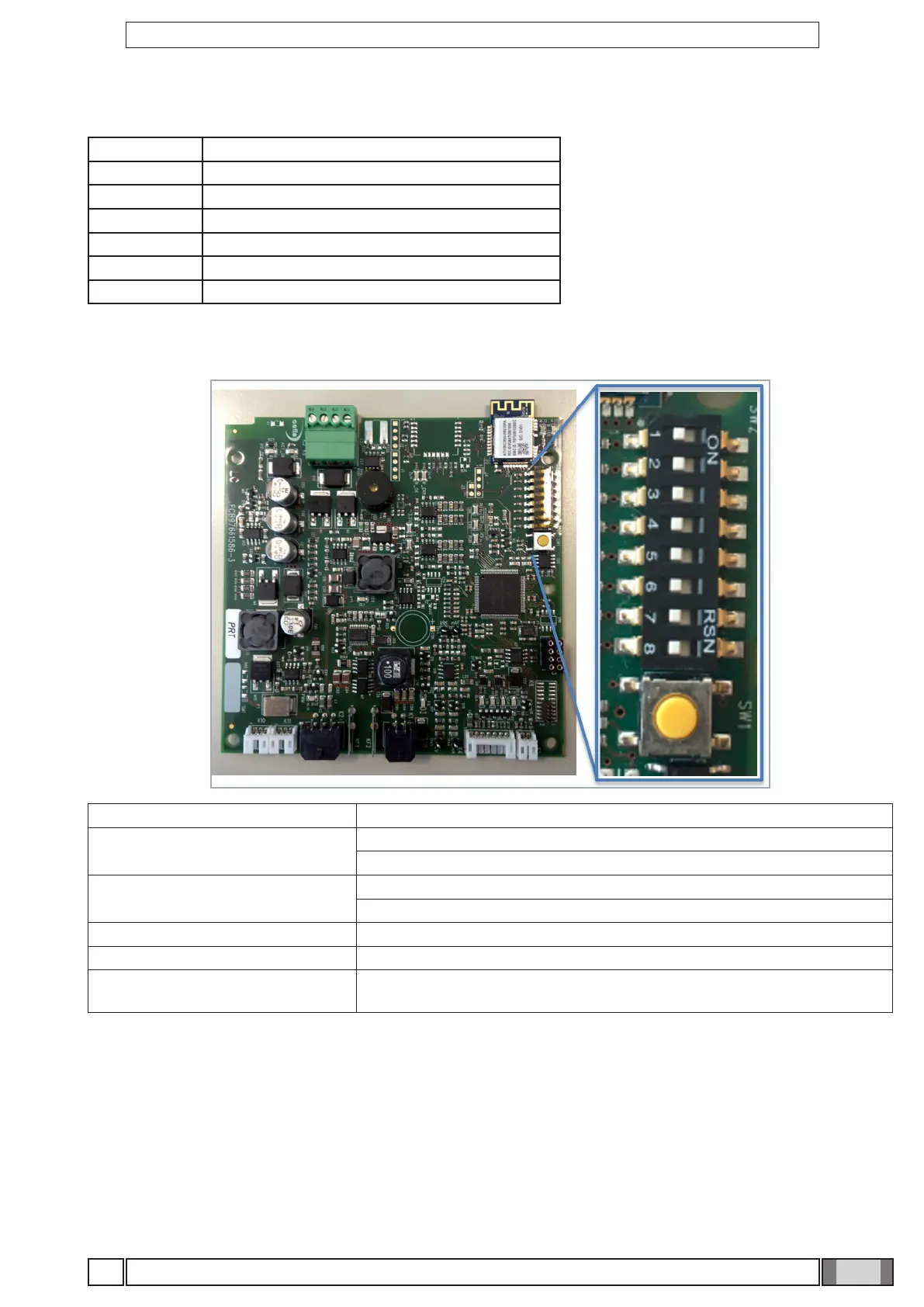
DIP switches
DIP SWITCH NUM. DESCRIPTION
SW1
ON: WIRED
OFF: WIRELESS
SW2
ON: 60-63-65 kV
OFF: 60-65-70 kV
SW3 ON: 60 kV only
SW4-5-8 NOT used - all OFF
SW6-7
WiFi channel manual selection (see section "Forcing the Wi-Fi channel
through DIP switches")
BOARD RESET
Press and hold the yellow key. The reset of calibration and of X-ray head-handheld unit association is carried out.



 To Next Page