12
Software Overview
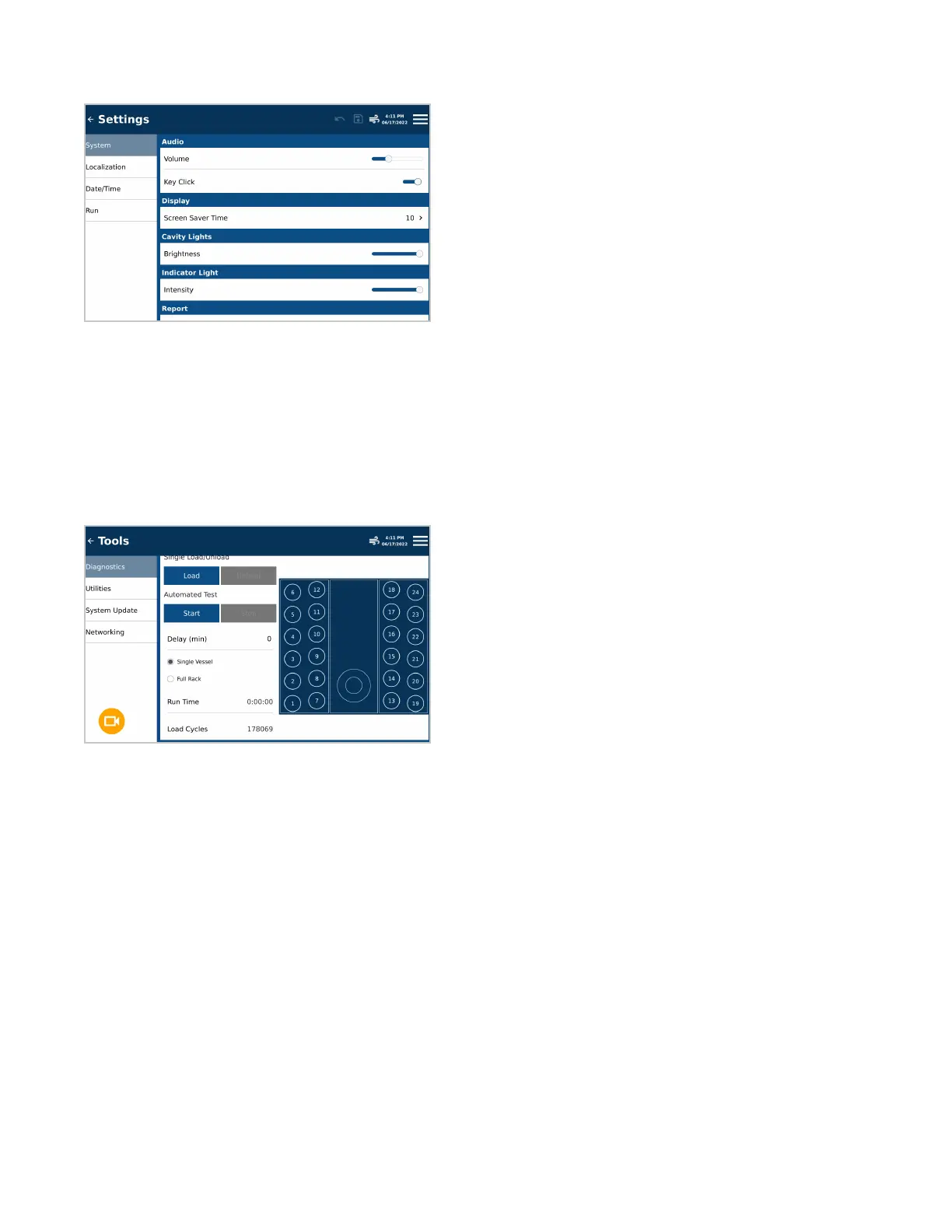
Settings
Users can dene and adjust necessary settings prior to running samples.
• System: Instrument settings for the audio and visual selections for the individual user
• Localization: Regional adjustments, including language and the preferred date and time format
• Date/Time: Location for setting the correct date and time
• Run: Adjustments to settings specic to each sample run including: sample ID format and cap inventory status.
Tools
Calibration and Diagnostic tools are provided to ensure proper system functionality and update the software when
a new version is released.
• Diagnostics: A listing of real-time readings directly related to unit functionality and the option to manually
maneuver commonly used hardware
• Utilities: Allows for validation of the exhaust, temperature device and autosampler and calibration of the
temperature device and autosampler.
• System Update: Used for updating software when a new version is released
• Networking: Connect instrument to network


 To Next Page