13
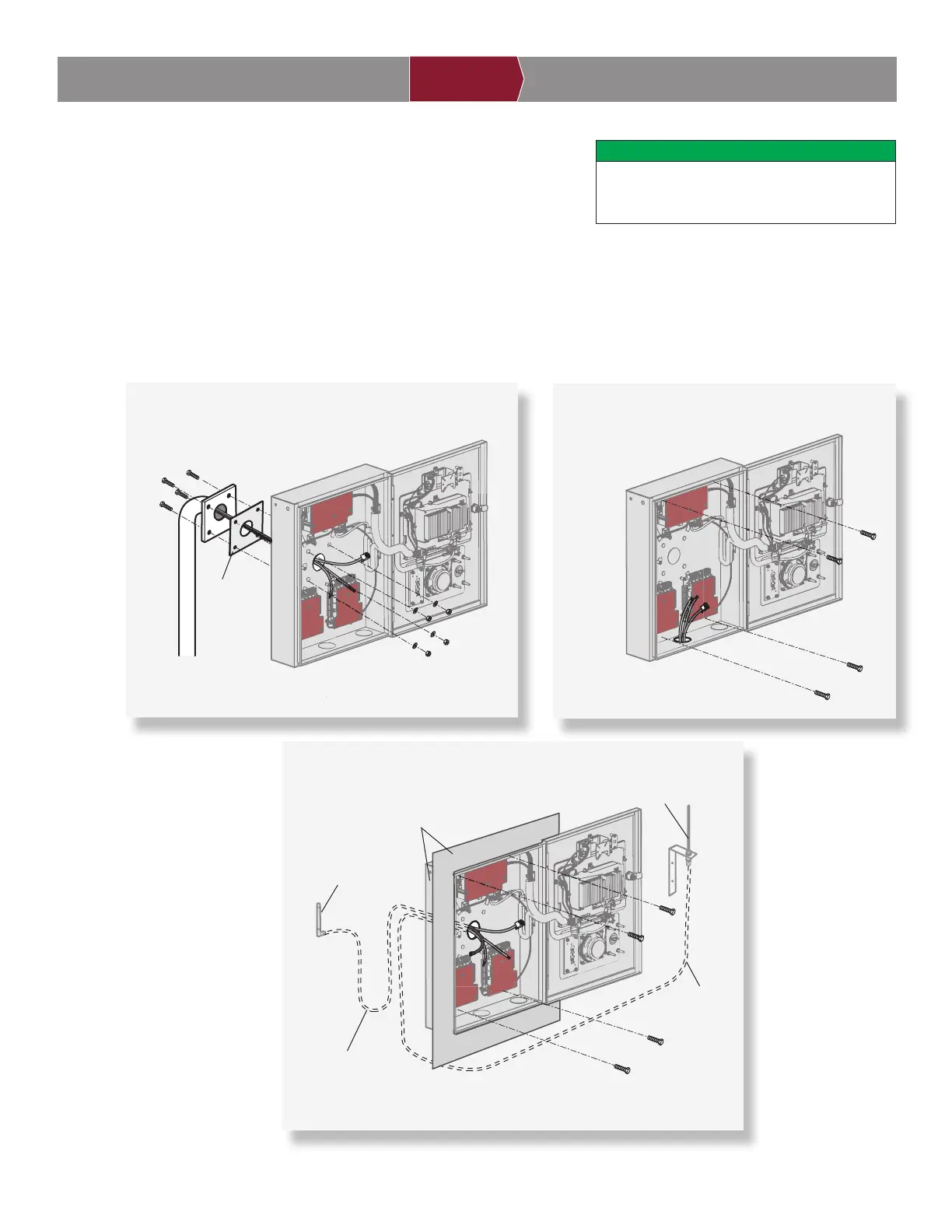
1. Attach the goose-neck gasket (provided) if mounting to a goose-neck.
2. Mount the CAPXL / CAPXLV securely to a fl at surface or pedestal with
appropriate hardware taking care to route wiring through appropriate
knockouts. Stainless steel hardware is recommended to mount the CAPXL / CAPXLV. Use of zinc plated or galvanized
hardware is at risk for galvanic corrosion.
NOTES:
-Ensure the cover can fully open to allow access after the installation is complete.
-ADA Compliance: When mounting the CAPXL / CAPXLV at a pedestrian entrance, to meet ADA compliance, mount the top of
the CAPXL / CAPXLV screen no higher than 54 inches from the ground.
Mount CAPXL / CAPXLV
2
DO
Make sure the CAPXL / CAPXLV is properly
sealed to prevent damage to the CAPXL /
CAPXLV from moisture.
INTRODUCTION PRE-INSTALL NETWORKINSTALL ACCESS CONTROL
Pedestal Mount
1/4" x 1-1/2" Ribbed Neck
Security Bolt (4)
Goose-neck
Gasket
Surface Mount
Recess Mount
Wi-Fi
®
Antenna
Security+ 2.0
®
Radio Antenna
Optional Radio
Antenna
Extension
(Model 86LM)
Optional Wi-Fi
®
Antenna
Extension (Model WFAEXT)
Optional Back Box and Trim Kit
(Model CAPXLTK)


 To Next Page