22
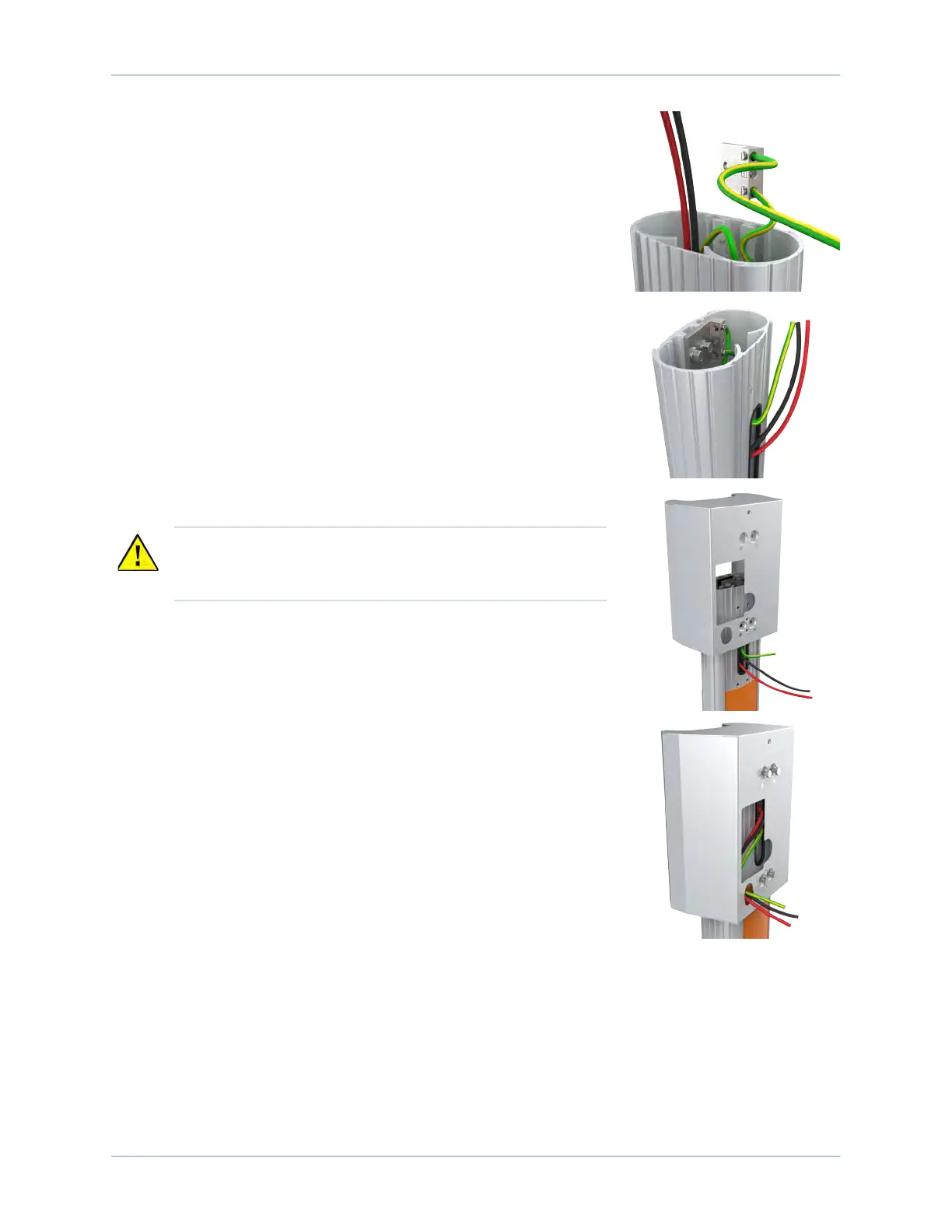
2. Connect the ground wire from the service wiring to the ground
lug.
3. Run the ground wire from the ground lug through the wiring
opening in the front of the pedestal.
4. Reinstall the ground lug to the pedestal using the 7/16 in
wrench and the two screws you removed.
5. Slide the bracket over the pedestal while guiding the remaining
service wiring through the opening in the front of the pedestal.
6. Align the two holes at the top and the two holes at the bottom
of the bracket with the corresponding holes in the pedestal.
7. Insert the four 4 in screws and four #10 lock washers through
the bracket at the pedestal.
Note: The screws are loose until they are fastened to the CMK later.
8. Route the service wiring through the wiring hole in the front of
the bracket.
CAUTION: The bracket must slide over the service wiring.
Lay the wiring as flat as possible against the pedestal to
prevent damage.












 To Next Page