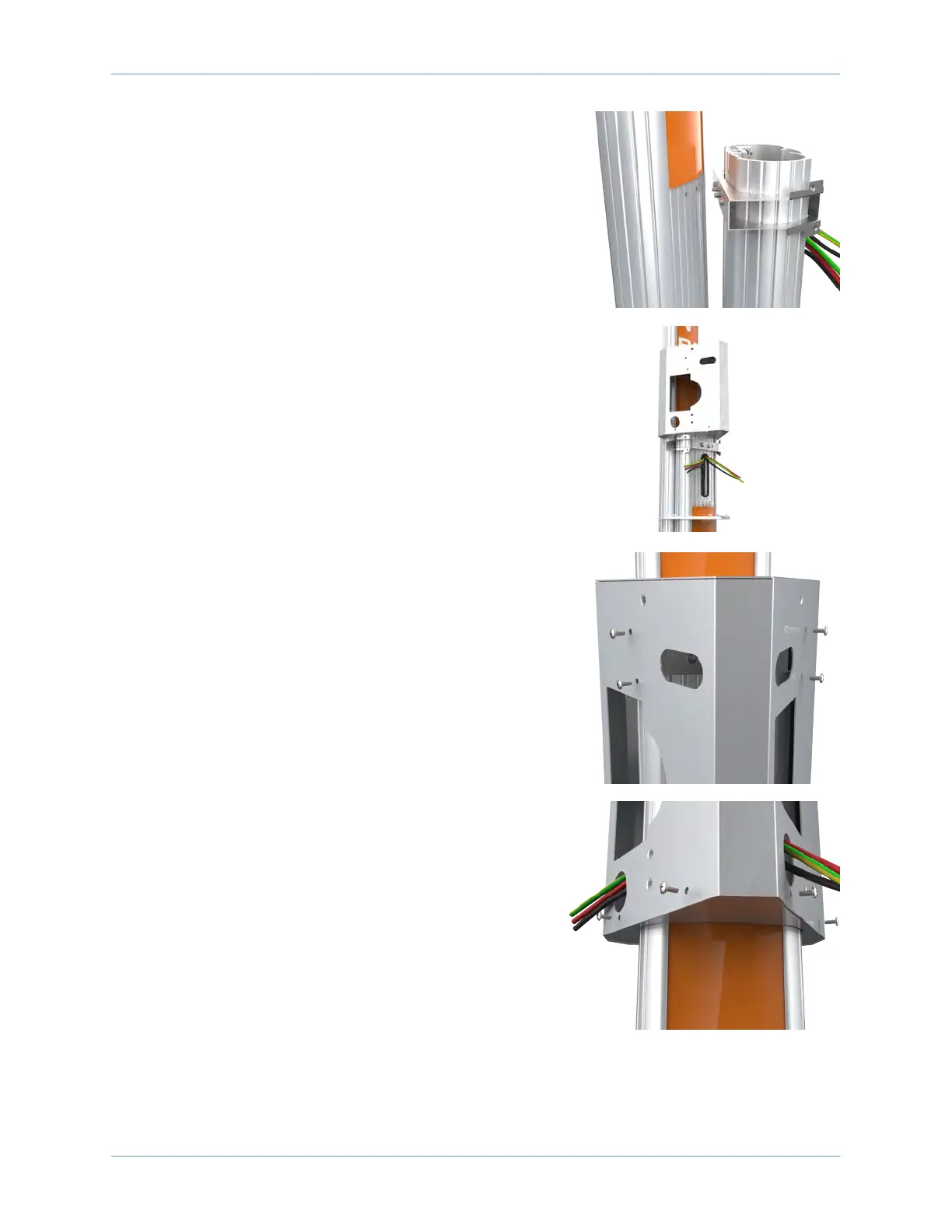
Mount a Dual Station Bracket and CMK
29
13. Hold the CMK against the back of the pedestal while
aligning the four screws coming through the bracket
and pedestal into the corresponding holes in the CMK.
Note: The spacer on the pedestal should slide into the
ridges on the CMK.
14. While holding the bracket and CMK in place, tighten the
four screws using the 7/16 in socket.
15. Slide the bracket over the pedestal, aligning the holes in
the main bracket with the corresponding holes in the
top internal brace.
16. Fasten the main bracket to the pedestal using four 3/8
in screws into the top brace.
17. Route the service wiring through the wiring hole on
each left front corner of the bracket.
18. Slide the bottom internal brace up, taking care not to
scratch the sign on the front of the pedestal.
19. Fasten it to the main bracket using four 3/8 in screws,
two on each side.
Proceed to section 9 to mount the station.












 To Next Page