Automatic Transformer Test System 3300/3302 User’s Manual
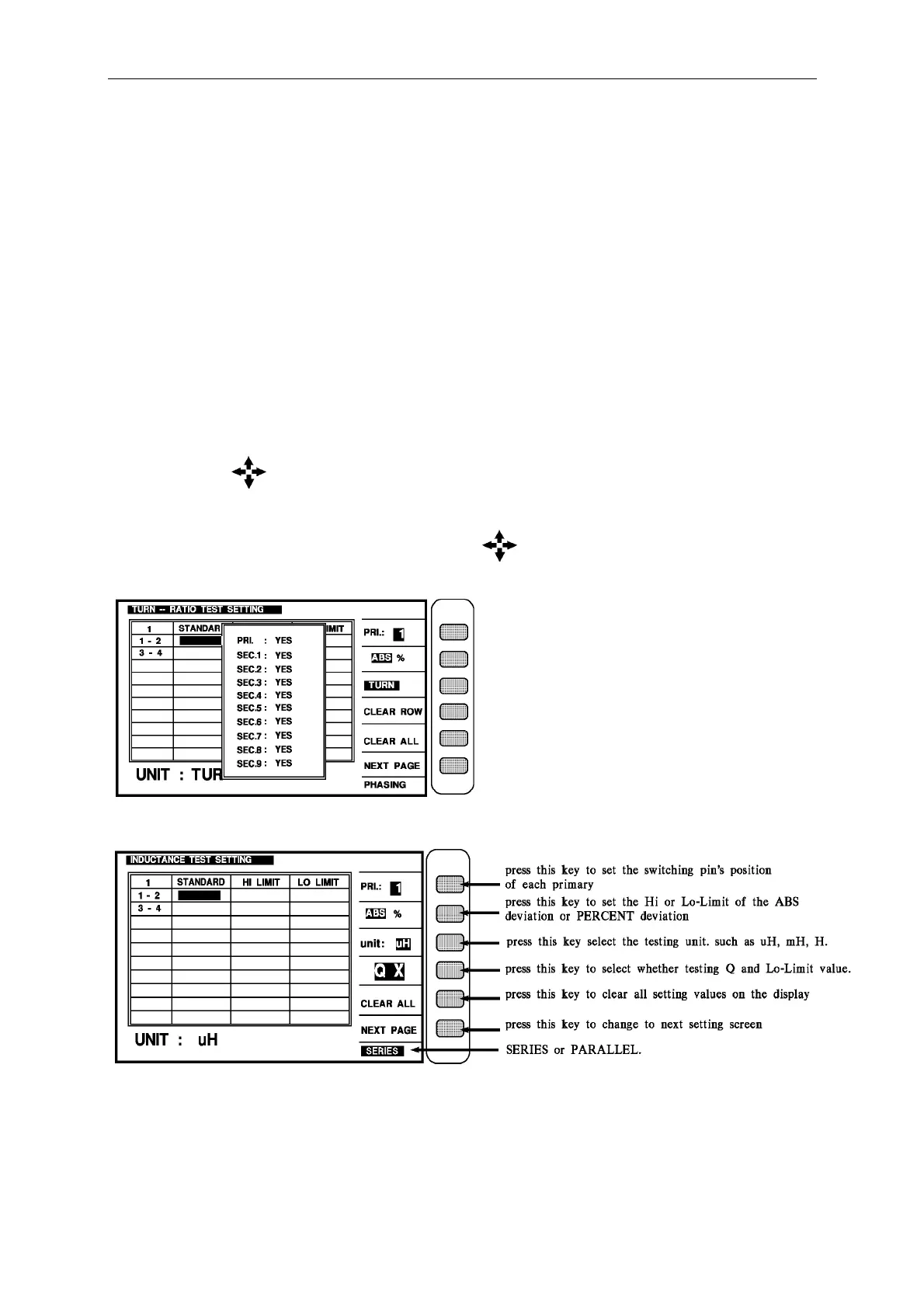
The above parameters are described as following:
1 - 2 : The primary turn
3 - 4 : 1…9 the secondary turn
STANDARD : The standard value of each turn
HI LIMIT. : The judgment of the Hi-Limit value
LO LIMIT : The judgment of the Lo-Limit value
The following screen is for setting the TURN RATIO JUDGMENT of the transformer.
It is still a guidable operation what just following the method of the display to key in the
testing parameter and finish it by pressing [Enter] to jump to next testing item. As above, by
pressing [Enter] of the last item on each screen the unit will jump to next setting screen
automatic. If the user desire to change the setting on each back-light, the values may change
by pressing the key which under the Cursor.
If the screen initiate 1 - 2 and 3 - 4 as above is obvious pin, then show pin which are set.
If want to move the block randomly, can use the keys under cursor to forward way to
move.
Judgment screen if needs to ignore any set in 9 sets of secondary just change YES to NO.
As the above, display the new screen by pressing [QX]



 To Next Page