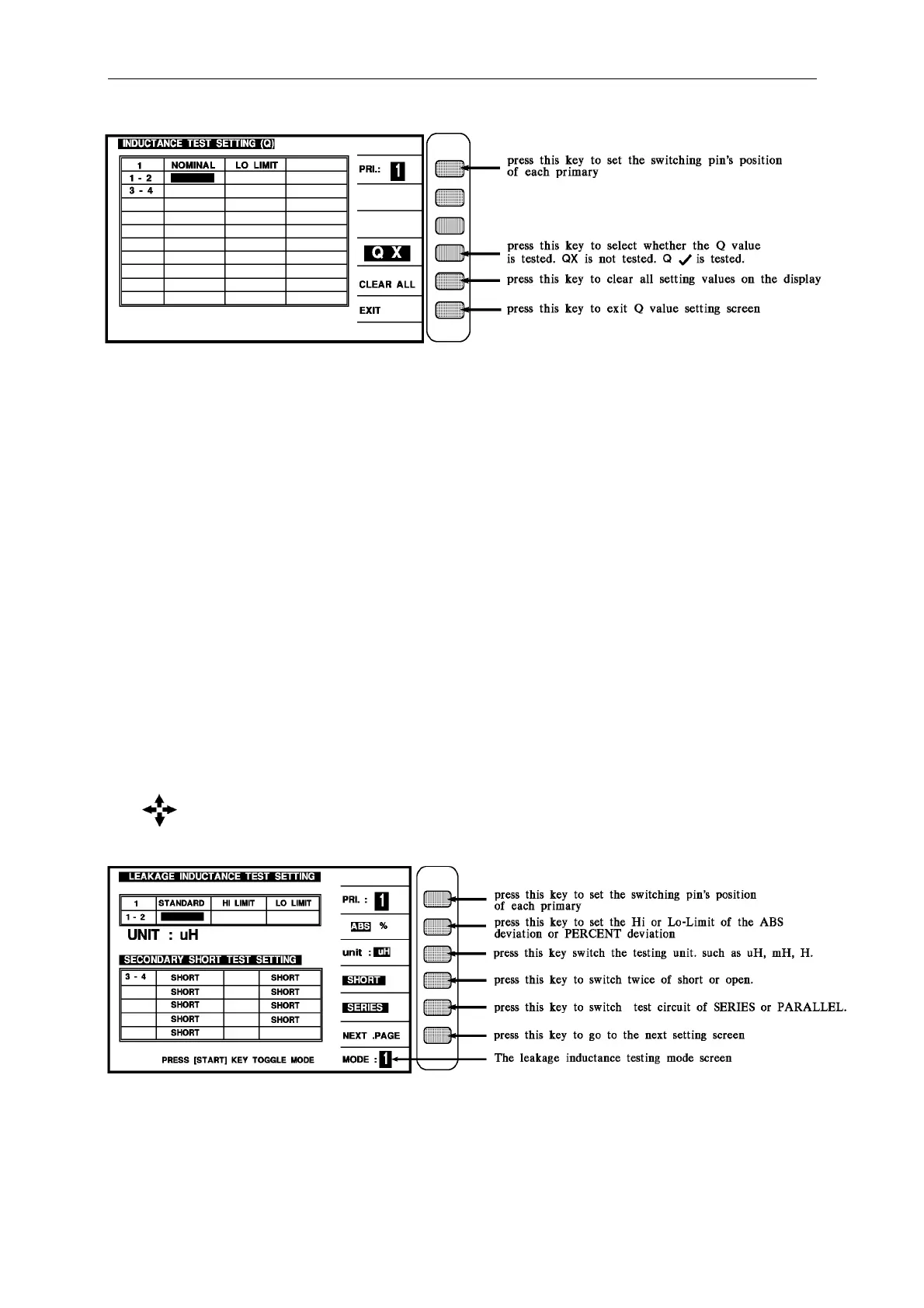
Panel Description
Above parameters are described as following:
1 - 2 : The first level pin setting
3 – 4 : The secondary turn of the transformer
STANDARD : The standard value of the each turn
HI LIMIT. : The judgment of the Hi-Limit value
LO LIMIT : The judgment of the Lo-Limit value
Q LO LIMIT : Q Lo Limit value
NOMINAL : Normal of Q value
The following screen is for setting the INDUCTANCE and Q value of the transformer.
It is still a guidable operation what just following the method of the display to key in the
testing parameter and finish it by pressing [Enter] to jump to next testing item. As above, by
pressing [Enter] of the last item on each screen, the unit will jump to next setting screen
automatic.
But when the screen is Q value setting must press [EXIT] key to escape to inductance setting.
If the user desire to change the setting on each back-light, the values may change by pressing
the key the which under the Cursor.
If the system initiate 1 - 2 and 3 - 4 as above is obvious pin, then show the pin which are set.
Above screen is for single set testing of leakage inductance mode. For multi-sets, please
press [Start] and the screen is as following:



 To Next Page