Application of Interface
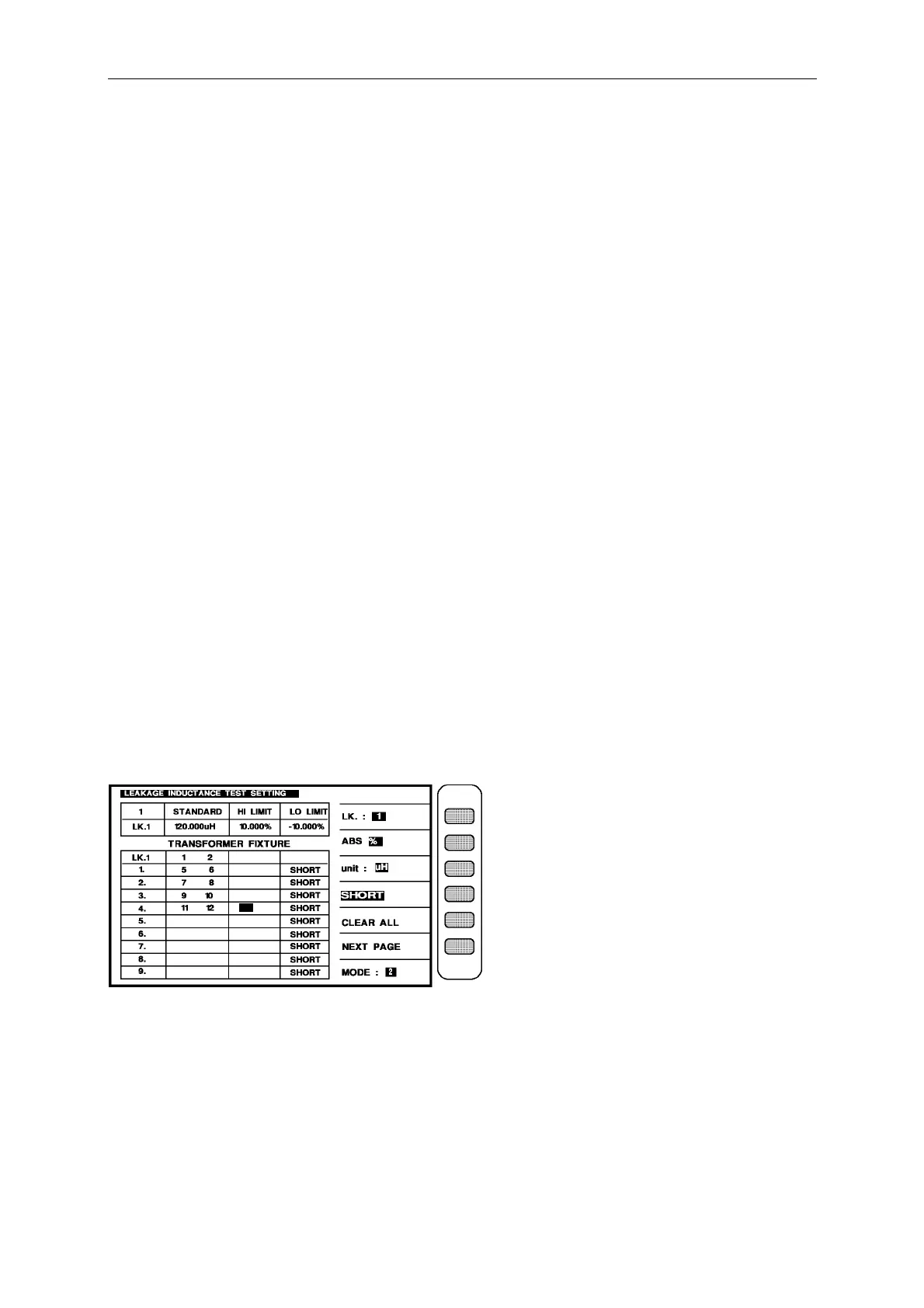
LK1(1 – 2) = 120 uH ± 10%, PIN 5,6,7,8,9,10,11,12, SHORT.
LK2(3 – 4) = 120 uH ± 10%, PIN 5,6,7,8,9,10,11,12, SHORT.
Test loop : series equivalence loop.
Then the input is as below:
Press the key [ABS%] beside the screen to make the [%] change to back-light.
press the unit key [unit : uH ] beside the screen to change the unit to the mH.
press [START] to make the word “SERIES” of the [SERIES/PARALLEL] on the screen
change to back-light.
LK1(1 – 2) : [1] [2] [0] [Enter] [1] [0] [Enter] [-] [1] [0] [Enter]
[1] [Enter] [2] [Enter]
Use the forward key to move the block area to the pin input box of the transformer (1).
and input : [5] [Enter] [6] [Enter]
Use the forward key to move the block area to the pin input box of the transformer (2).
and input : [7] [Enter] [8] [Enter]
Use the forward key to move the block area to the pin input box of the transformer (3).
and input : [9] [Enter] [1] [0] [Enter]
Use the forward key to move the block area to the pin input box of the transformer (4).
and input : [1] [1] [Enter] [1] [2] [Enter]
After input the Lk1 value, the screen is as below:
press the key shows [LK:1] beside the screen, it will change to next item leakage inductance
value setting.
LK2(3 – 4) : [1] [2] [0] [Enter] [1] [0] [Enter] [-] [1] [0] [Enter]
[3] [Enter] [4] [Enter]
Use the forward key to move the block area to the pin input box of the transformer (1).
and input : [5] [Enter] [6] [Enter]



 To Next Page