Application of Interface
Pin Standard High-limit Low-limit
(1 – 2)
750 mΩ
800 mΩ
700 mΩ
(3 – 4)
750 mΩ
800 mΩ
700 mΩ
(5 – 6)
65 mΩ
70 mΩ
60 mΩ
(12 –11)
120 mΩ
130 mΩ
110 mΩ
(10 – 9)
320 mΩ
340 mΩ
300 mΩ
( 8 – 7)
10 mΩ
12 mΩ
8mΩ
The input is as following:
press the key [ABS%] beside the screen to make [%] change to back-light.
press the unit key [unit : Ω] beside the screen to change the unit to the mΩ in back
-light.
1 – 2 : [7] [5] [0] [Enter] [8] [0] [0] [Enter] [7] [0] [0] [Enter]
3 – 4 : [7] [5] [0] [Enter] [8] [0] [0] [Enter] [7] [0] [0] [Enter]
5 – 6 : [6] [5] [Enter] [7] [0] [Enter] [6] [0] [Enter]
12-11 : [1] [2] [0] [Enter] [1] [3] [0] [Enter] [1] [1] [0] [Enter]
10- 9 : [3] [2] [0] [Enter] [3] [4] [0] [Enter] [3] [0] [0] [Enter]
8 – 7 : [1] [0] [Enter] [1] [2] [Enter] [8] [Enter]
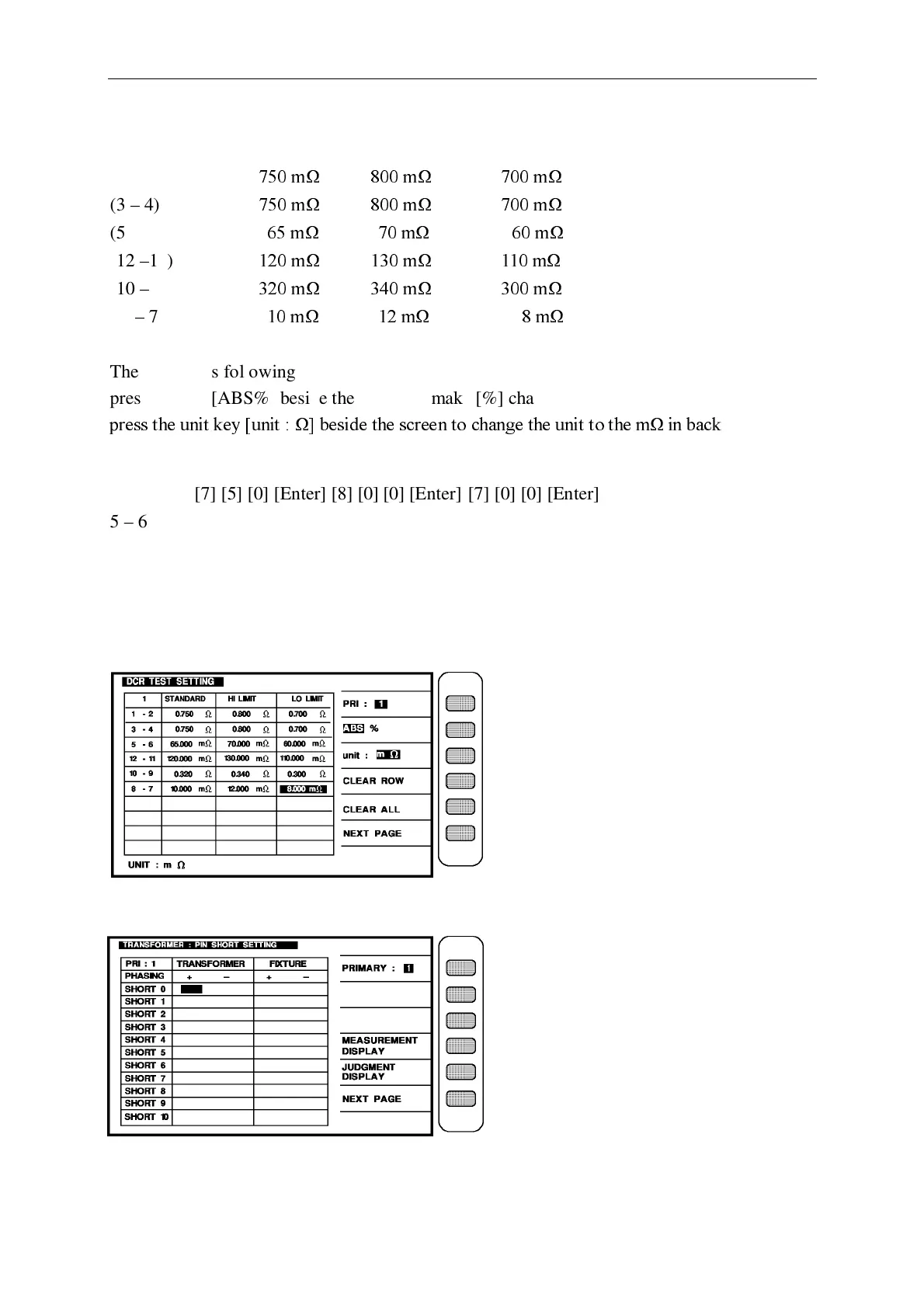
After input the test data of every items, the screen is as below:
Press [ENTER] then enter next setting screen as below : (PIN SHORT)



 To Next Page