Application of Interface
When set till here is finished, but on more the most important parameter has not been set yet,
it is the automatic pin number change, please press [MAIN INDEX] to return the scan test
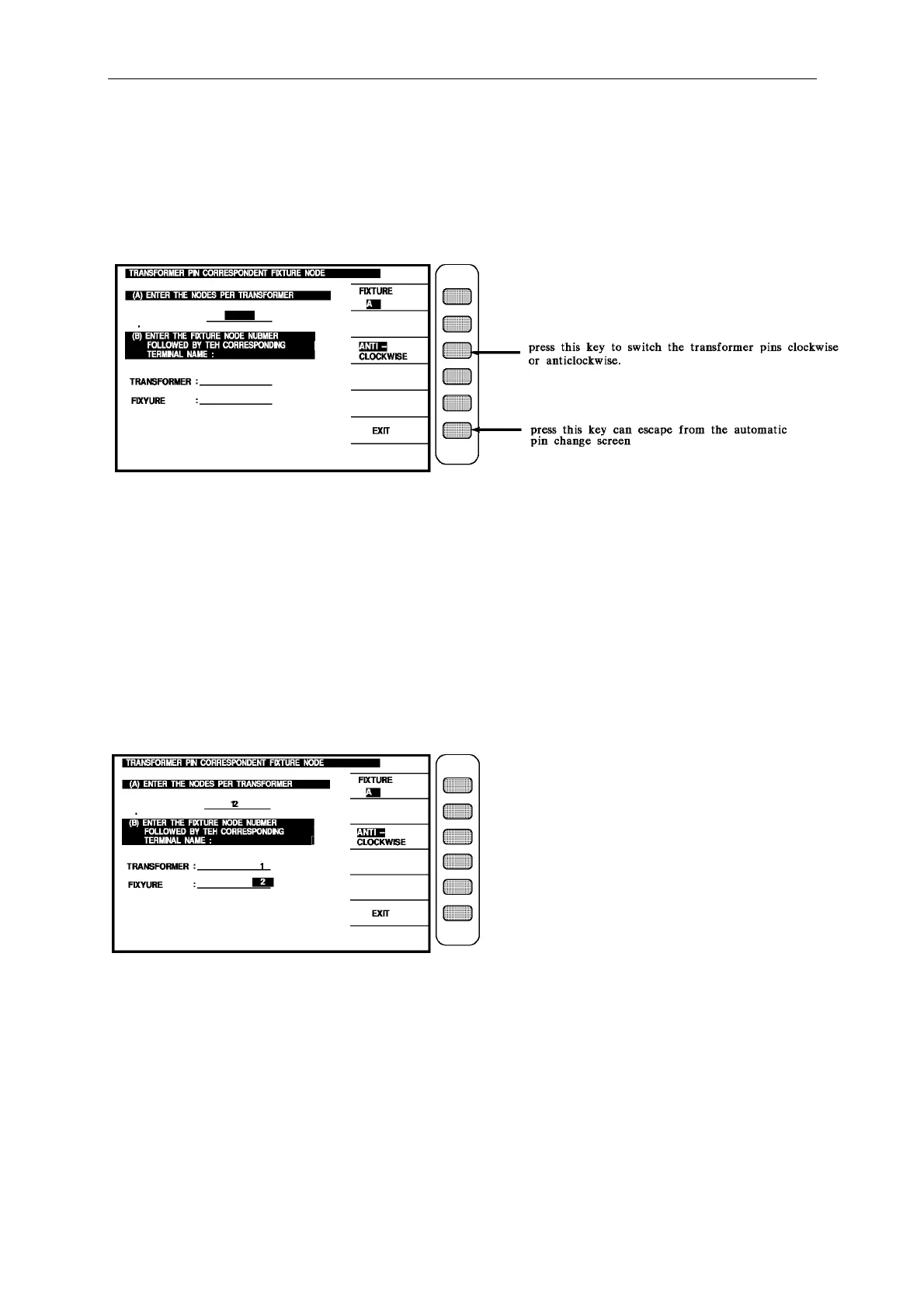
setting screen, press [TEST SETTING] key to into the transformer pin setting screen, then
press [.] key to enter the automatic pin change screen as below:
Ex. : The relation of the transformer pin number and test fixture are following :
there are 12 pin in this transformer
the pin of the transformer inserts the pin2 of the test fixture
then the input is:
(A) : [1] [2] [ENTER]
(B) TRANSFORMER : [1] [ENTER]
FIXTURE : [2] [ENTER]
After finish the input, the screen is as below :
In the above figure, press the key [EXIT] beside the screen to return the test setting screen,
then press [MAIN INDEX] to return the scan test setting first screen, press
[MEASUREMENT DISPLAY] key to enter the preparing test condition as below:



 To Next Page