•
New vehicles from the dealership must have at least
30 miles (48 km) accumulated before the
ParkSense Active Park Assist system is fully cali-
brated and performs accurately. This is due to the
system’s dynamic vehicle calibration to improve the
performance of the feature.
•
The use of wheels and tires that are different size to
the original equipment could affect the operation of
the system.
ENABLING AND DISABLING THE
PARKSENSE ACTIVE PARK ASSIST
SYSTEM
The ParkSense Active Park Assist system can be
enabled and disabled with the ParkSense Active Park
Assist switch, located on the switch panel below the
Uconnect display.
To enable or disable the ParkSense Active
Park Assist system, push the ParkSense
Active Park Assist switch once (LED turns
on). Pushing the switch a second time will
disable the system (LED turns off).
The ParkSense Active Park Assist system will turn off
automatically for any of the following conditions:
•
Parking maneuver is completed.
•
Vehicle speed is greater than 18 mph (30 km/h)
when searching for a parking space.
•
Vehicle speed is greater than 5 mph (7 km/h) dur-
ing active steering guidance into the parking space.
•
Steering wheel is touched during active steering
guidance into the parking space.
•
ParkSense switch is pushed.
•
The driver’s door is opened.
•
The liftgate is opened.
•
Electronic Stability Control/Anti-Lock Braking Sys-
tem intervention.
The ParkSense Active Park Assist system will allow a
maximum numbers of shifts between DRIVE and
REVERSE. If the maneuver cannot be completed within
eight shifts, the system will cancel and the instrument
cluster display will instruct the driver to complete the
maneuver manually.
The ParkSense Active Park Assist system will only oper-
ate and search for a parking space when the following
conditions are present:
•
The gear selector is in DRIVE.
•
The ignition is in the RUN position.
•
The ParkSense Active Park Assist switch is
activated.
•
The driver’s door is closed.
•
The liftgate is closed.
•
Vehicle speed is less than 15 mph (25 km/h).
•
The outer surface and the underside of the front
and rear fascias/bumpers are clean and clear of
snow, ice, mud, dirt or other obstructions.
When pushed, the LED on the ParkSense Active Park
Assist switch will blink momentarily, and then the LED
will turn off if any of the previously listed conditions are
not present.
NOTE:
If the vehicle is driven above approximately 15 mph
(25 km/h), the instrument cluster display will instruct
the driver to slow down. If the vehicle is driven above
approximately 18 mph (30 km/h), the system will can-
cel. The driver must then reactivate the system by push-
ing the ParkSense Active Park Assist switch.
PARALLEL/PERPENDICULAR
PARKING SPACE ASSISTANCE
OPERATION
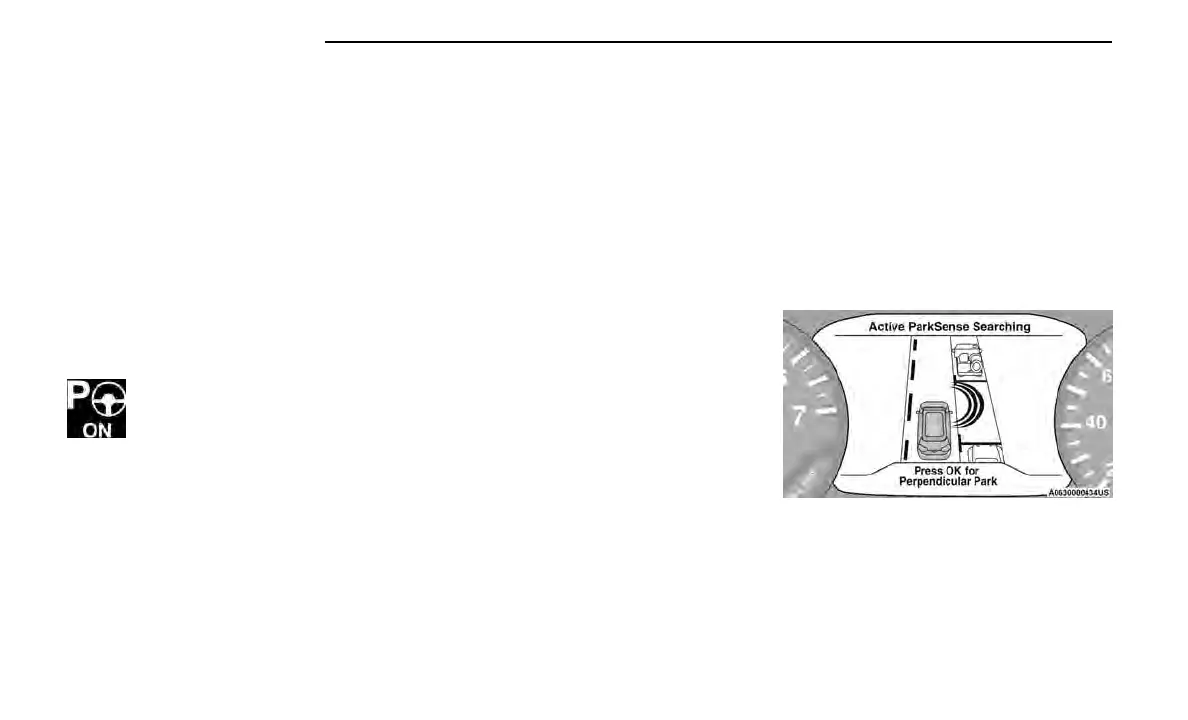
When the ParkSense Active Park Assist system is
enabled the default mode is parallel park. A message,
“Active ParkSense Searching - Push OK for Perpendicu-
lar Park” will appear in the instrument cluster display.
Push the OK button on the left side steering wheel
switch to change your parking space setting to parallel
or perpendicular. Once the driver pushes OK for a per-
pendicular parking maneuver, the “Active ParkSense
Searching - Push OK for Parallel Park” message will
appear in the instrument cluster display.
Active ParkSense Searching - Press OK for Perpendicular
150 STARTING AND OPERATING















 To Next Page