WARNING!
ALL the head restraints MUST be reinstalled in the
vehicle to properly protect the occupants. Follow the
re-installation instructions prior to operating the
vehicle or occupying a seat.
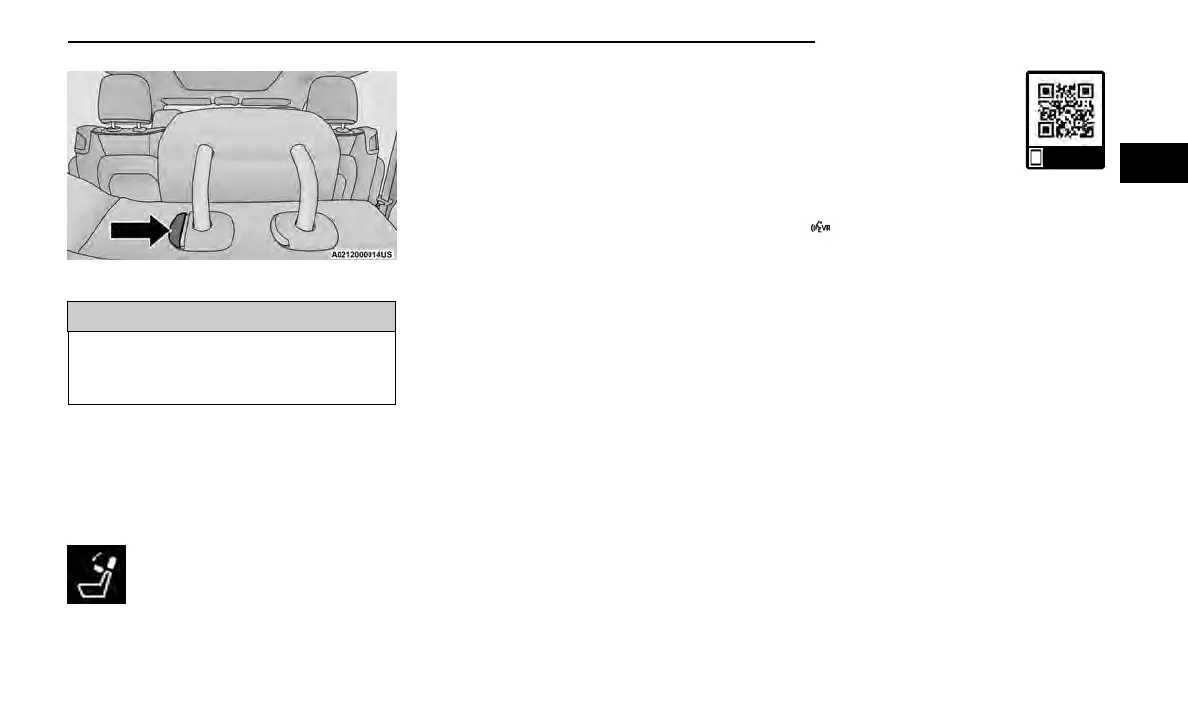
POWER FOLDING THIRD ROW HEAD
RESTRAINTS — IF EQUIPPED
For improved visibility, the third row outboard head
restraints can be folded using the Uconnect system.
Press Vehicle, then Controls located on the bottom of
the Uconnect display.
Press the Head Restraint Fold button to
power fold the third row head restraints.
NOTE:
•
The head restraints can be folded downward using
the Head Restraint button or using the manual
release strap. The head restraints must be raised
manually when occupying the third row.
•
Do not fold if there are passengers seated in the
third row seats.
Uconnect Voice Recognition —
If Equipped
INTRODUCING VOICE
RECOGNITION
Start using Uconnect Voice Recognition (VR) with these
helpful quick tips. It provides the key Voice Commands
and tips you need to know to control your system.
BASIC VOICE COMMANDS
The following basic Voice Commands can be given at
any point while using your Uconnect system.
Push the VR button on the steering wheel. After the
beep, say:
•
“Cancel” to stop a current voice session.
•
“Help” to hear a list of suggested Voice Commands.
•
“Repeat” to listen to the system prompts again.
Notice the visual cues that inform you of your Voice
Recognition system’s status.
Use this QR code to access your digital
experience.
GET STARTED
The VR button is used to activate/deactivate your
Voice Recognition system.
Helpful hints for using Voice Recognition:
•
Reduce background noise. Wind noise and passen-
ger conversations are examples of noise that may
impact recognition.
•
Speak clearly at a normal pace and volume while
facing straight ahead.
•
Each time you give a Voice Command, first push the
VR button, wait until after the beep, then say your
Voice Command. You can also say the vehicle “Wake
Up” word and state your command.
NOTE:
The factory default Wake Up word is set to “Hey
Uconnect” and can be reprogrammed through the
Uconnect Settings. After the beep, say:
•
A passenger can press the VR button shortcut on
the radio status bar to also issue a command.
•
You can interrupt the help message or system
prompts by pushing the VR button and saying a
Voice Command or saying the vehicle’s “Wake Up”
word and saying a command from the current
category.
Adjustment Button
Scan me
GETTING TO KNOW YOUR VEHICLE 55
2















 To Next Page