To lower the sun screen, gently lift the tab upward to
disengage the hooks, and feed the screen back into the
base sill.
USB/AUX CONTROL
There are numerous USB ports located throughout the
vehicle that allow an external USB device to be plugged
into the USB port.
NOTE:
•
If a smartphone is plugged into a video USB port,
the device will only have charging capability and
allow for files/media to be stored, if equipped with
Uconnect Theater.
•
Once a device is connected to the USB port, it will
begin charging and is ready for use with the system.
Type C and Type A charge-only USB ports can be
used at the same time but cannot be used simulta-
neously while playing media. When both Type C and
Type A charge-only USB ports are in use they will be
charged at a reduced rate.
For example, if a device is plugged into the Type A USB
port and another device is plugged into the Type C USB
port, a message will appear and allow you to select
which device to use.
There are multiple USB “Charge Only” ports in this
vehicle.
•
In the center console
•
On the instrument panel
•
On the back of the front row seats in the Uconnect
Theater Media Hubs (if equipped)
•
On the back of the front row seats
•
Above the rear cup holder in the third row of seats
NOTE:
The USB outlet in the bottom of the instrument panel
can be switched from ignition only to constant battery
powered all the time. See an authorized dealer for
details.
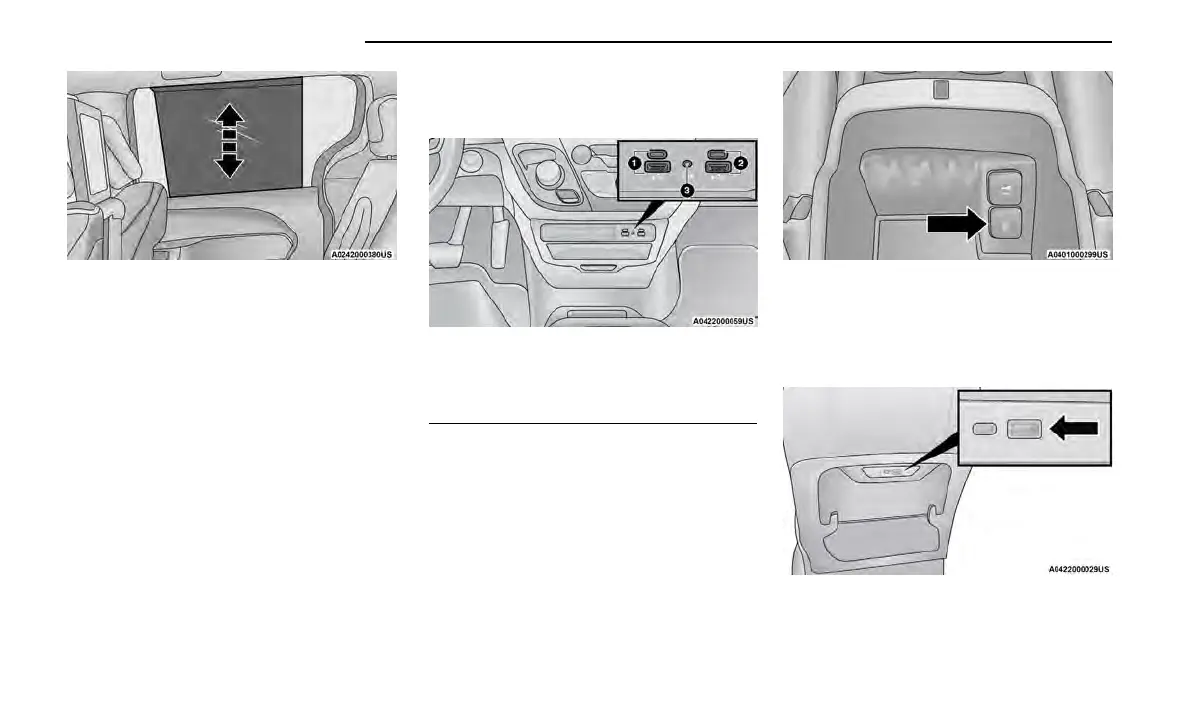
Sun Screen Extended
Front Center Stack AUX Jack And USB Ports
1 — Type C And Type A USB Ports 1
2 — Type C And Type A USB Ports 2
3—AUXPort
Charge Only USB In The Center Console
Rear Seat USB Charging Port Without Uconnect Theater
80 GETTING TO KNOW YOUR VEHICLE















 To Next Page