When using public charging stations, ensure the charg-
ing station is ready to provide charge and the vehicle is
in PARK before the Level 2 EVSE is plugged into the
vehicle’s charge inlet. You will hear a “click” when the
charge connector is inserted correctly and is coupled
with the vehicle’s charge inlet.
NOTE:
The vehicle should start charging automatically. If not,
please check the following:
•
Charging Station — Check the indications and
instructions at the charging station.
•
Charging Schedule — Check whether the charging
schedule is enabled and if so, whether the vehicle is
currently within the scheduled charge time/day
(weekday/weekend). If the charging schedule is
enabled within the vehicle, you may override it for
this charging event by plugging in the charge con-
nector, unplugging it, and then plugging it back into
the vehicle charge inlet. Complete the double plug
sequence within 10 seconds for it to override the set
schedule.
•
Hood Ajar — Check whether the hood is open. Charg-
ing is disabled while the hood is open, and will
resume when the hood closes.
To stop the charging process:
•
Press the button located on the Level 2 EVSE
vehicle connector.
•
Remove the connector from the vehicle charge inlet.
•
Plug the charge handle into the Level 2 EVSE station
and coil the charging cord onto its holder. Do not
leave the charging cord lying on the ground.
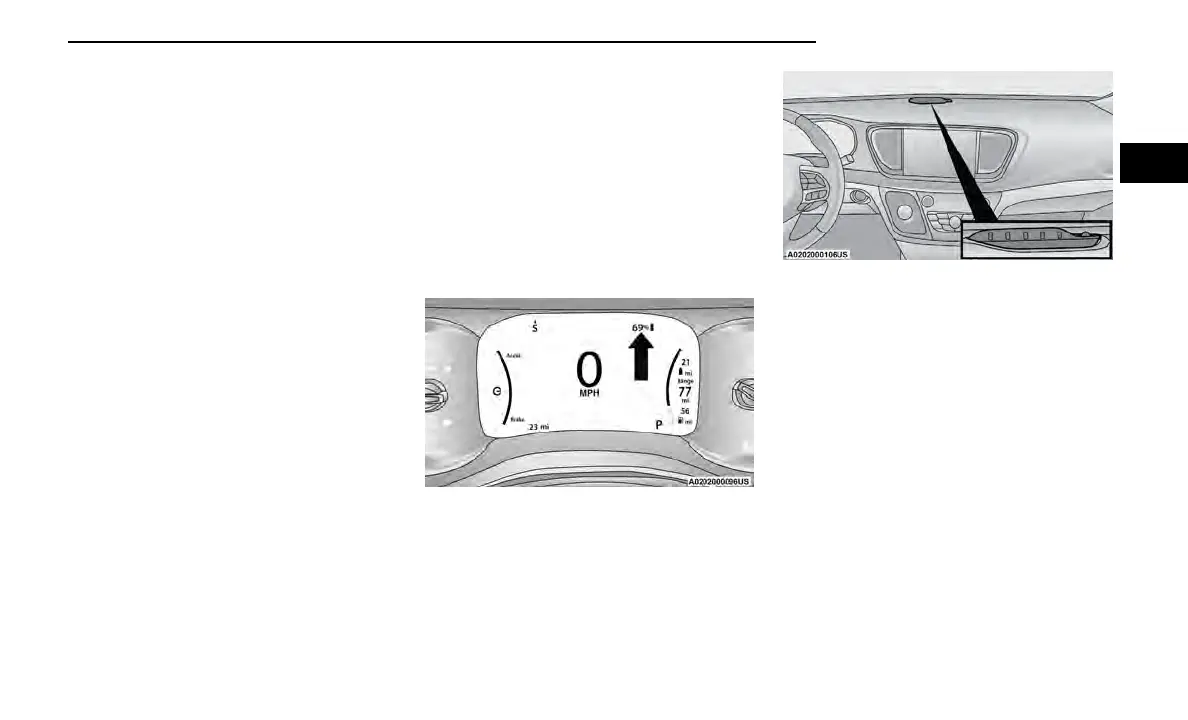
VEHICLE CHARGE INDICATORS
Instrument Cluster High Voltage Battery Display
There is a battery display indicator located on the
instrument cluster. The battery display will indicate the
current State Of Charge (SOC) for the high voltage bat-
tery; with the percentage value located to the right of
the symbol. When plugged in, the battery symbol also
indicates the battery level along with messages about
the charge or whether the system is waiting to charge
due to the charge schedule. These will appear unless
there is a charging fault. A green plug telltale will be
shown in the cluster, as well as applicable messaging
when charging.
Instrument Panel State Of Charge Indicator
In addition to the battery display in the instrument clus-
ter, your vehicle is equipped with a visual SOC indicator.
The SOC indicator is made up of five lights that are
mounted to the top center of the instrument panel,
which will illuminate when the vehicle is plugged into
the charging system.
The SOC indicator provides a visual indication of the
high voltage battery’s charge status during charging. It
is also used to indicate a charging problem as well as
waiting for a scheduled charge to begin.
NOTE:
The lights scroll one at a time when the vehicle is
plugged in outside of its charging schedule time/day of
the week, and it is waiting on the schedule to begin
charging.
In extreme hot or cold environments, the lights on the
SOC indicator may not illuminate. Charge status is avail-
able in the instrument cluster display. In the event of an
error in the charging process, the outer two lights will
blink.
When the hood is open, the lights on the SOC indicator
will not be illuminated.
High Voltage Battery Display
State Of Charge Indicator
GETTING TO KNOW YOUR VEHICLE 17
2















 To Next Page