GE+ ACDC Installation and operation manual v11
76 / 121
makes the converter to be in the different states such as enable, run, ready… whereas the
setpoints control sends to the equipment the value of the setpoint.
The selected option will be illuminated in yellow.
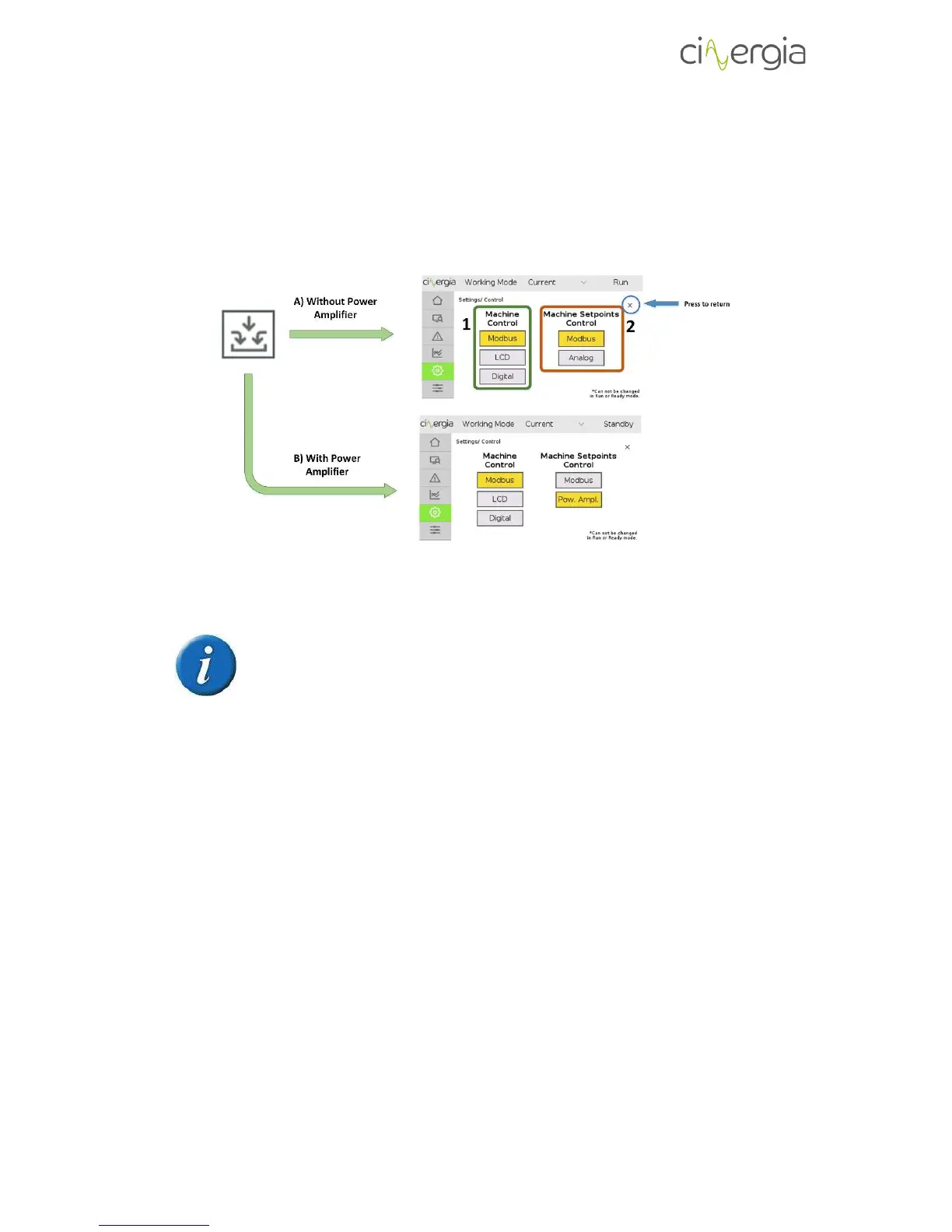
The following schematic explains the different ways to send these signals:
It is important to notice that the Power Amplifier control is an extra for the
equipment and it has an additional cost.
A) Without Power Amplifier. It is separated the Machine Control and the Machine
Setpoints Control. As it is explained before, the first one (1) allows the user to control
the equipment status. This control can be done through these different possibilities:
a. Modbus. Send the control signals via the interface delivered by Cinergia.
b. LCD. Control the equipment state using the LCD touchscreen. Using this option,
a blue lock will appear on the top left of the touchscreen. It means that the
converter will only follow the instructions of the LCD even though the interface
tries to control it.



 To Next Page