GE+ ACDC Installation and operation manual v11
83 / 121
mode, so the available limits to introduce are the current ones while the voltage values
are frozen and the user cannot touch them.
To change the values, touch the number and the keyboard explained in the chapter 3.2.
Keyboard will appear.
3. Refresh button is used for show which are the limits in the equipment. It is useful to
touch this button when the user sets new limits in the converter to see if the new values
have been correctly introduced.
4. Press Send when all the values are ready in the window.
VIII. Ramps
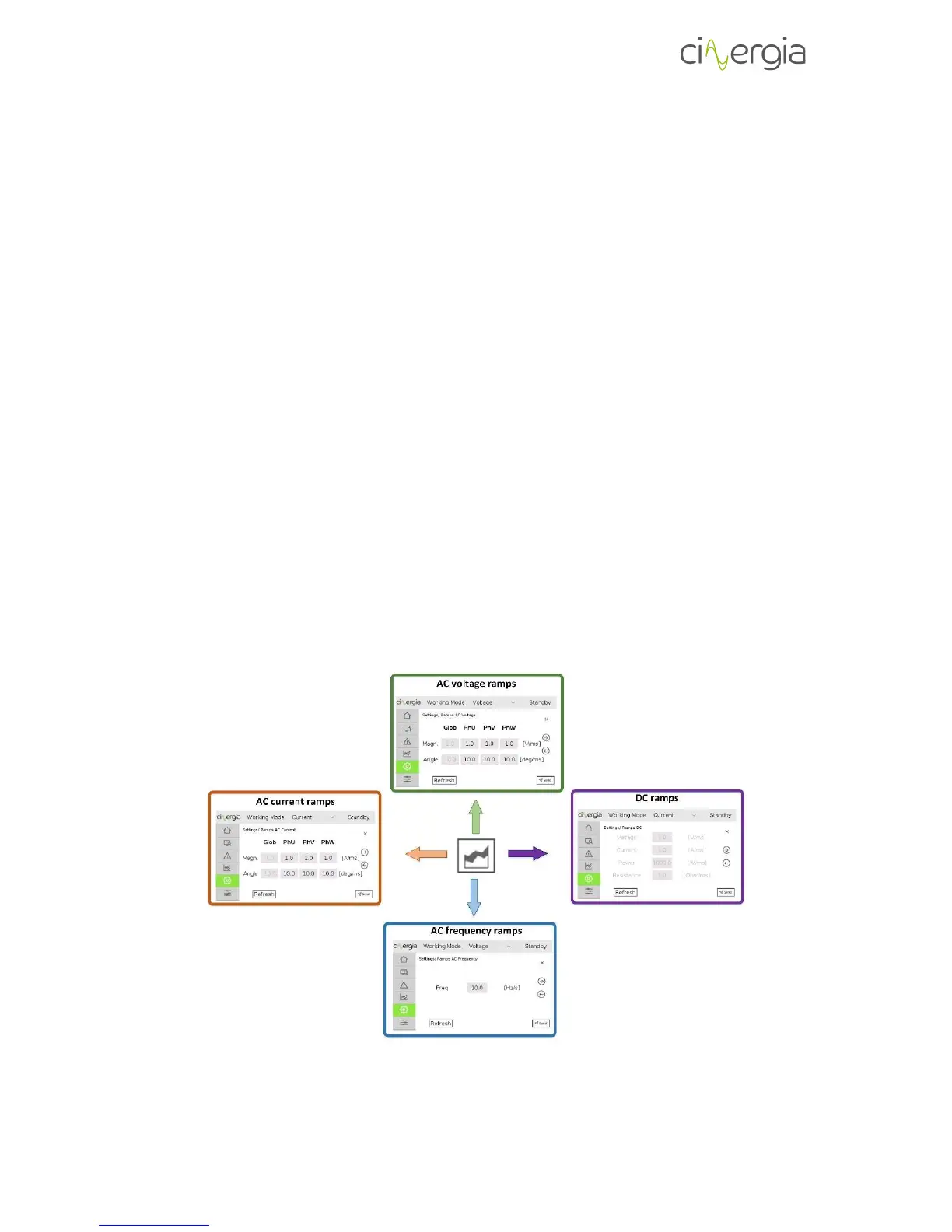
The ramps control the softer or faster change of the setpoints to avoid peaks or possible
damages in the equipment under test. The ramps are not always necessary. The equipment has
default ramps, but they can be changed in this window or in the interface.
The available ramps to change are the followings:
- AC voltage (magnitude and phase angle)
- AC current (magnitude and phase angle)
- Frequency (only AC)
- DC (voltage, current, power and resistance)
It is represented in the following diagram:



 To Next Page