B-4
Catalyst 2960 Switch Hardware Installation Guide
OL-7075-09
Appendix B Connector and Cable Specifications
Cable and Adapter Specifications
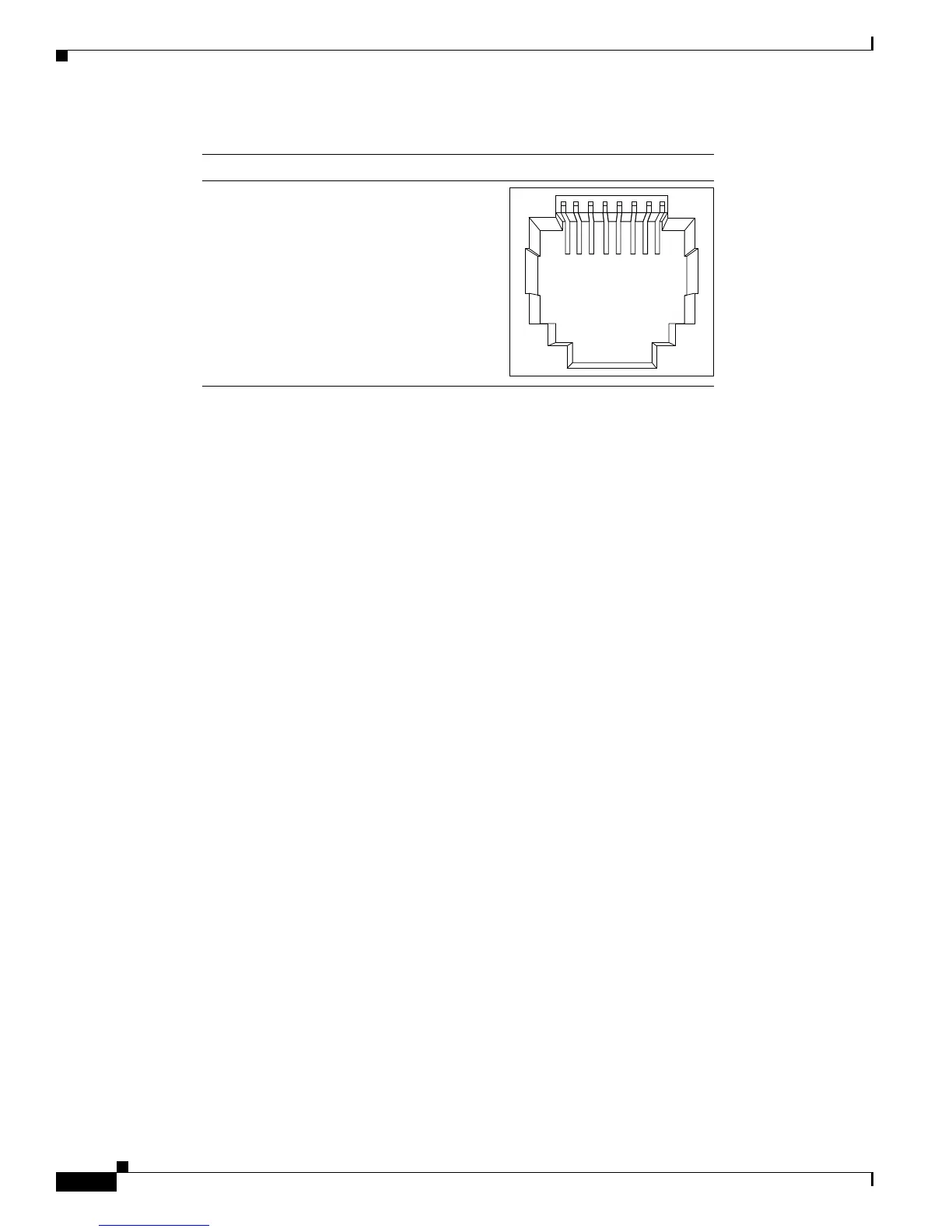
Figure B-4 10/100/1000 Port Pinouts
Console Port
The console port uses an 8-pin RJ-45 connector, which is described in Table B-2 and Table B-3. The
supplied RJ-45-to-DB-9 adapter cable is used to connect the console port of the switch to a console PC.
You need to provide a RJ-45-to-DB-25 female DTE adapter if you want to connect the switch console
port to a terminal. You can order a kit (part number ACS-DSBUASYN=) containing that adapter from
Cisco. For console port and adapter pinout information, see Table B-2 and Table B-3.
Cable and Adapter Specifications
These sections describe the cables and adapters used with Catalyst 2960 switches:
• SFP Module Cable Specifications, page B-4
• Two Twisted-Pair Cable Pinouts, page B-6
• Four Twisted-Pair Cable Pinouts for 1000BASE-T Ports, page B-6
• Crossover Cable and Adapter Pinouts, page B-7
SFP Module Cable Specifications
Table B-1 lists the cable specifications for the fiber-optic SFP module connections. Each port must
match the wave-length specifications on the other end of the cable, and for reliable communications, the
cable must not exceed the required cable length. Copper 1000BASE-T SFP transceivers use standard
four twisted-pair, Category 5 or greater cable at lengths up to 328 feet (100 meters).
60915
231 45678Pin Label
1
2
3
4
5
6
7
8
TP0+
TP0-
TP1+
TP2+
TP2-
TP1-
TP3+
TP3-













 To Next Page