Chapter 4: To use Distress and SSA buttons
To send a Distress Alert (SAILOR 6150 only) 67
4444
Distress alert with SAILOR 6018
If you have a SAILOR 6018 Message Terminal connected to your SAILOR
6150 system, you can use the Distress button on the SAILOR 6018 to send
Distress alerts, and you may also have additional SAILOR 6101 or SAILOR
6103 alarm panels connected.
The procedure below is the same on the SAILOR 6018 Message Terminal as
on the SAILOR 6101/6103 Alarm Panel.
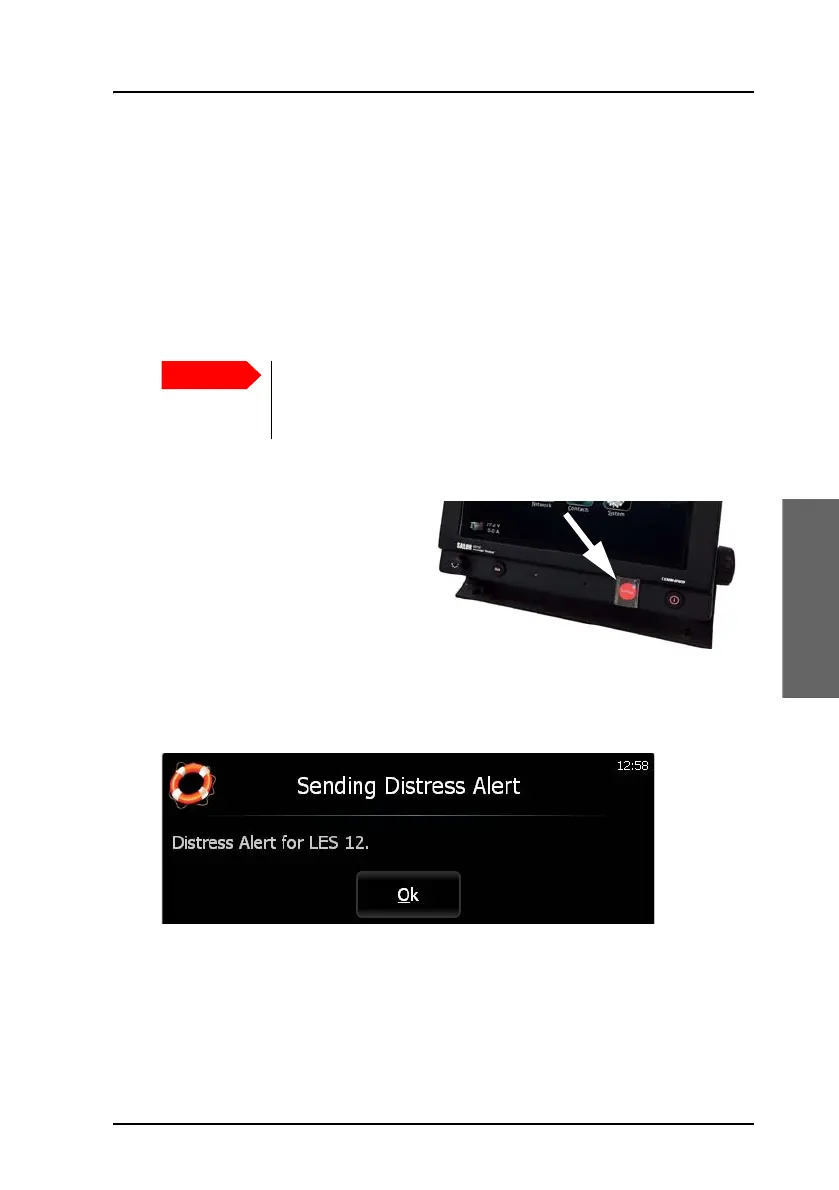
To send a Distress Alert, do as follows:
1. Open the cover for the
Distress button.
2. Push and hold the button
until the light is steady and
the buzzer stops (more than
3 seconds).
During this time the button light flashes and the buzzer sounds. After 3
seconds the red light goes steady on and the buzzer is silent. The display
shows that the message is being sent.
The display also shows when the Distress Alert is acknowledged from the
LES. Write down the LES number - you must use the same number
when you send a Distress message with more information for the MRCC.
Only send a Distress Alert if there is grave and imminent
danger!
The Distress Alert can be compared to a MAYDAY call.









 To Next Page