36
CONVAID USER’S GUIDE
Accessories
Head Support
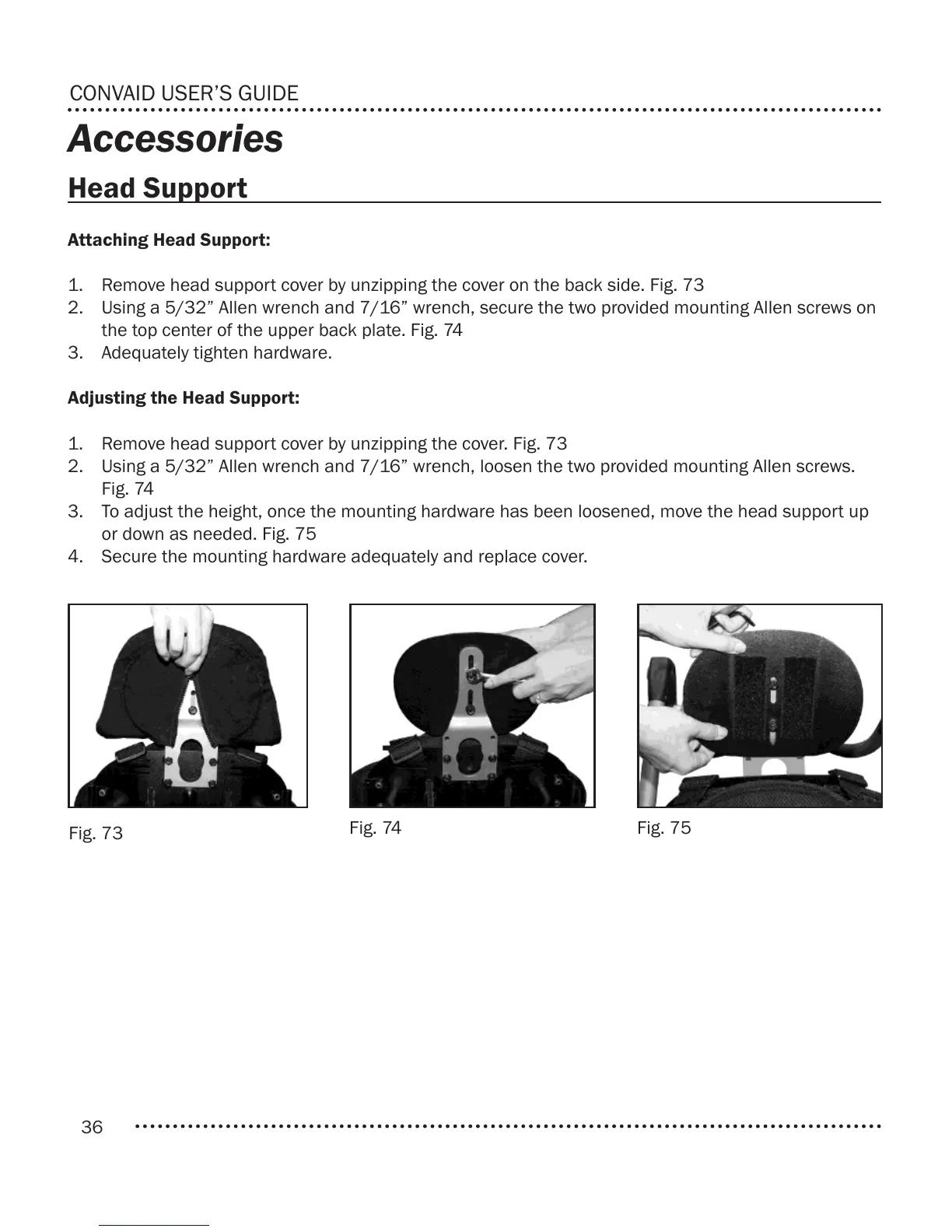
Fig. 73
Fig. 74 Fig. 75
Attaching Head Support:
1. Remove head support cover by unzipping the cover on the back side. Fig. 73
2. Using a 5/32” Allen wrench and 7/16” wrench, secure the two provided mounting Allen screws on
the top center of the upper back plate. Fig. 74
3. Adequately tighten hardware.
Adjusting the Head Support:
1. Remove head support cover by unzipping the cover. Fig. 73
2. Using a 5/32” Allen wrench and 7/16” wrench, loosen the two provided mounting Allen screws.
Fig. 74
3. To adjust the height, once the mounting hardware has been loosened, move the head support up
or down as needed. Fig. 75
4. Secure the mounting hardware adequately and replace cover.



 To Next Page