104 • Crestron Pyng OS 2 for CP4-R Product Manual – DOC. 8432A
Current Time and Date
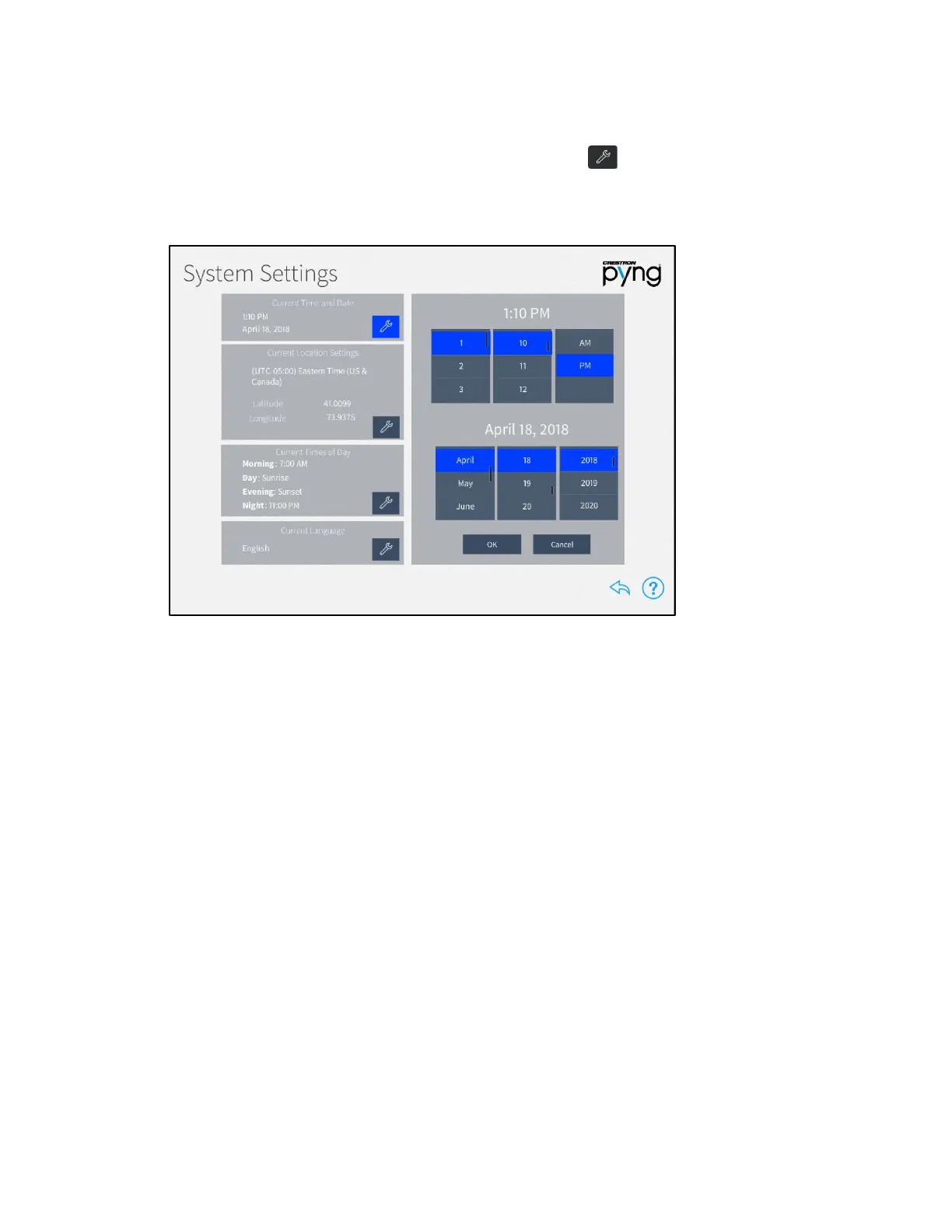
On the System Settings screen, tap the wrench button next to Current Time and
Date to display selections for editing the date and time.
System Settings Screen - Current Time and Date
• Set the time (hour, minute, and AM or PM) using the appropriate spinner menus
that are provided under the listed time.
• Set the date (month, day, and year) using the appropriate spinner menus that
are provided under the listed date.
Tap OK to save any changes. Tap Cancel to cancel any changes.



 To Next Page
 Loading...






