16 • Crestron Pyng OS 2 for CP4-R Product Manual – DOC. 8432A
Step 2: Pair Devices
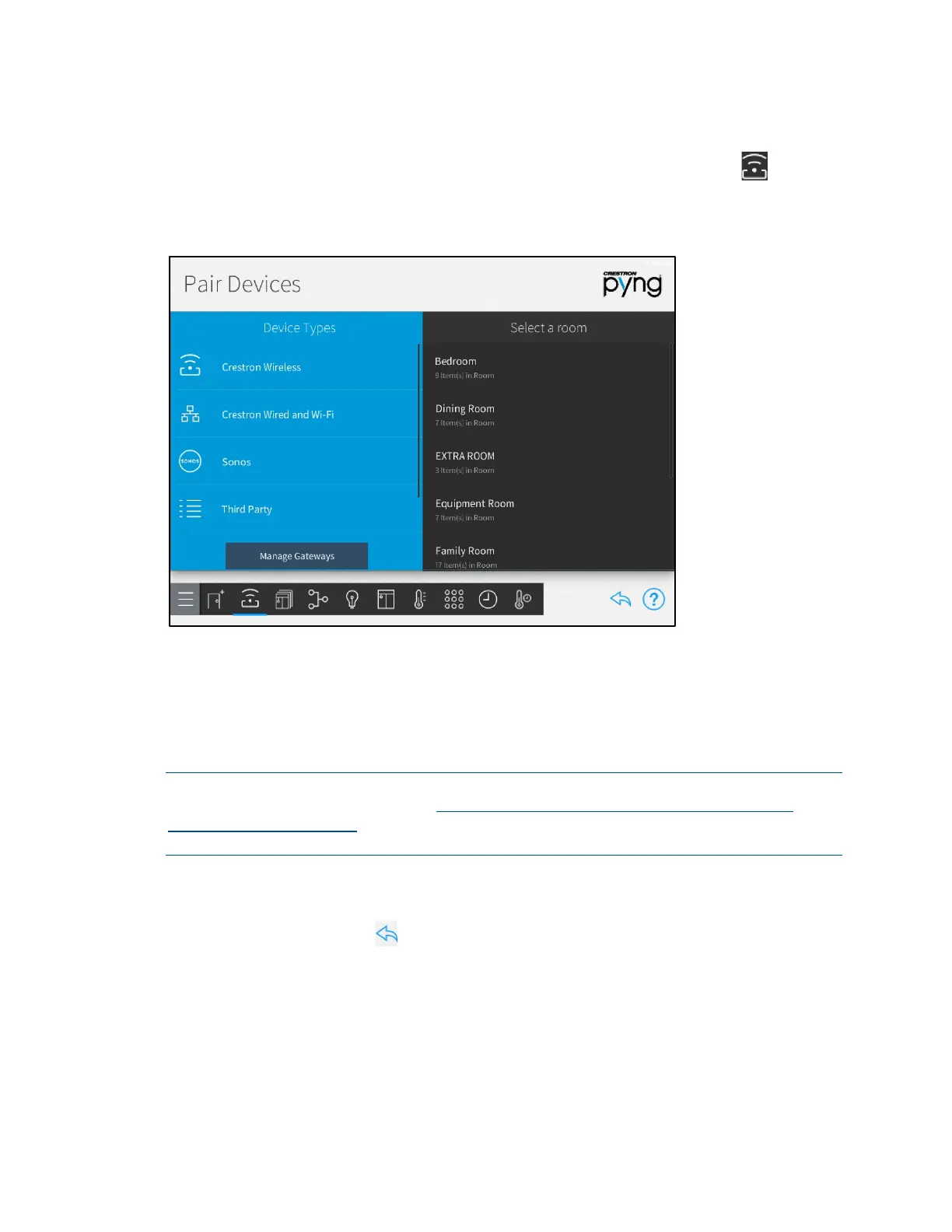
Tap the Pair Devices button on the Setup screen or the Pair Devices button on the
setup menu to display the
Pair Devices screen.
Pair Devices Screen
Use the Pair Devices screen to pair devices, including Sonos® devices, with the Crestron
Pyng system.
Associate a device with the room where it is installed after it is paired. This process
establishes automatic scenes (such as
All On and All Off) and enables adding the device
to a programmed action or event.
NOTE: For a comprehensive list of devices that are supported by Crestron Pyng, refer to
the Crestron Pyng product page at www.crestron.com/en-US/Products/Featured-
Solutions/Crestron-Pyng. Support for new devices is added to the system via firmware
updates.
The following sections describe the different device types that may be paired with the
Crestron Pyng system.
Tap the back arrow button to return to the main Setup screen.



 To Next Page