252 • Crestron Pyng OS 2 for CP4-R Product Manual – DOC. 8432A
Appendix I: CP3-R to CP4-R Manual Upgrade
An existing Crestron Pyng OS 2 system that was created on a CP3-R can be upgraded to
a new CP4-R using one of the following two methods.
Method 1: Copy Data from the CP3-R
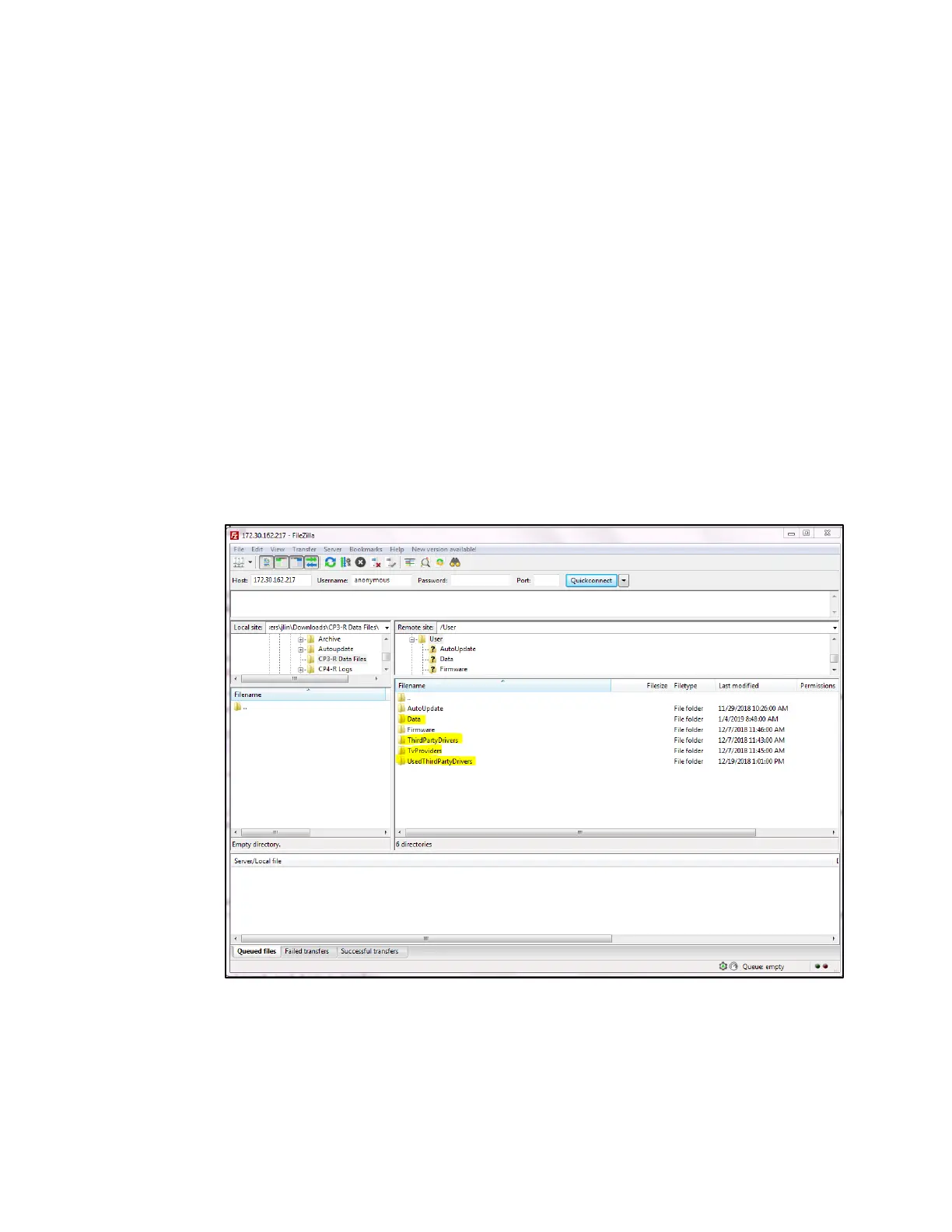
1. Connect to the CP3-R using an FTP client (such as FileZilla).
2. Copy the following folders (highlighted in the image below) from the CP3-R to a
location on the computer.
• User\Data
• User\ThirdPartyDrivers
• User\TvProviders
• User\UsedThirdPartyDrivers
CP3-R User Directory
3. Connect to the CP4-R console using the Text Console tool in Crestron Toolbox.
4. Issue the following console commands to stop the Crestron Pyng program:
• Enableprogramcmd
• Stopprog -p:0



 To Next Page