Product Manual – DOC. 8432A Crestron Pyng OS 2 for CP4-R • 235
Appendix E: Enable Remote System Access
The Crestron Pyng system may be monitored remotely using the MyCrestron Dynamic
DNS service. Use the following procedures to enable remote system access via
MyCrestron.
Register the System with MyCrestron
To register the Crestron Pyng system with a MyCrestron account:
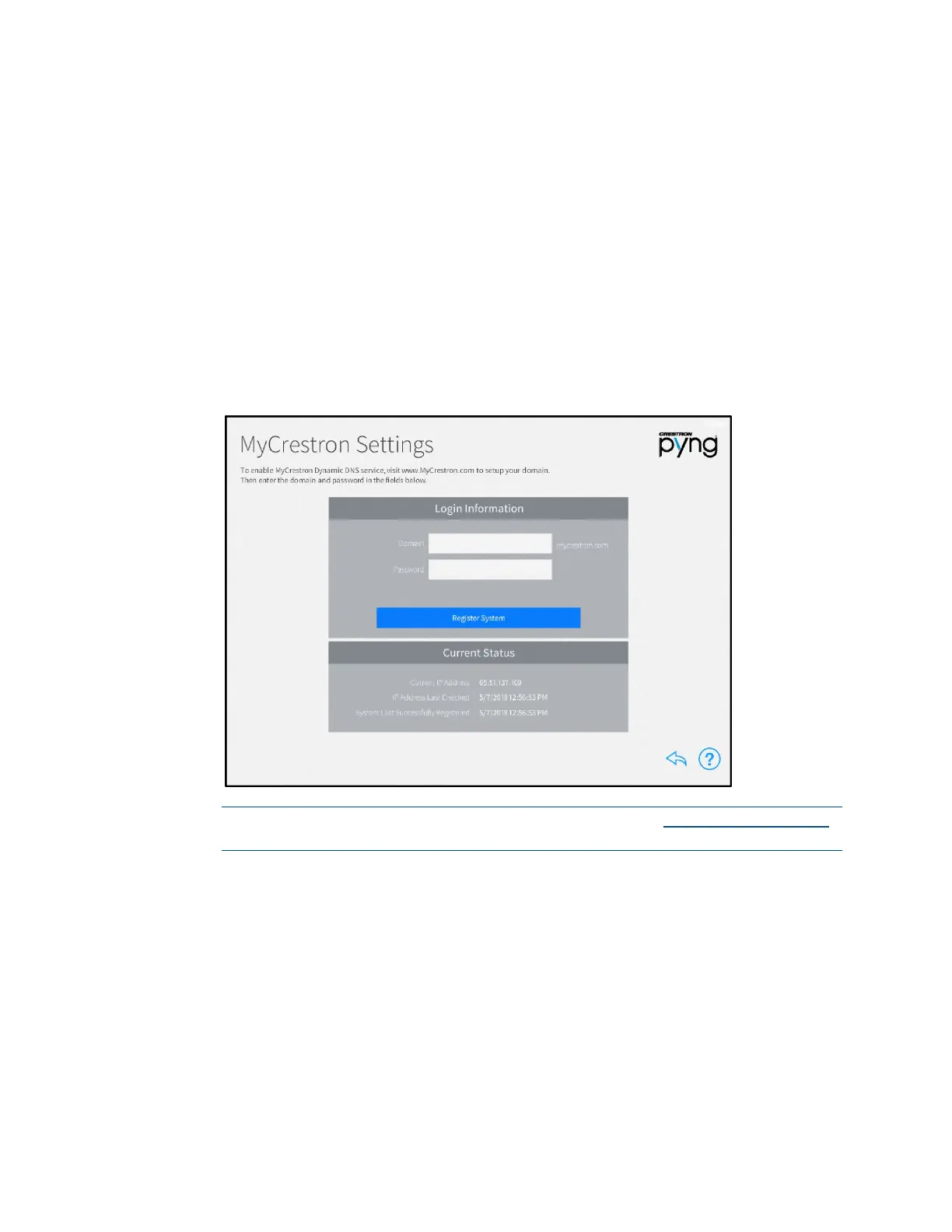
1. Tap MyCrestron Dynamic DNS Service on the Installer Settings - System
Control Options screen to display the MyCrestron Settings screen.
MyCrestron Settings Screen
NOTE: A MyCrestron domain name must be registered at www.mycrestron.com
prior to registering the system with MyCrestron.
2. Enter the domain name of the MyCrestron account in the Domain text box.
3. Enter the password for the MyCrestron account in the Password field.
4. Tap Register System.
If the registration is successful, a success message is displayed, and the System Last
Successfully Registered date updates in the Current Status panel.



 To Next Page