Product Manual – DOC. 8432A Crestron Pyng OS 2 for CP4-R • 21
Pair Wired and Wi-Fi® Network Devices
To pair wired and Wi-Fi® network devices with the Crestron Pyng system, including DM®
switchers, DM-RMC series room controllers, and DM NVX™ devices:
NOTE: After a TSW-x60 series touch screen or compatible handheld remote is added to
the system, the Crestron Pyng user project is loaded to the device. If a TSR-310 is added
to the system and is placed in Performance UI mode, the Performance UI software is
displayed on the TSR-310. For more information, refer to the Performance UI for TSR-
310 Operations Guide (8410) at
www.crestron.com/manuals.
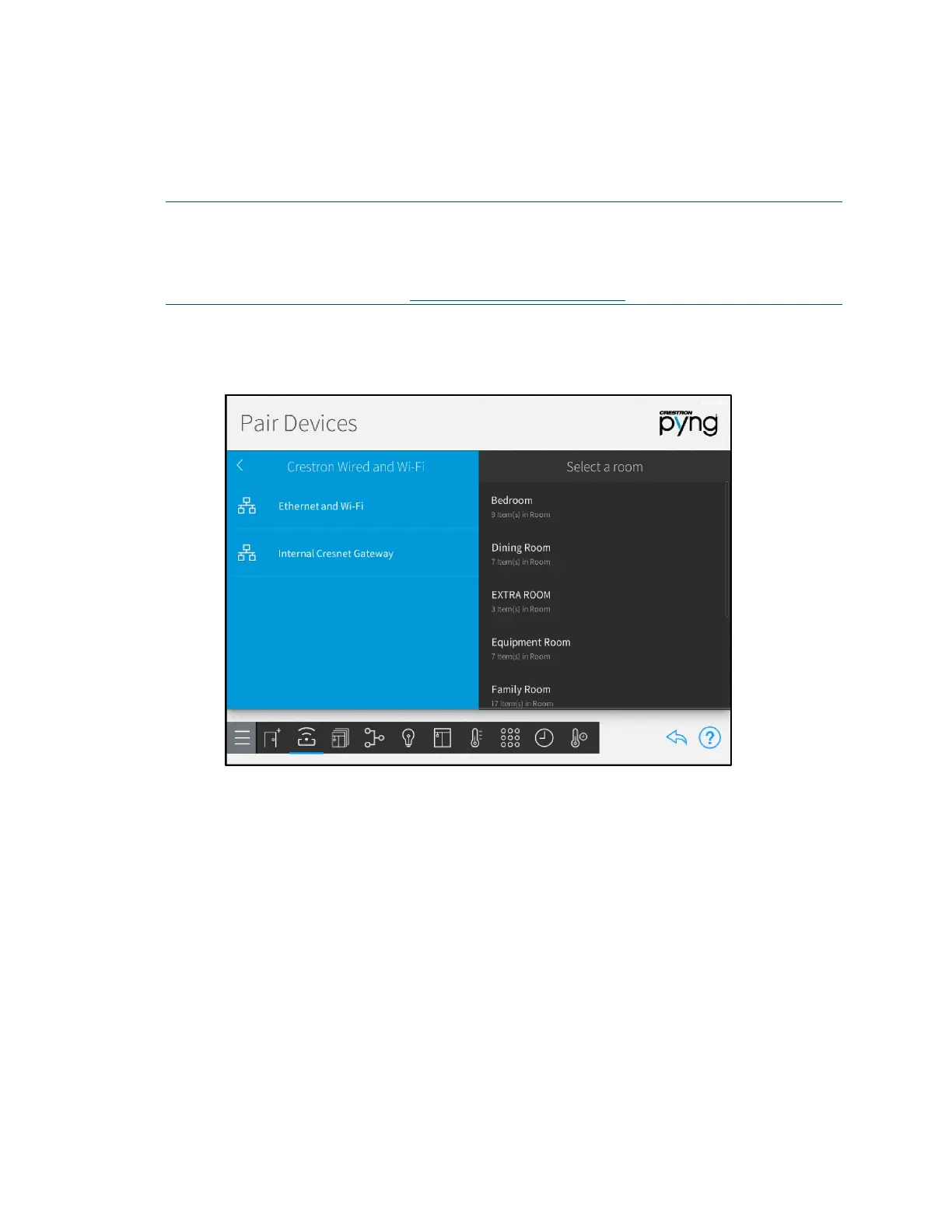
1. Select Crestron Wired and Wi-Fi from the Device Types menu.
Pair Devices Screen - Crestron Wired and Wi-Fi
2. Select a wired connection from the Crestron Wired and Wi-Fi menu to scan the
selected network for any unpaired devices. Discovered devices display underneath
the wired network on the
Pair Devices screen.



 To Next Page