98 • Crestron Pyng OS 2 for CP4-R Product Manual – DOC. 8432A
Thermostats
Tap the Schedule Climate Control button on the Configuration screen or the
Thermostats button on the setup menu to display the
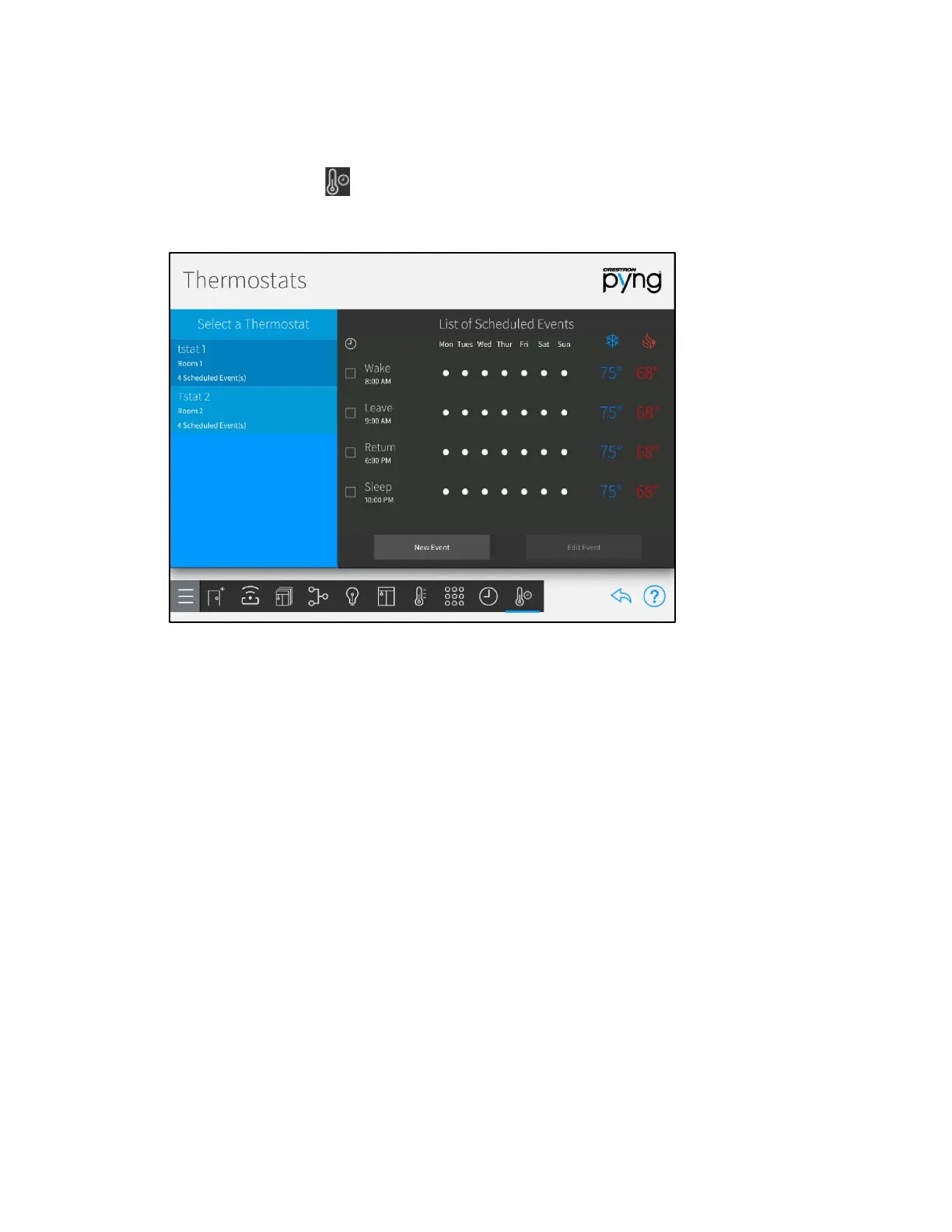
Thermostats screen.
Thermostats Screen
Use the Thermostat screen to view and schedule events for the thermostats in the
Crestron Pyng system.
By default, each thermostat includes events for "Sleep", "Wake", "Leave", and "Return".
These events are disabled by default. To enable them, tap the event's check box to the
left of the event name. A filled check box indicates that the scene is enabled.
The List of Scheduled Events lists the thermostat events that have been created for
each thermostat. Each thermostat event provides the time and days that it is scheduled
to occur, as well as its cooling and heating set points.
Create a New Thermostat Event
To create a new scheduled thermostat event:
1. Select a thermostat from the Select a Thermostat menu.
2. Tap New Event. The Edit Event dialog box is displayed.



 To Next Page
 Loading...






