Product Manual – DOC. 8432A Crestron Pyng OS 2 for CP4-R • 237
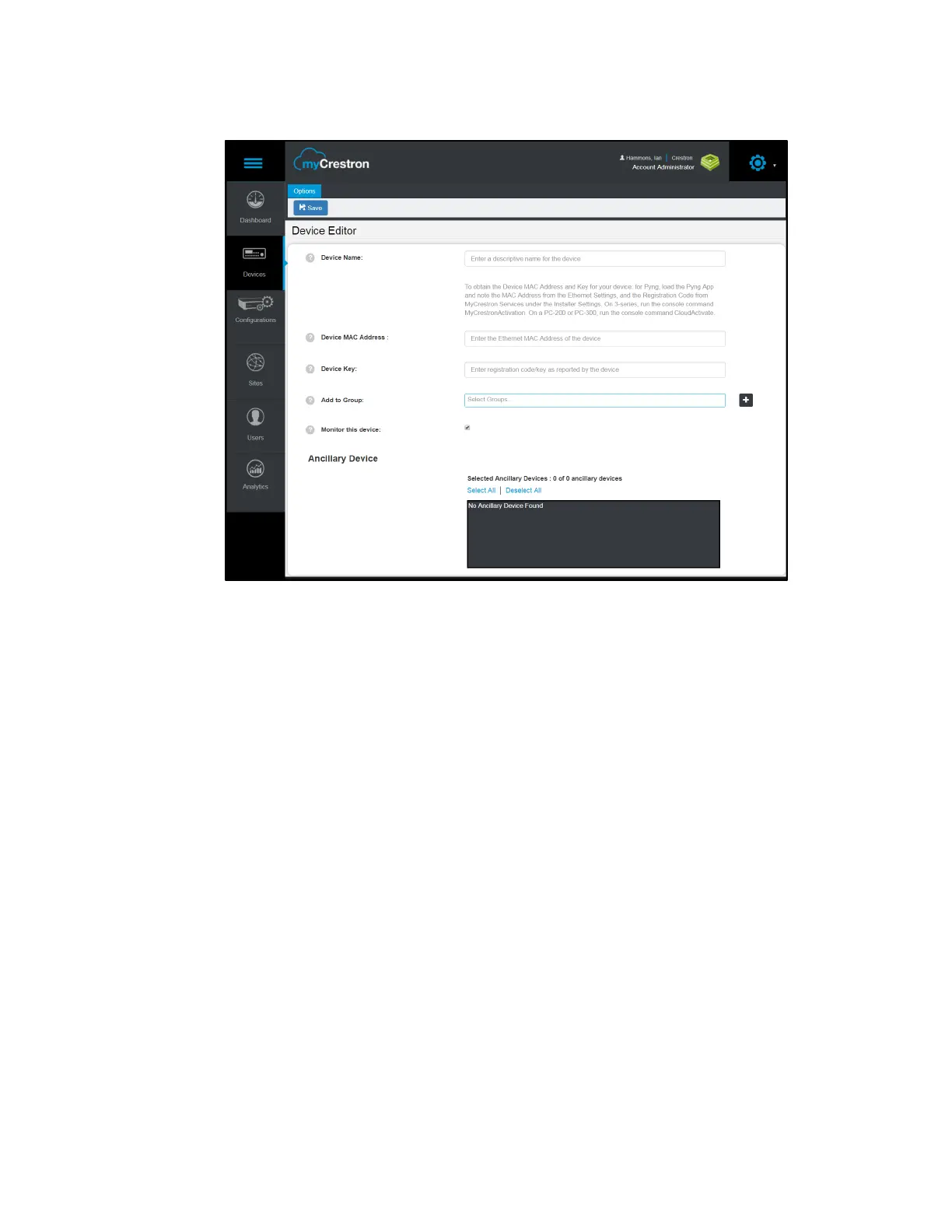
Device Editor Panel
4. Enter the following information in the appropriate fields:
• Device Name: Enter a descriptive name for the CP4-R.
• Device MAC Address: Enter the device MAC address, which is found by
navigating to
Installer Settings > System Configuration > Ethernet Settings.
• Device Key: Enter the device registration key, which is found by navigating to
Installer Settings > System Configuration > MyCrestron Monitoring Service.
• Add to Group: If desired, add the CP4-R to a MyCrestron device group.
• Monitor the device: Click the checkbox to enable or disable remote
monitoring for the PYNG-HUB. A filled checkbox indicates that the device will
be monitored.
• Ancillary Device: If desired, select any ancillary devices that are connected to
the CP4-R.
5. Click Save. The CP4-R is added to the MyCrestron account.



 To Next Page