54D-Link ShareCenter DNS-320L User Manual
Section 4 - Conguration
When rst powered on, during the initial boot sequence, the ShareCenter will wait to be assigned an IP address via DHCP. If
it does not receive a DHCP assigned IP address, the ShareCenter will be automatically assigned a 169.254.xxx.xxx address. It
is recommended that you use the included D-Link Storage Utility software when accessing and conguring the ShareCenter
for the rst time. If you want to change the IP address before logging in or you are having trouble connecting to the Share-
Center IP address, you can use the Storage Utility software included on the product CD to locate the device on your network
and make any necessary changes.
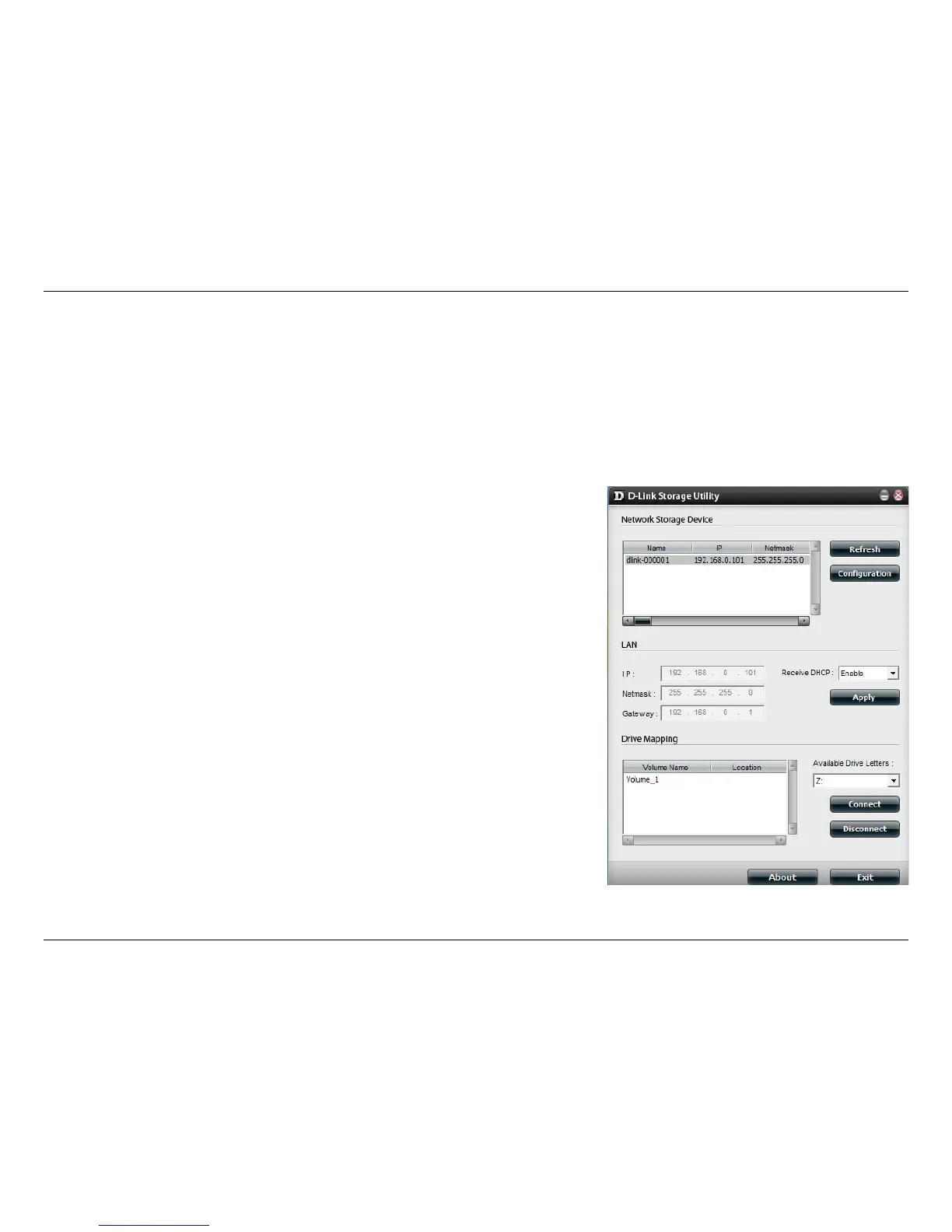
D-Link Storage Utility
Network Storage
Device:
The D-Link Storage Utility displays any ShareCenter de-
vices it detects on the network here.
Refresh:
Click Refresh to refresh the device list.
Conguration:
Click Conguration to access the web-based congura-
tion utility of the ShareCenter.
LAN:
Congure the LAN Settings for the ShareCenter here. You
can only adjust these settings if Receive DHCP is dis-
abled.
Apply:
Click Apply to save changes to the LAN Settings.
Drive Mapping:
Volumes available for mapping are displayed here.
Available Drive
Letters:
Choose an available drive letter. Click Connect to map
the selected volume. Click Disconnect to disconnect the
selected mapped volume.
About:
Click About to view the software version of the Easy
Search Utility.
Exit:
Click Exit to close the utility.















 To Next Page