
 Need help?
Do you have a question about the DATREND Systems vPad-A1 and is the answer not in the manual?
Details the general hardware specifications of the vPad-A1 system, including display, connectivity, and power.
Covers simulation capabilities for ECG, Respiration, Temperature, Cardiac Output, and Invasive Blood Pressure.
Explains the setup and parameters for pulse oximetry testing, including saturation, heart rate, and pulse amplitude.
Details NIBP simulation features, including pressure source, manometer, leak test, and over pressure tests.
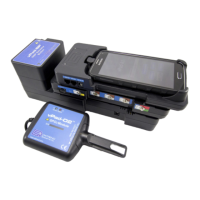
Describes the modular and stackable design of the vPad-A1 system, comprising Base and simulation modules.
Explains the user interface provided by the Android tablet, including its features and hardware buttons.
Details the functionality of AutoSettings for saving simulation configurations and AutoSequences for test templates.
Covers the ability to customize test definitions for specific SpO2 and NIBP devices by make and model.
Identifies and describes the vPad-A1 Base, vPad-PS, vPad-O2, and vPad-BP modules and their connector interfaces.
Provides step-by-step instructions for assembling the vPad-A1 system modules and initial setup.
Provides an overview of the simulator's manual operation capabilities and the main application interface.
Details ECG simulation parameters, waveforms, and specific test types like NSR, Arrhythmias, and Pacemaker Pulses.
Explains how to simulate respiration using parameters such as breath rate, impedance, and apnea.
Covers simulation of body temperature and cardiac output, including parameter settings and testing procedures.
Describes Invasive Blood Pressure simulation modes, static and dynamic pressures, and fetal monitoring parameters.
Details the setup and parameters for pulse oximetry testing, including saturation, heart rate, and pulse amplitude.
Explains NIBP simulation, including heart rate, pulse volume, device selection, and pressure tests like leakage and over pressure.
Covers auxiliary functions like timer/stopwatch, app settings, communication management, and calibration procedures.
Explains how to perform automated testing using AutoSequences and manage test results and records.
Details AutoSettings for configuring simulations and AutoSequences for creating automated test procedures.
 General
| Brand | DATREND Systems |
|---|---|
| Model | vPad-A1 |
| Category | Switch |
| Language | English |

 To Next Page