Delem
V0505, 8.1
8. Manual mode
8.1. Introduction
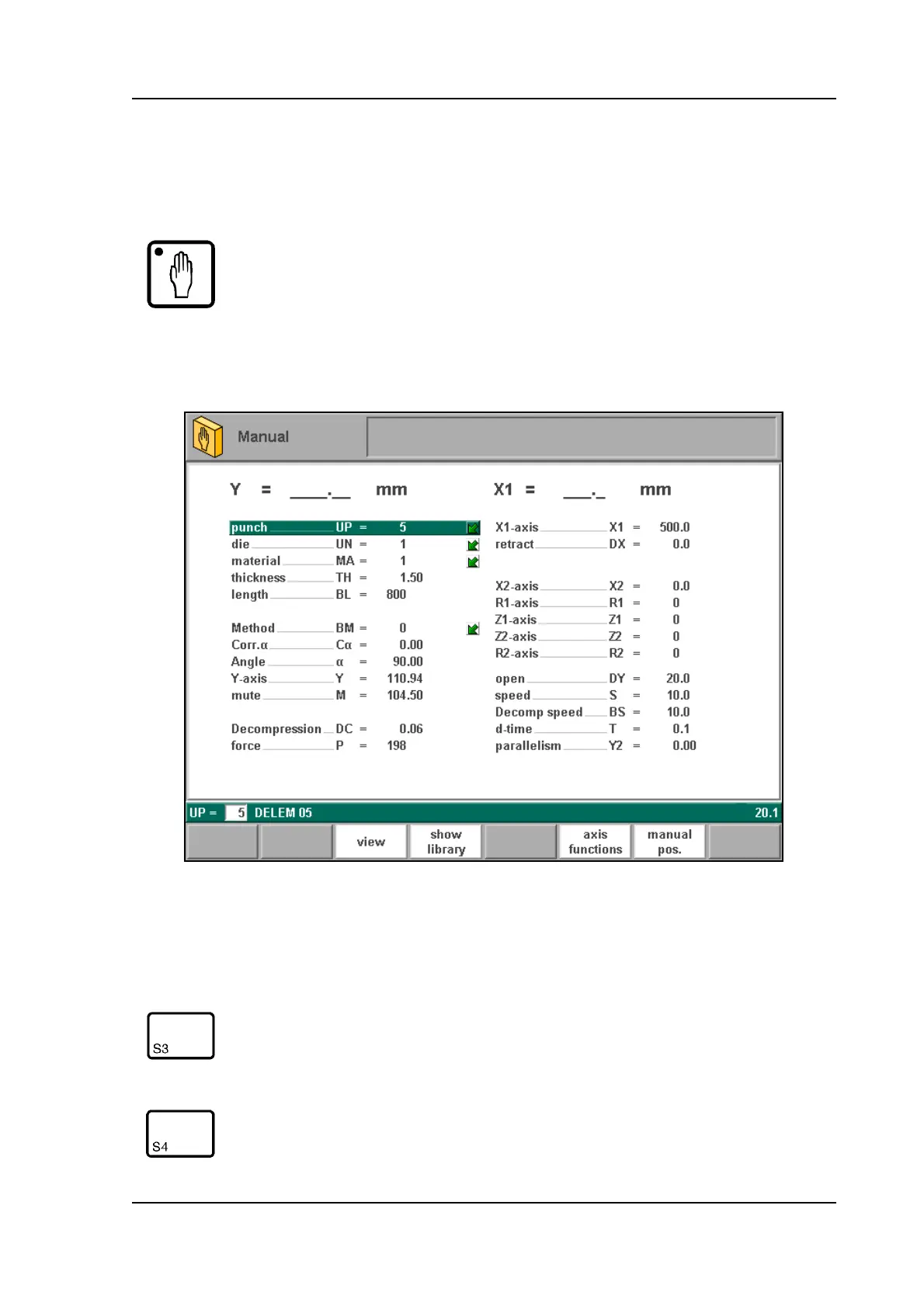
In manual mode you program the parameters for one bending. This mode is useful for testing
and for calibration.
8.a
All the parameters can be programmed independently of the programs in memory.
Manual mode By pushing this key the CNC is in manual mode.
Function keys
view Button to select one out of three possible viewing modes:
- axes
- aux. axes
- zoomed values
show
library
Open a window with an overview of the tool library.
From there, a tool can be selected.



 To Next Page