V0505, 3.6
maximum possible speed.
Retract
Retract distance of the selected axis in the current bend. The distance is always programmed in
millimeters. If the retract distance of the X-axis is altered in this window, the Retract parameter
of the X-axis is automatically adjusted.
• Parameter explanation
Punch. . . . . . . . . . . . . . . . . . . . . . . . . . . . . . . . . . . . . . . . . . . . . . . . . . . .UP
Number of punch in library.
Die . . . . . . . . . . . . . . . . . . . . . . . . . . . . . . . . . . . . . . . . . . . . . . . . . . . . . .UN
Number of die in library.
Program the required tool numbers or press the key to select a tool from the list. Use the
function key ‘Show library’ to check the available tools.
Bendmethod . . . . . . . . . . . . . . . . . . . . . . . . . . . . . . . . . . . . . . . . . . . . . .BM
Select the required bending method. The control supports 4 methods:
Air bend
Bottoming
Flattening
Flattening & bottoming.
Press the key to select the required setting.
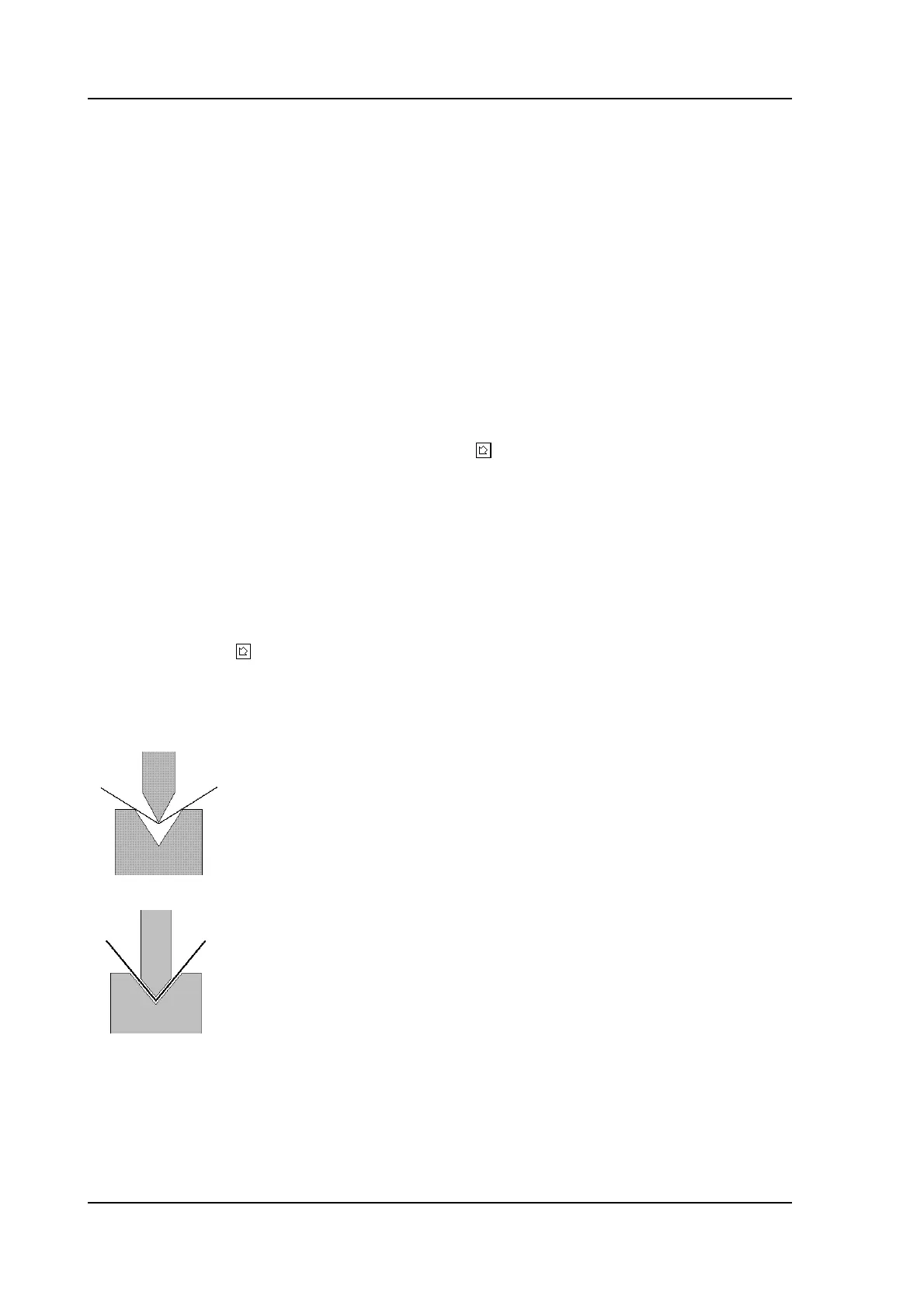
Bend methods:
air bend The sheet is bent to the programmed angle by
bringing the punch to the required depth. The
control calculates the required Y-axis position
to obtain the programmed angle.
bottoming The sheet is bent by squeezing the sheet
between the punch and the die. The control
assumes the bottom of the die as required Y-
axis position.



 To Next Page