Delem
V0505, 9.1
9. Automatic / step by step mode
9.1. Introduction
9.a
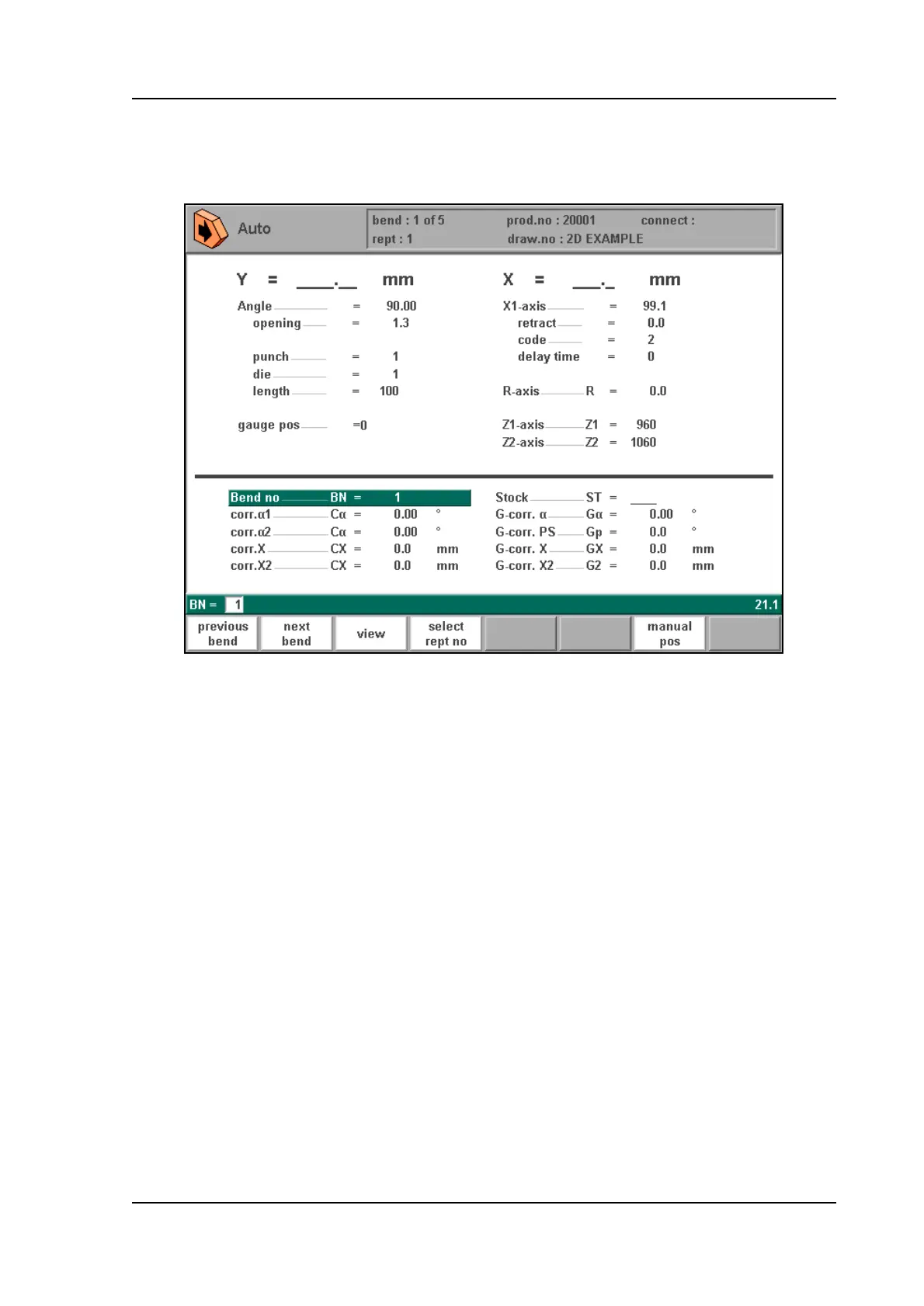
The automatic mode executes the program (programming mode) automatically bend by bend
after pushing the ‘start’-key.When a new bending program is selected you must check your
tools and tool positions in your machine. This is also indicated with a ‘check tools’ warning
message when you enter the automatic mode.
In the header information is displayed on the number of bends, the repetition of a bend, the
product number, the drawing number and the connected program (the latter two do not have to
be present).
Above the horizontal line the programmed and computed parameters are displayed. These
parameters are divided over two screens: ‘functions’ and ‘axes’. The parameters below the
horizontal line can be programmed.



 To Next Page