V0505, 4.4
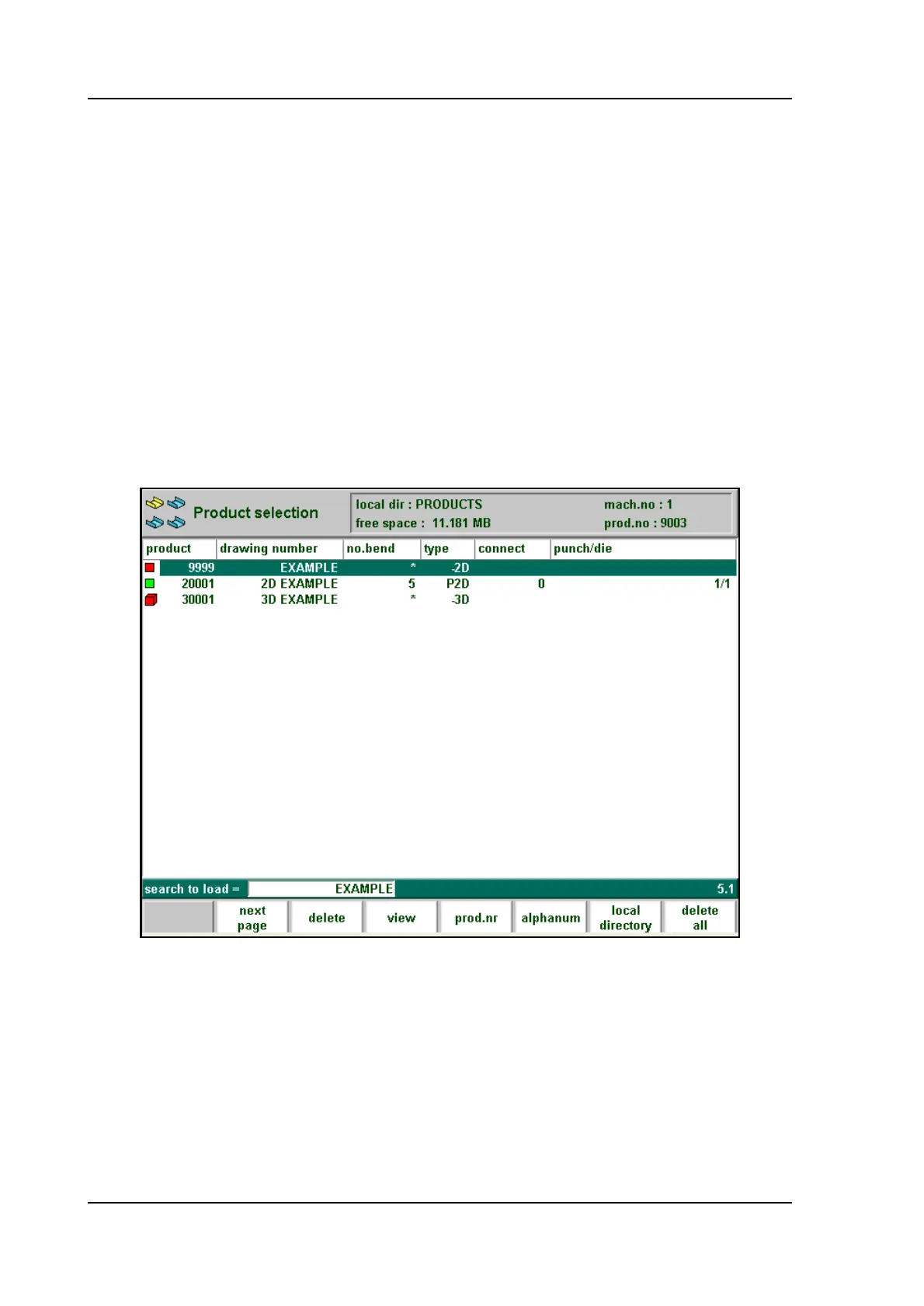
Expanded directory, a product overview which contains the following information for each
product is displayed:
• Product number
• Drawing number
• Number of bends
• Type indication
• Connected program (0 = no connection)
• Selected tools (in first bend)
• Search function
When the search function is selected, you can search for products with a certain number or
name. At the bottom of the screen the text “search to load” is displayed, to indicate that you
may enter a string the control will search for. You can either enter a complete name or number
or only a part of it. Press ‘enter’ to start a search.
If you enter part of a name and this part occurs in several product names, the control will show
all product names that contain the given characters. It is also possible to enter a combination of
name and number.
4.e



 To Next Page