V0505, 4.6
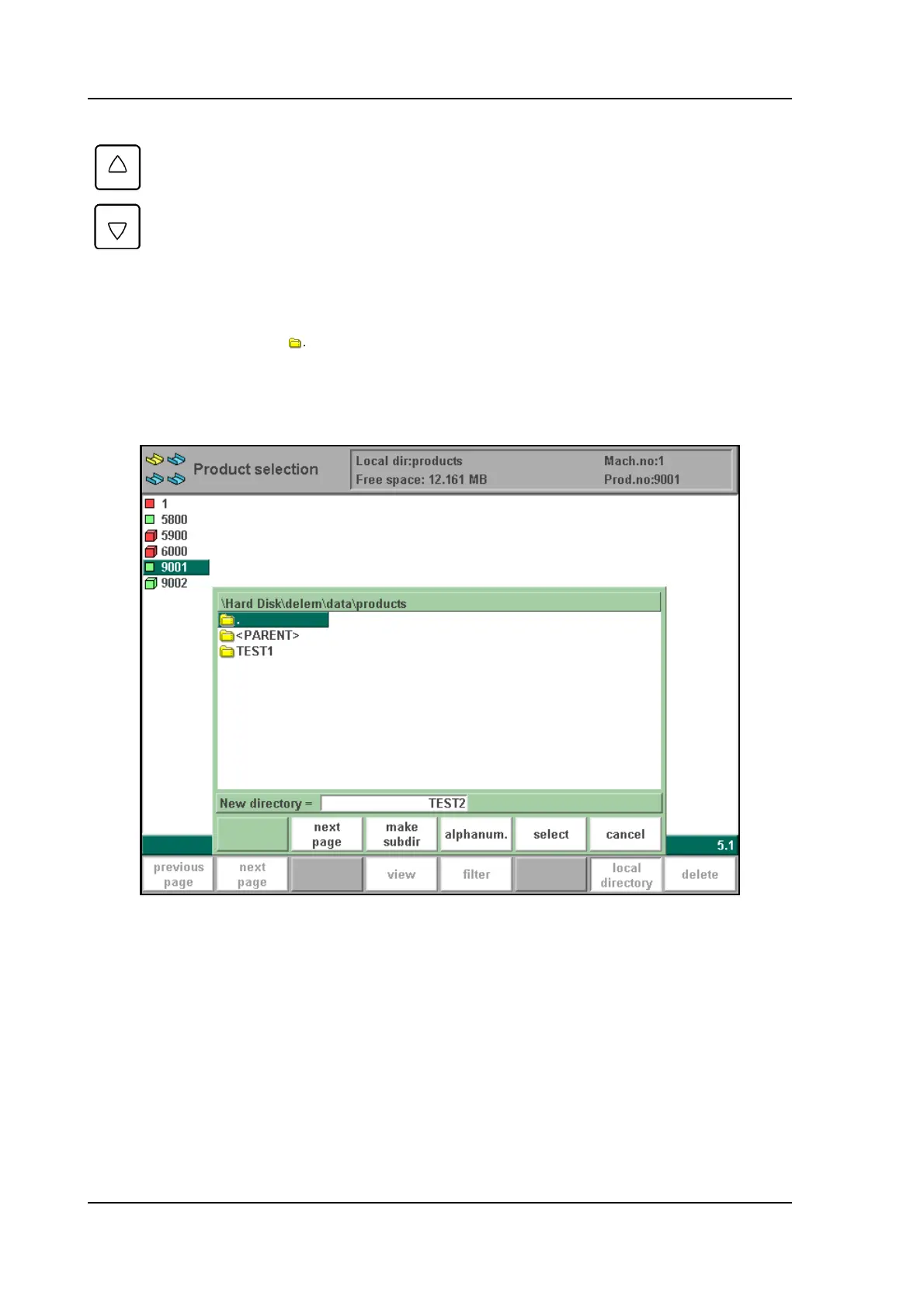
Use the function key 'select' to make a subdirectory active. Press ENTER to look inside a sub-
directory. To move up, go to the <PARENT> map and press ENTER. To select the directory
you are currently in, go to and press ‘select’.
In this menu it is also possible to remove existing subdirectories (only an empty one) and to
make new subdirectories. Press ‘make subdir’ and enter the new name. Subdirectories are
called subdirectories because these directories reside under the local directory ‘\PRODUCTS’.
4.g
It is not possible to copy products from one subdirectory to another subdirectory. A product
must be restored in a subdirectory via the menu ‘product backup’. You cannot change the name
of the subdirectory.
When you leave the product selection menu the control remembers the active subdirectory and
the active product (if a product was selected) until another directory or product is selected.
Cursor key
Up/Dn
Select another subdirectory.
Function keys:



 To Next Page