V0505, 7.2
7.b
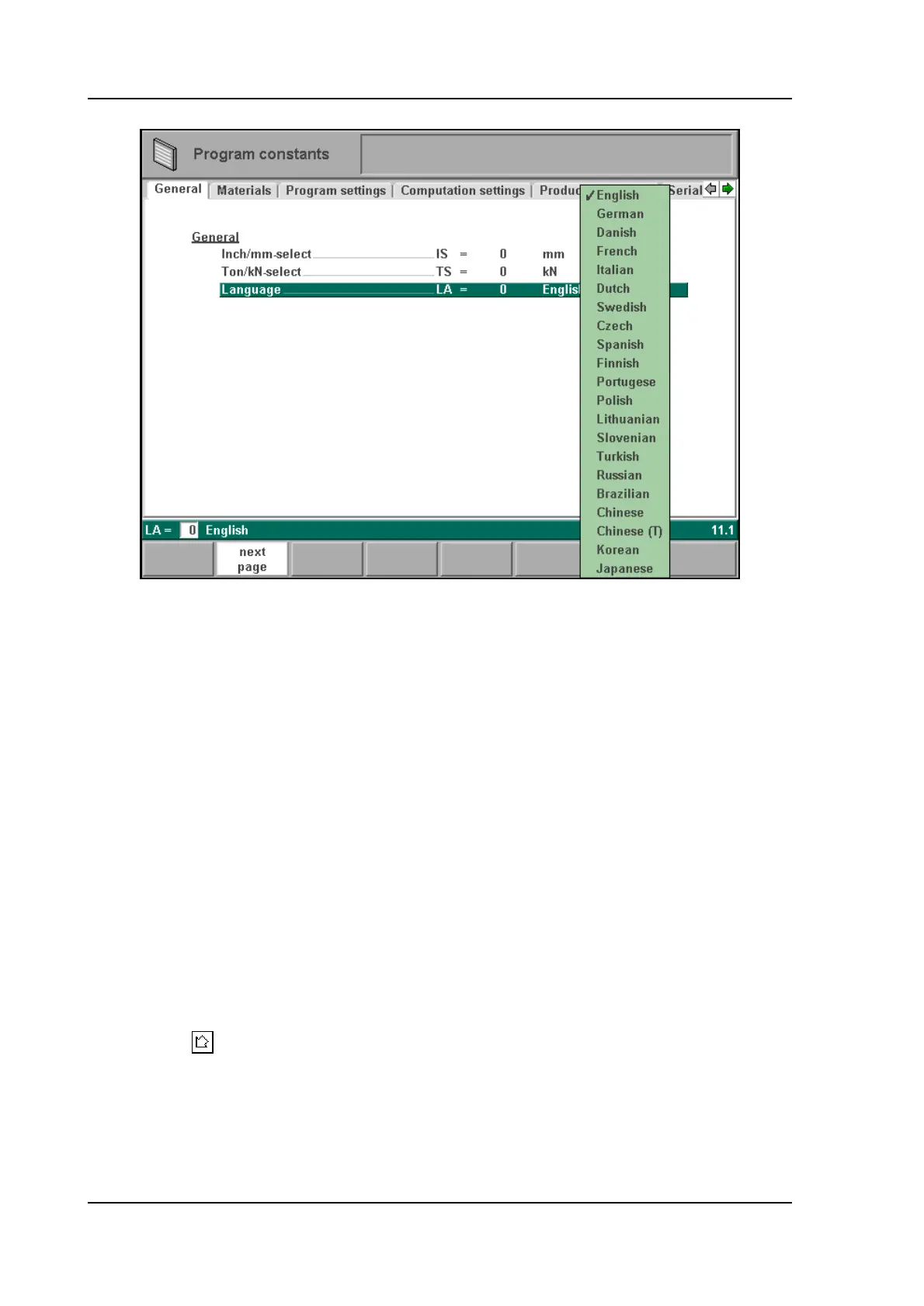
Language selection . . . . . . . . . . . . . . . . . . . . . . . . . . . . . . . . . . . . . . . . .LA
It depends on the machine configuration which languages are available.
Press the key to select the required setting.
With the enter key or the ‘S2’ key the next page of the system parameters can be selected (7.2).
It is also possible to continue on the next-or previous page by using softkeys S2 c.q. S1.
0 = GB (English) 10=P (Portugese)
1 = D (German) 11 = PL (Polish)
2 = DK (Danish) 12 = LI (Lithuanian)
3 = F (French) 13= SL (Slowenian)
4 = I (Italian) 14= TR (Turkish)
5 = NL (Dutch) 15= RU (Russian)
6 = S (Swedish) 16= BR (Brazilian)
7 = CS (Czech/Slovak) 21= CHI (Chinese)
8 = ESP (Spanish) 22= CHT (Chinese traditional)
9 = FI (Finnish) 23= KO (Korean)
24= J (Japanese)



 To Next Page